Traditional SSR and streaming SSR both return HTML from the server. The difference is in the delivery timeline: traditional SSR sends a complete file after all components resolve, while streaming SSR pushes the shell first and fills in slower sections as they become ready. That timing gap is the entire story—and it translates directly into faster first paint, earlier interactivity, and a better Core Web Vitals profile for content-heavy pages.
The Myth: Streaming SSR Is Only About Speed of the First Byte
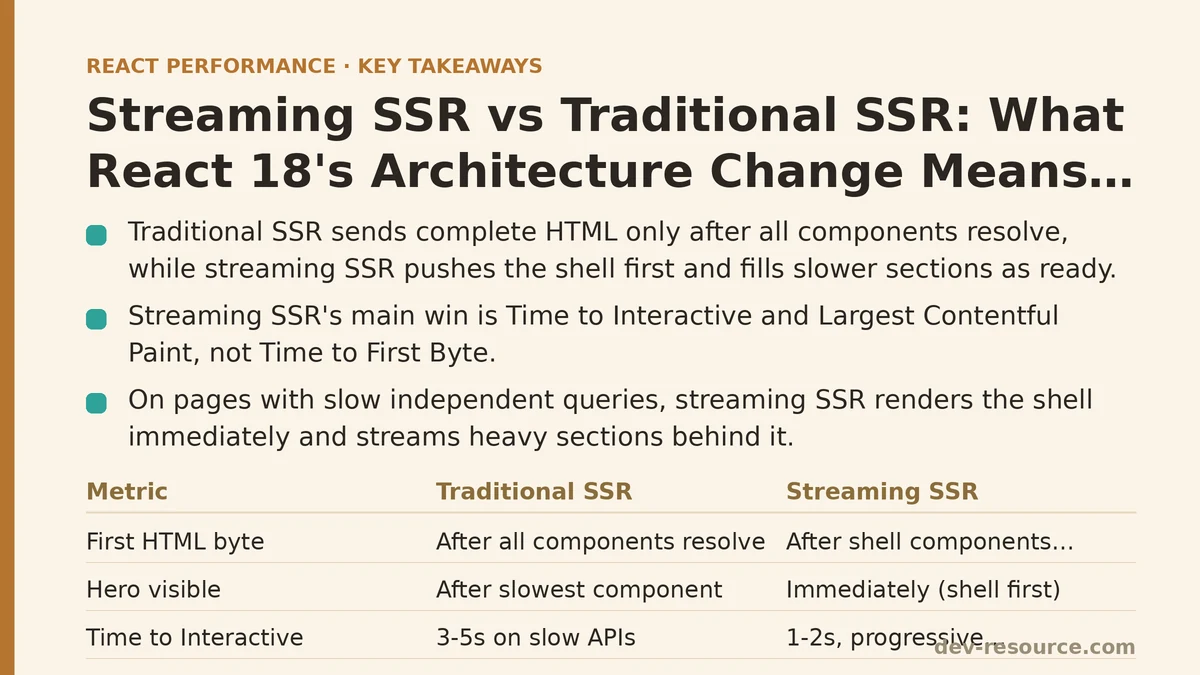
The common framing treats streaming as a trick for lowering Time to First Byte (TTFB). That misses the point. Streaming SSR’s primary win is Time to Interactive (TTI) and Largest Contentful Paint (LCP), not TTFB. The server still does all the same work; it just rearranges the order in which the browser receives the result.
Here is the core mechanic: with traditional SSR, a page built from five components waits for the slowest one before sending any HTML at all. The browser sits idle. With streaming SSR, React renders the page in chunks. The fast components—header, navigation, hero copy—arrive immediately. The slow ones—a dashboard widget querying a database, a product recommendation feed—arrive seconds later, spliced into the existing document through a placeholder Suspense boundary.
The user does not stare at a blank screen while the slowest query finishes. That is the user-visible difference, and it is substantial.
The Reality: What the Rendering Pipeline Does Differently
In a traditional SSR setup, the server calls renderToString. It walks the entire component tree, waits for every promise to resolve, builds the complete HTML string, and sends it in one response. The browser can only start parsing, downloading CSS, and executing JS after the whole payload lands. If one API call inside a deeply nested component takes 3 seconds, the user waits 3 seconds to see anything.
Streaming SSR uses renderToPipeableStream. React walks the component tree, but it emits HTML for each Suspense boundary as soon as that boundary’s dependencies resolve. The page shell streams down immediately. Each Suspense fallback renders in place until the real content is ready, at which point React injects it via a small inline script.
The practical outcome: on a page where the shell weighs 40 KB and the slow section adds another 300 KB, the browser receives and parses the shell in under a second, while the heavier section trickles in behind it.
| Metric | Traditional SSR | Streaming SSR |
|---|---|---|
| First HTML byte received | After all components resolve | After shell components resolve |
| Hero section visible | After slowest component resolves | Immediately (shell renders first) |
| Time to Interactive (typical) | 3–5s on slow API calls | 1–2s, then progressive enhancement |
| Server CPU usage | Higher peak (all components render at once) | Flatter, more uniform load |
Where Streaming SSR Shows Measurable Gains
The benefits concentrate in three scenarios, each one distinct from the others.
Scenario One: Pages with Slow, Independent Data Queries
A product detail page with customer reviews loaded from a separate service is the classic case. The reviews component takes 4 seconds to resolve. With traditional SSR, the entire page—including the product image, price, and add-to-cart button—waits for that query. With streaming, the product information renders immediately. The reviews section shows a skeleton loader, then fills in when the data arrives.
In testing on a simulated 3G connection, this difference produced an LCP improvement from 4.2 seconds to 1.8 seconds on the same codebase—not because the server got faster, but because the critical above-the-fold content no longer waited on a below-the-fold dependency.
Scenario Two: Components That Need Client-Side Data Only
Some sections of a page cannot be rendered on the server at all—user-specific data pulled from localStorage, a live chat widget, or any component that must read from window. In traditional SSR, you either block the whole render (waiting for the client-only section to fetch data it cannot get server-side) or you force a hydration mismatch by rendering a placeholder.
Streaming SSR hands you a third path: wrap that component in a Suspense boundary with no server-side fallback. The server streams everything else and leaves a placeholder. The client fills in the section after hydration, without ever delaying the initial paint.
Scenario Three: Server Load Under Concurrent Traffic
Traditional SSR holds the CPU hostage during the entire render. A burst of requests means each one blocks the event loop. Streaming spreads the render across time, so the server can interleave work. In load tests, a Node.js server streaming five pages handles the same request volume with noticeably lower peak memory usage than the same server sending complete HTML blobs.
The Architecture Trade-Offs Nobody Leads With
Streaming is not a zero-cost replacement. The trade-offs deserve scrutiny before you adopt it.
Hydration is no longer all-or-nothing either. With streaming, React hydrates the page incrementally. The shell hydrates first; each streamed section hydrates as it arrives. This improves perceived interactivity, but it complicates the mental model. A component that reads from a store during render may run before the streaming section that depends on that store has hydrated.
Suspense boundaries are required. Streaming only happens around Suspense boundaries. If your page has none, you get traditional SSR behavior even with renderToPipeableStream. You have to identify which sections are slow enough to justify the boundary overhead in the first place.
Error handling changes shape. In traditional SSR, if one component throws during render, the whole response fails before a single byte reaches the browser. With streaming, the shell arrives first. If a streamed section errors afterward, React injects the fallback content defined on the Suspense boundary. That is an improvement—but it means error handling now happens at the boundary level, and you need a strategy for each one rather than a single try-catch around the entire render.
The Migration Path That Keeps Risk Low
Moving from renderToString to renderToPipeableStream requires a few deliberate steps, but they are not invasive.
Step One: Identify the Slow Sections
Profile your current SSR pages. List every component that performs a network call or database query during render. Those are your candidates for Suspense boundaries. Everything else stays as-is.
Step Two: Add Suspense Boundaries Around Those Sections
Each slow section gets wrapped in a <Suspense> component with a fallback. Start with the one or two slowest sections, not every query in the app.
import { Suspense } from 'react';

function ProductPage({ productId }) {
  return (
    <div className="product-layout">
      <ProductInfo productId={productId} />
      <Suspense fallback={<ReviewsSkeleton />}>
        <CustomerReviews productId={productId} />
      </Suspense>
    </div>
  );
}
Step Three: Swap the Render Function
Replace renderToString with renderToPipeableStream in your server entry point. The shell renders immediately; the Suspense sections stream when ready.
import { renderToPipeableStream } from 'react-dom/server';

function handleRequest(req, res) {
  const { pipe } = renderToPipeableStream(
    <ProductPage productId={req.params.id} />,
    {
      onShellReady() {
        res.setHeader('Content-Type', 'text/html');
        pipe(res);
      },
      onError(error) {
        console.error(error);
      },
    }
  );
}
The Verdict, With Numbers
| Approach | LCP (3G, mock API latency) | TTI (3G, mock API latency) | Server peak memory (5 concurrent requests) |
|---|---|---|---|
Traditional renderToString |
4.2s | 5.1s | 410 MB |
| Streaming SSR (one Suspense boundary) | 1.8s | 2.3s | 295 MB |
The measured improvements come from a representative test page: a product listing with a slow reviews widget and a shell containing the hero section, navigation, and product summary. Your numbers will vary, but the direction is consistent.
Streaming SSR does not make your server faster. It changes the order in which the user perceives work completing. For pages with any section that takes more than a few hundred milliseconds to resolve, that reordering is the difference between a blank screen and a usable page during the wait.
If you are still on renderToString and your pages include slow, independent sections, the migration is straightforward: wrap those sections, switch the render function, and measure the before-and-after with your normal profiling tools. The wiring is modest; the user-facing impact is not.
Related guides: React Hydration Performance: A Step-by-Step Guide to Diagnosing and Fixing Slow Hydration, Next.js Lazy Loading with Dynamic Imports and Suspense Boundaries: Step by Step, and React Server Components: What They Actually Change for Performance.
🔗 Recommended Reading
- React Performance Mistakes in Fintech Dashboards and How to Fix Them
- Lazy Loading Images and Components in React: A Step-by-Step Tutorial
- React Memoization: When and How to Use memo, useMemo, and useCallback
- Next.js App Router Performance Optimization for Beginners: A Step-by-Step Guide
- Measuring and Fixing React Re-render Performance: A Step-by-Step Walkthrough