Memoization in React is the practice of caching a computed value, a function reference, or a component’s rendered output so that React can reuse it across renders instead of recomputing it. The three tools that implement this in modern React are React.memo, useMemo, and useCallback. Each one caches something different, and each one has a cost. A large share of the confusion around React performance comes from treating these three as interchangeable “make it faster” buttons. They are not. This guide pairs the common assumptions about each tool against how it behaves in practice, then walks through a concrete implementation path.
Myth 1: “React.memo makes any component render faster”
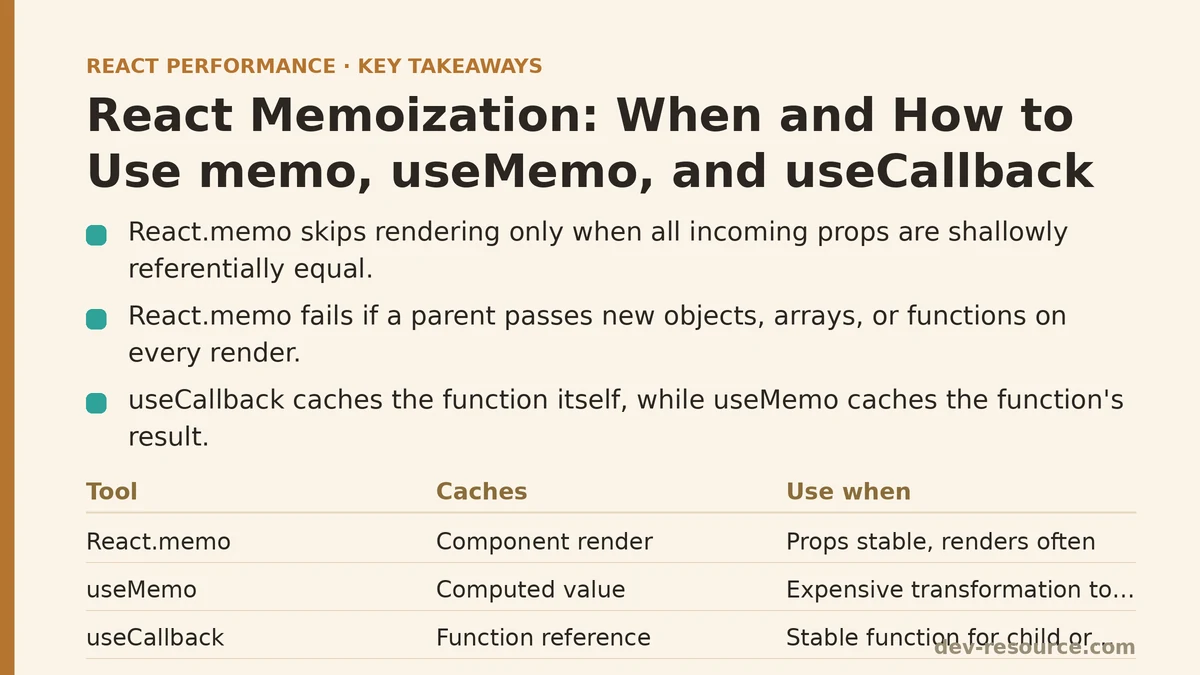
Reality: React.memo does not make a component’s render faster. It attempts to skip the render entirely when the incoming props are shallowly equal to the previous props. If the comparison fails, the component renders as normal and the comparison overhead is wasted.
The mechanism is a shallow prop comparison: React checks each prop by reference (Object.is) and bails out of re-rendering only if every prop is referentially identical to the last pass. Two consequences follow directly from that definition:
- If a component receives props that change on every parent render, the comparison is paid and the render still happens. The tool adds cost without benefit.
- If the props are stable, the skip only matters when the parent is re-rendering often and the child’s render work is non-trivial. For a component that renders a single
<span>, the comparison can cost roughly as much as the render it avoided.
A practical heuristic: reach for React.memo when a component is (a) re-rendering frequently because of parent state changes it does not depend on, and (b) expensive enough to render that skipping it produces a measurable difference. Confirm both conditions with the React DevTools Profiler before committing the wrapper.
import { memo } from 'react';

// Only worthwhile if ExpensiveRow is costly and receives stable props
const ExpensiveRow = memo(function ExpensiveRow({ row, onSelect }) {
  return (
    <tr onClick={() => onSelect(row.id)}>
      <td>{row.name}</td>
      <td>{row.total}</td>
    </tr>
  );
});

export default ExpensiveRow;
Myth 2: “Wrapping my component in React.memo is enough”
Reality: React.memo is silently defeated the moment a parent passes a new object, array, or function on each render. The shallow comparison sees a different reference and re-renders the child, regardless of whether the content is identical.
// Memoization defeated: both props are new references every render
function Parent({ rows }) {
  return (
    <ExpensiveRow
      row={{ id: 1, name: 'A', total: 10 }}
      onSelect={(id) => console.log(id)}
    />
  );
}
The object literal { id: 1, ... } and the arrow function (id) => ... are recreated on every render of Parent. Even though ExpensiveRow is wrapped in memo, the shallow comparison returns “not equal” each time. This is the failure mode behind most reports of “memo does nothing for us.”
Fixing it means stabilizing the references with the other two tools.
import { useCallback, useMemo } from 'react';

function Parent({ rows }) {
  const selectedRow = useMemo(
    () => ({ id: 1, name: 'A', total: 10 }),
    []
  );

  const handleSelect = useCallback((id) => {
     console.log(id);
  }, []);

  return <ExpensiveRow row={selectedRow} onSelect={handleSelect} />;
}
Myth 3: “useMemo and useCallback are the same thing”
Reality: They cache different categories of value. useMemo caches the result of calling a function. useCallback caches the function itself so that its reference is stable across renders.
Under the hood, useCallback(fn, deps) is equivalent to useMemo(() => fn, deps). The difference is only the shape of what you get back:
// useMemo: cache a computed value
const sortedRows = useMemo(
  () => rows.slice().sort((a, b) => a.total - b.total),
  [rows]
);

// useCallback: cache a function reference
const handleSelect = useCallback(
  (id) => setSelectedId(id),
  []
);
Reaching for the wrong one is a common source of confusion. If you want a stable function to pass to a memoized child or to a useEffect dependency array, you want useCallback. If you want to avoid recomputing an expensive transformation (sorting, filtering, building a map), you want useMemo.
Myth 4: “You should memoize everything to be safe”
Reality: useMemo and useCallback are not free. Each call has to allocate and retain a cache entry, compare the dependency array on every render, and keep that function or value alive for the lifetime of the component. On cheap computations and trivial callbacks, the memoization overhead frequently exceeds whatever work was being avoided.
Two rules keep this in check:
- Do not wrap scalar arithmetic or simple property access in
useMemo.useMemo(() => a + b, [a, b])costs more than the addition. - Do not wrap every handler in
useCallbackby default. A handler passed to a plain<button>that renders normally does not need a stable reference; only the consumer (a memoized child, or a dependency array) cares about identity.
The value of memoization is not local to the call site. It is realized at the point of consumption — a React.memo boundary that would otherwise bail out, or a useEffect that would otherwise re-run.
Myth 5: “Memoization is guaranteed to keep the value forever”
Reality: React is free to discard memoized values. The documentation explicitly says memoized values are a performance optimization, not a semantic guarantee, and React may drop the cache in the future (for example, to free memory when a component is offscreen). Do not use useMemo to hold something whose persistence matters — a side effect, a resource handle, a mutable store. Use a ref (useRef) if you need stable identity that survives re-renders.
A Concrete Implementation Path: Fixing a Defeated Memo
This section walks through a reproducible sequence you can apply to your own code: identify a memoized component whose renders are not being skipped, prove the cause, stabilize references, and re-measure.
Step 1 — Set up the profiler
Open the app in a development build with the React DevTools browser extension installed. In the Profiler tab, enable “Record why each component rendered while profiling” in the settings gear. Start a recording, trigger the interaction that causes the re-renders, and stop.
Step 2 — Identify the failure
A React.memo component that is not skipping will show up as a re-render with a reason such as "props changed: (onSelect)" or "props changed: (row)" — even when the visual output is identical. That reason string is the signal that a prop’s reference is unstable.
Step 3 — Stabilize the offending prop
Wrap object and array props in useMemo, and function props in useCallback, with a correctly specified dependency array. Then correct the React.memo boundary if it uses a custom comparator.
import { memo, useCallback, useMemo, useState } from 'react';

const Row = memo(function Row({ row, onSelect }) {
  return (
    <tr onClick={() => onSelect(row.id)}>
      <td>{row.name}</td>
      <td>{row.total}</td>
    </tr>
  );
});

export default function Table({ rows }) {
  const [selectedId, setSelectedId] = useState(null);

  // Stable reference as long as `rows` is unchanged.
  const sortedRows = useMemo(
    () => rows.slice().sort((a, b) => b.total - a.total),
    [rows]
  );

  // setSelectedId is stable, so an empty deps array is correct.
  const handleSelect = useCallback((id) => {
    setSelectedId(id);
  }, []);

  return (
    <table>
      <tbody>
        {sortedRows.map((row) => (
          <Row key={row.id} row={row} onSelect={handleSelect} />
        ))}
      </tbody>
    </table>
  );
}
Step 4 — Verify with the profiler again
Re-record the same interaction. The render reason for Row should no longer appear on parent state changes that do not affect the row data. If it still appears, the dependency array for useMemo or useCallback is including a value that changes every render — often a prop that was itself not stabilized further up the tree. Trace it upward until the re-render stops.
Step 5 — Watch for the remaining edge case
React.memo compares props only. If the component uses useContext, changes to that context’s value will force a re-render regardless of prop stability, and React.memo will not prevent it. The fix for context-driven re-renders is to split context, memoize the context value at the provider, or move the consuming state closer to where it is used.
The Dependency Array Is the Whole Game
Across all three tools, the dependency array is where correctness lives. A few rules that persist across versions of React:
- List every reactive value the memoized computation or callback reads. Linting via
eslint-plugin-react-hookscatches most omissions. - Do not lie to the array to force behavior. Omitting a dependency to “stop it re-running” produces stale closures — the callback captures an old value and behaves incorrectly.
- Empty arrays are a promise.
[]says “this computation depends on nothing that changes.” That is correct forsetStatesetters fromuseStateand for refs, and rarely correct for anything else. - Reference equality, not deep equality.
[rows]changes the dependency only when therowsreference changes. If the parent rebuildsrowson every render, the memoized value is useless — stabilizerowsupstream.
Quick Reference
| Myth | Reality |
|---|---|
React.memo speeds up rendering |
It skips renders when props are shallowly equal; overhead exists and can outweigh the skip |
React.memo alone is enough |
Inline objects and functions defeat the comparison; stabilize with useMemo / useCallback |
useMemo and useCallback are interchangeable |
One caches values, the other caches function references |
| Memoize everything for safety | Memoization has a cost; only apply where the consumer benefits |
| Memoized values are permanent | React may discard them; treat as optimization, not storage |
When Not to Reach for These Tools
Skip React.memo when the component is cheap, when its props change on nearly every render, or when you cannot stabilize those props and do not want to add useMemo/useCallback upstream purely to feed it. Skip useMemo for scalar math, string concatenation, and small array literals — the comparison cost dominates. Skip useCallback for handlers whose only consumer is a plain DOM element that re-renders anyway; the stable reference buys nothing. And skip all three when the underlying bottleneck is not render frequency at all — for example, a slow network request or an expensive computation that should be moved to a Worker rather than memoized.
The tools are targeted, not universal. Applied where a profiler has shown a real re-render that could have been avoided, they produce clear wins. Applied everywhere as a default habit, they add comparison overhead, larger dependency arrays, and a codebase where the memoization no longer points at a known problem.
Related guides: React Memoization: A Beginner Tutorial and Step-by-Step Guide, Top Mistakes Developers Make With useMemo and useCallback, and Step-by-Step Guide to Memoizing React Components for Beginners.
🔗 Recommended Reading
- React Performance Mistakes in Fintech Dashboards and How to Fix Them
- Lazy Loading Images and Components in React: A Step-by-Step Tutorial
- Next.js App Router Performance Optimization for Beginners: A Step-by-Step Guide
- Measuring and Fixing React Re-render Performance: A Step-by-Step Walkthrough
- Web Vitals Optimization for React SPAs: A Step-by-Step Guide