Memoization is often described as a way to make any React component faster. That framing is misleading. Memoization is a caching technique, and like every cache it has a cost: storing previous inputs, comparing them against new ones, and deciding whether to reuse the stored result. When the cached work is expensive, that trade pays off. When it is cheap, the cache can end up doing more work than the code it was meant to protect.
This tutorial breaks memoization into two distinct levels. First, the beginner path: what each of the three memoization tools does in isolation. Then the advanced path: how those tools interact, where they silently fail, and how to verify that a change did what you expect.
Level 1: The Beginner Path
At this level the goal is understanding the mechanics. Three APIs cover the entire subject in React: React.memo, useMemo, and useCallback.
React.memo: Skipping a Component Re-render
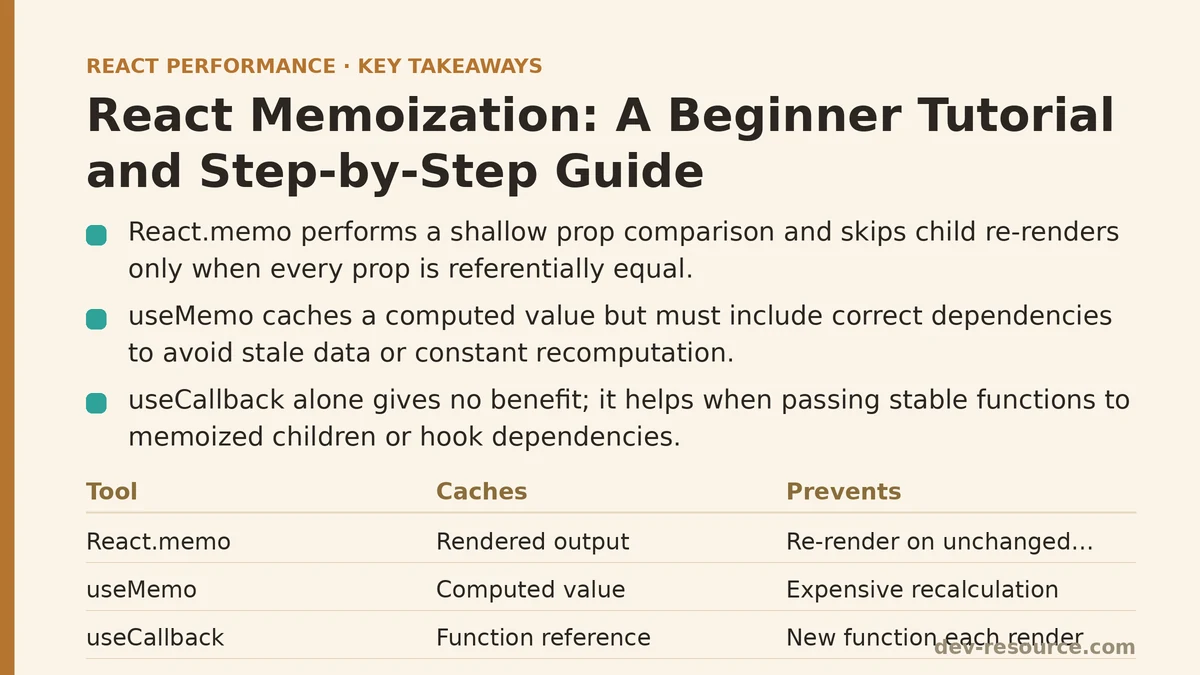
By default, when a parent component re-renders, every child re-renders too — even when the child’s props have not changed. React.memo wraps a component and performs a shallow comparison of its props between the previous render and the next one. If every prop is referentially equal, React reuses the last rendered output instead of calling the component function again.
import { memo } from 'react';

function ExpensiveChart({ data, title }) {
  // Imagine heavy computation or a large subtree here
  return (
    <figure>
      <figcaption>{title}</figcaption>
      {/* chart rendering */}
    </figure>
  );
}

export default memo(ExpensiveChart);
That is the entire API. The component now skips re-rendering when data and title hold the same references as before.
Two caveats belong next to this example. First, React.memo is a shallow comparison: it checks reference equality, not deep equality. Two objects with identical contents but different references count as different props. Second, it only prevents re-renders caused by the parent. If the component’s own state or a context value it consumes changes, it re-renders regardless of memoization.
useMemo: Caching a Computed Value
useMemo caches the result of a calculation and recomputes it only when one of its dependencies changes. It is useful when a value is expensive to produce and would otherwise be recalculated on every render.
import { useMemo } from 'react';

function SortableList({ items, sortKey }) {
  const sorted = useMemo(() => {
    return [...items].sort((a, b) => a[sortKey].localeCompare(b[sortKey]));
  }, [items, sortKey]);

  return <ul>{sorted.map(item => <li key={item.id}>{item.name}</li>)}</ul>;
}
The dependency array is the whole contract. If items or sortKey changes identity, the sort runs again. If neither does, React returns the cached array. Leaving the array out entirely means the value is recomputed every render, which defeats the purpose. Passing an empty array means the value is computed once and never updated, which can produce stale data.
useCallback: Caching a Function Reference
useCallback is useMemo specialized for functions. It returns the same function reference across renders as long as its dependencies are unchanged.
import { useCallback, useState } from 'react';

function SearchBox({ onSearch }) {
  const [term, setTerm] = useState('');

  const handleChange = useCallback((event) => {
    setTerm(event.target.value);
    onSearch(event.target.value);
  }, [onSearch]);

  return <input value={term} onChange={handleChange} />;
}
On its own, useCallback provides no performance benefit. A function literal is cheap to create. The value appears when that function is passed as a prop to a memoized child, or used as a dependency in another hook’s dependency array. In those cases, a stable reference prevents unnecessary downstream work.
The Beginner Mental Model
| Tool | Caches | Prevents |
|---|---|---|
React.memo |
A component’s rendered output | The component re-rendering when props are unchanged |
useMemo |
A computed value | Recalculation of expensive work |
useCallback |
A function reference | Downstream consumers seeing a new function each render |
Level 2: The Advanced Path
The beginner model treats each tool independently. In practice they only deliver value when they cooperate, and the most common failure is combining them incorrectly.
The Moving-Target Problem
Consider a memoized child receiving an inline prop from its parent:
function Parent() {
  const [count, setCount] = useState(0);

  return (
    <>
      <button onClick={() => setCount(count + 1)}>{count}</button>
      <MemoizedChild config={{ theme: 'dark' }} onSelect={() => handleSelect()} />
    </>
  );
}
MemoizedChild will re-render on every click of the button, even though neither prop’s content changed. The inline object literal { theme: 'dark' } and the inline arrow () => handleSelect() are recreated fresh on every render of Parent, producing new references. React.memo compares references, finds them different, and lets the render proceed. The memoization is present but inert.
The fix is to stabilize those references upstream:
function Parent() {
  const [count, setCount] = useState(0);
  const config = useMemo(() => ({ theme: 'dark' }), []);
  const handleSelect = useCallback(() => doSelect(), []);

  return (
    <>
      <button onClick={() => setCount(count + 1)}>{count}</button>
      <MemoizedChild config={config} onSelect={handleSelect} />
    </>
  );
}
Only now does React.memo have stable references to compare, and only now does it skip the re-render. This ordering matters: memoizing the child without stabilizing the props is wasted effort.
Dependency Arrays Are Contracts, Not Decorations
The dependency array is where memoization most frequently breaks. Two patterns account for most of the trouble.
Missing dependencies produce stale values. If a useMemo or useCallback reads a variable that is not listed in its dependencies, it will keep returning a cached value computed from an outdated version of that variable.
const total = useMemo(() => price * quantity, [price]); // missing `quantity`
When quantity changes, total does not update. The cache is now serving a wrong answer, which is worse than no cache at all. The lint rule react-hooks/exhaustive-deps exists to catch this class of bug and is worth enabling.
Unstable dependencies defeat memoization. If a dependency is itself a new object or function created during render, the memoized hook recomputes every time, quietly undoing the optimization.
When Not to Reach for Memoization
Not every component or value benefits. Applying the tools indiscriminately introduces real costs:
- The comparison work of
React.memoruns on every render, and for components that are cheap to render, this overhead can erase the savings. useMemoanduseCallbackthemselves consume memory to retain cached values and add bookkeeping to each render pass.- Extra hooks make components harder to read and reason about, especially when dependency arrays grow complex.
The heuristic that serves best: memoize when profiling shows a component or computation consuming a meaningful share of render time, and leave it out otherwise. A component that renders in a fraction of a millisecond rarely justifies the machinery.
A Step-by-Step Implementation Path
The following sequence walks through applying memoization in a way that can be verified at each step. It assumes React DevTools is installed with the Profiler tab available.
Step 1 — Establish a baseline. Open the React DevTools Profiler, record an interaction that feels slow, and inspect the flame graph. Note which components render and how often. Without this baseline there is no way to know whether a later change helped.
Step 2 — Identify the suspect. Look for a component that re-renders frequently while its props appear unchanged. If most of the render time sits inside it, it is a candidate for React.memo.
Step 3 — Wrap the component.
export default memo(ExpensiveChart);
Step 4 — Re-profile. Record the same interaction and compare render counts. If the child still re-renders as often as before, its props are not reference-stable.
Step 5 — Stabilize the props. Move object and function props up to the parent and wrap them in useMemo and useCallback with correct dependency arrays.
Step 6 — Re-profile again. The render count for the child should now drop. If it does not, check for a dependency array mistake: a missing entry, or an unstable reference hiding inside the array.
Step 7 — Confirm correctness. Verify that the displayed data still updates when it should. A stale memoized value will show old data after a state change, which is a correctness bug rather than a performance one.
Common Failure Modes to Watch For
| Symptom | Likely Cause |
|---|---|
| Memoized child still re-renders every time | Inline object or function prop from parent |
| Memoized value never updates | Empty dependency array, or a missing dependency |
| Memoized value updates too often | Unstable dependency reference in the array |
| No measurable improvement after memoizing | Component is cheap to render; overhead matches savings |
| App gets slower after blanket memoization | Comparison cost across many trivial components |
Context providers are a related trap. A memoized component that reads from context will still re-render when that context value changes, because context is not part of the props comparison. Keeping context values stable, or splitting them into narrower providers, is often a more effective fix than memoizing individual consumers.
Beginner vs Advanced: A Summary
The beginner path teaches three tools and what each one caches. The advanced path teaches that the tools only work when their inputs are stable and their dependency arrays are correct — and that reaching for them without a profiling baseline usually produces complexity without speed.
For a developer applying this on a real project, the practical sequence is the one outlined above: profile, memoize, re-profile, verify. Memoization rewards precision and punishes guesswork, and the difference between the two shows up the moment the Profiler runs a second time.
Related guides: React Memoization: When and How to Use memo, useMemo, and useCallback, React Compiler and Automatic Memoization: A Step-by-Step Walkthrough, and Step-by-Step Guide to Memoizing React Components for Beginners.
🔗 Recommended Reading
- React Performance Mistakes in Fintech Dashboards and How to Fix Them
- Lazy Loading Images and Components in React: A Step-by-Step Tutorial
- React Memoization: When and How to Use memo, useMemo, and useCallback
- Next.js App Router Performance Optimization for Beginners: A Step-by-Step Guide
- Measuring and Fixing React Re-render Performance: A Step-by-Step Walkthrough