Say you are trying to improve the initial load of a React page that has a long image gallery, a heavy chart component, and a modal that only opens when someone clicks a button. All three of these are downloading, parsing, and rendering on first paint even though the user cannot see any of them yet. The fix for each is a form of lazy loading, but the mechanics differ enough that applying the wrong one wastes effort or breaks behavior.
This tutorial walks through the three main categories of lazy loading in a React app — native image deferral, component-level code splitting with React.lazy, and viewport-triggered rendering with the Intersection Observer API — using a symptom → cause → fix structure so you can jump straight to the problem you are facing.
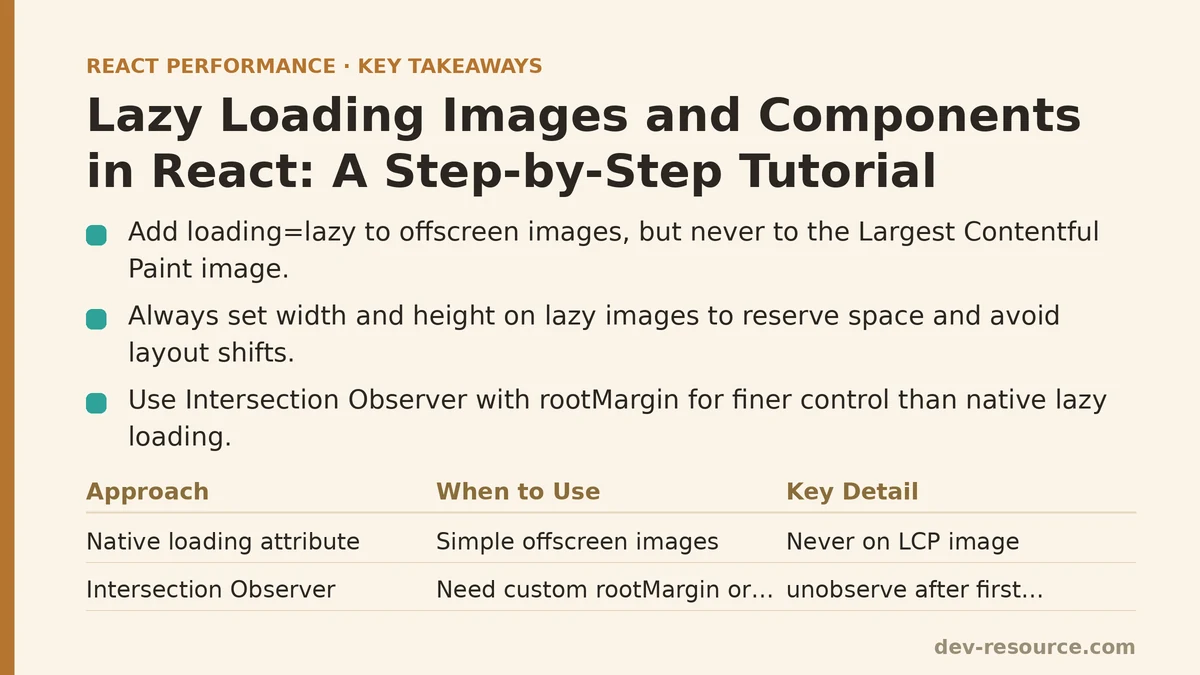
Symptom: A Page Full of Images Loads Slowly on First Paint
Cause. Every <img> tag without a loading attribute is treated as an eager, high-priority request. If the markup below the fold contains twenty product thumbnails, the browser issues twenty network requests immediately, competing for bandwidth with the hero image, the critical CSS, and the JavaScript bundle that has to parse before the page is interactive.
Fix. Add the native loading="lazy" attribute to any image that is not visible in the initial viewport.
function ProductCard({ product }) {
  return (
    <img
      src={product.imageUrl}
      alt={product.name}
      loading="lazy"
      decoding="async"
      width="320"
      height="240"
    />
  );
}
Two details in that snippet matter as much as the loading attribute itself:
widthandheightgive the browser intrinsic dimensions so it can reserve layout space before the file arrives. Without them, each image popping in shifts the content below it, which shows up directly in your Cumulative Layout Shift metric.decoding="async"hints that image decoding should not block the main thread, useful for larger images that would otherwise stall rendering.
What NOT to do here. Do not apply loading="lazy" to the Largest Contentful Paint image — typically your hero banner or above-the-fold feature image. Deferring the LCP candidate tells the browser to delay the exact resource you are being scored on, which pushes LCP timing in the wrong direction. Leave above-the-fold images eager and reserve the attribute for offscreen content.
Verification. Open the Network panel with throttling on, reload, and filter by Img. You should see the above-the-fold images requested immediately and the below-fold ones requested only as you scroll toward them. If everything still loads at once, check that the attribute is on the rendered DOM node — a common mistake is passing loading as a React prop name that gets filtered out, which does not happen with lowercase loading, but does happen if you accidentally write lazyLoad or similar.
Symptom: A Browser That Ignores loading=“lazy” Still Loads Everything
Cause. The loading attribute is native and supported in all current major browsers, but if you need finer control — a custom root margin so images start loading before they scroll into view, or a placeholder transition — the attribute alone cannot do it.
Fix. Use the Intersection Observer API directly. It is the underlying mechanism browsers use for lazy rendering, and you can wire it up yourself for cases the native attribute does not cover.
import { useEffect, useRef, useState } from 'react';

function LazyImage({ src, alt }) {
  const [isVisible, setIsVisible] = useState(false);
  const imgRef = useRef(null);

  useEffect(() => {
    const observer = new IntersectionObserver(
      (entries) => {
        entries.forEach((entry) => {
          if (entry.isIntersecting) {
            setIsVisible(true);
            observer.unobserve(entry.target);
          }
        });
      },
      { rootMargin: '200px' }
    );

    if (imgRef.current) observer.observe(imgRef.current);
    return () => observer.disconnect();
  }, []);

  return (
    <img
      ref={imgRef}
      src={isVisible ? src : undefined}
      alt={alt}
      width="320"
      height="240"
    />
  );
}
The rootMargin: '200px' option starts loading the image 200 pixels before it enters the viewport, which hides the network latency for fast scrolls. Calling observer.unobserve after the first intersection avoids firing the callback repeatedly once the image is loaded.
Trade-off. This approach adds JavaScript work on every scroll-driven intersection check. For a page with hundreds of images, the native loading="lazy" attribute is almost always the better choice — it is handled off the main thread by the browser. Reserve the manual observer for the cases where you need behavior the attribute does not provide.
Symptom: One Route Pulls Down a Massive JavaScript Bundle Even When Nobody Uses It
Cause. A static import statement at the top of a file places the imported module into the same bundle as its importer, which means a heavy charting library attached to a rarely visited settings page still ships in the initial download for users who never open that page.
Fix. Convert the import to a dynamic one wrapped in React.lazy, and render it inside a Suspense boundary.
import { lazy, Suspense } from 'react';

const AnalyticsDashboard = lazy(() => import('./AnalyticsDashboard'));

function App() {
  return (
    <Suspense fallback={<div>Loading dashboard…</div>}>
      <AnalyticsDashboard />
    </Suspense>
  );
}
When the bundler sees import('./AnalyticsDashboard'), it emits that module as a separate chunk that is fetched on demand. The Suspense boundary shows its fallback while the chunk downloads, then swaps in the real component once the module resolves.
Verification. Build the app and inspect the output. Your bundler should now list an additional chunk named after the lazily imported module. Confirm it is not referenced by the initial entry chunk by checking the generated manifest or the network tab on first load — the chunk should appear only when the component mounts.
Failure modes to watch for. React.lazy requires a default export from the imported module. Named exports need an explicit remap:
const Chart = lazy(() =>
  import('./Charts').then((module) => ({ default: module.LineChart }))
);
If the dynamic import fails — a network error mid-download, or a stale chunk after a redeploy — the Suspense boundary alone does not catch it. Wrap it in an error boundary alongside the Suspense so users see a recoverable state rather than a blank screen.
Symptom: React.lazy Alone Does Not Defer a Component That Is Already on the Page
Cause. React.lazy splits the code, not the render timing. If a lazily imported component is rendered at the top of the tree, its chunk is requested as soon as the parent mounts, even if the component’s output is below the fold or hidden inside a closed modal. The code is deferred, but the render is not.
Fix. Combine lazy loading with viewport detection so the component only mounts when it approaches the screen. A small wrapper around the Intersection Observer works here too.
import { lazy, Suspense } from 'react';

const HeavyChart = lazy(() => import('./HeavyChart'));

function LazySection({ children }) {
  const [ref, setRef] = useState(null);
  const [shown, setShown] = useState(false);

  useEffect(() => {
    if (!ref) return;
    const observer = new IntersectionObserver(
      ([entry]) => entry.isIntersecting && setShown(true),
      { rootMargin: '100px' }
    );
    observer.observe(ref);
    return () => observer.disconnect();
  }, [ref]);

  return <div ref={setRef}>{shown ? children : <div style={{ height: 300 }} />}</div>;
}

function Page() {
  return (
    <LazySection>
      <Suspense fallback={<p>Loading chart…</p>}>
        <HeavyChart />
      </Suspense>
    </LazySection>
  );
}
The placeholder div with a fixed height reserves space, so when the chart finally mounts there is no layout shift. This pattern is the most common way to defer an expensive, below-the-fold widget without hurting the metrics that depend on stable layout.
Choosing the Right Approach
The overlap between these three techniques means it is easy to reach for the wrong one. The table below maps the situation to the recommended tool.
| Situation | Recommended approach | Why |
|---|---|---|
Below-the-fold <img> in a normal page |
Native loading="lazy" |
Zero JavaScript cost; handled by the browser off the main thread |
| Above-the-fold hero/LCP image | No lazy loading — keep eager, add fetchpriority="high" |
Deferring the LCP candidate delays the metric you are scored on |
| Image needing a custom preload margin or transition | Intersection Observer + rootMargin |
The native attribute does not expose root margin control |
| Route-level or feature-level heavy module | React.lazy + Suspense |
Splits code into a separate chunk fetched on demand |
| Component below the fold that should not render early | React.lazy + Intersection Observer wrapper |
Defers both the code download and the mount |
| Modal or tab content that opens on user action | React.lazy inside the trigger |
Chunk fetches on first open, not on page load |
A Pre-Flight Checklist Before You Ship
Run through these items after adding any lazy loading, because the failure modes tend to be silent:
- Confirm the LCP image is not carrying
loading="lazy"— check the rendered DOM, not just the source. - Confirm every lazy image has explicit
widthandheight(or a CSS aspect-ratio box), so layout shift stays at zero. - Confirm every
React.lazyboundary has both aSuspensefallback and an error boundary above it. - Confirm the lazily imported module uses a default export, or add the
.thenremap. - Open the production build in the Network tab with throttling and verify the lazy chunks are absent from the initial load.
- Check that the fallback UI is not larger than the final content, or the swap will push everything below it.
When Lazy Loading Is the Wrong Tool
Two situations where deferring hurts more than it helps. First, content that is above the fold on any common device — including small phones where the viewport is short but the first screen still matters — should be rendered eagerly. Deferring it adds a visible delay with no bandwidth benefit. Second, components that are cheap to render and never blocking the main thread do not gain from splitting; the extra network request for a small chunk often costs more than shipping the code inline. Profile first, then apply the technique to the parts of the tree that profiling shows are expensive.
Once the three techniques above are placed correctly — native attributes for the bulk of images, React.lazy for heavy modules, and viewport detection for below-the-fold widgets — the initial payload of a typical React page shrinks to the assets the user can see, and everything else arrives just before it is needed.
Related guides: How to Cut a React App’s Image Load Time: A Practical Guide, When to Use React.memo (And When Not To), and Improving Largest Contentful Paint (LCP) in React Apps: A Beginner vs Advanced Guide.
🔗 Recommended Reading
- React Performance Mistakes in Fintech Dashboards and How to Fix Them
- React Memoization: When and How to Use memo, useMemo, and useCallback
- Next.js App Router Performance Optimization for Beginners: A Step-by-Step Guide
- Measuring and Fixing React Re-render Performance: A Step-by-Step Walkthrough
- Web Vitals Optimization for React SPAs: A Step-by-Step Guide