After reading this, you’ll be able to set up React Compiler in a real project, read its compiled output well enough to confirm memoization is happening where you expect, and know the specific situations where manual useMemo, useCallback, or React.memo are still worth writing by hand. That last part matters more than the marketing copy around the compiler tends to suggest — automatic memoization removes a category of busywork, not the need to understand what memoization is doing in the first place.
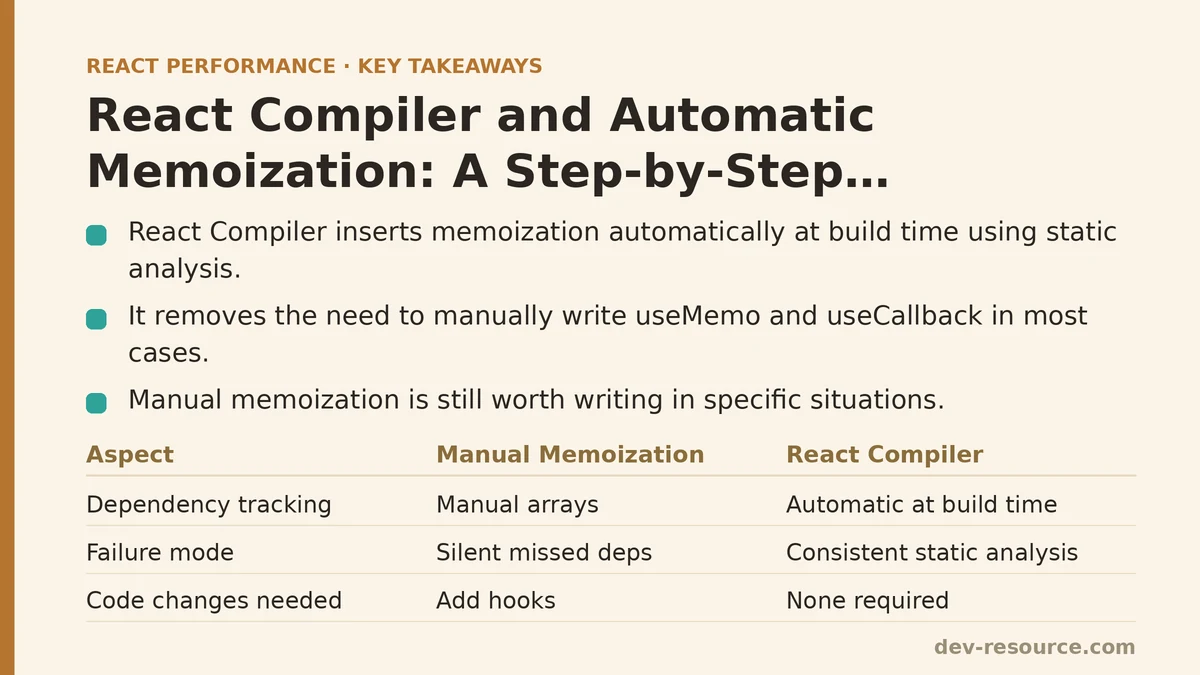
React Compiler (previously known during development as React Forget) analyzes component and hook code at build time and inserts memoization automatically, based on the same rules that useMemo and React.memo rely on manually: skip recomputing a value or re-rendering a component when the underlying inputs haven’t changed. The difference is that the compiler does this analysis across your whole component, not just inside the specific hook calls you remembered to write.
What Problem This Actually Solves
Manual memoization has a well-documented failure mode: it works only when every dependency array is correct and every reference that needs stabilizing gets wrapped consistently. Miss one useCallback, and a React.memo wrapper further down the tree silently stops doing anything, with no error and no warning — just a component that re-renders more than it should. Tracking this down requires the React DevTools Profiler and a fair amount of patience.
React Compiler sidesteps the “did I remember to memoize this” problem by doing the dependency tracking itself, at compile time, based on static analysis of the code. It doesn’t guess. It follows the same rules a careful engineer would follow by hand, applied consistently across every component in a file, every time the build runs.
That’s the theory. The rest of this post walks through what it looks like in practice, split between what a beginner setup needs to know and what becomes relevant once you’re working in a larger, older codebase.
Beginner: Setting It Up and Trusting the Default Behavior
Installation and Configuration
For a new or actively-maintained project, adding the compiler is a matter of installing the Babel plugin and pointing your build tool at it:
npm install babel-plugin-react-compiler
// babel.config.js
module.exports = {
  plugins: [
    'babel-plugin-react-compiler',
  ],
};
For a Vite or Next.js setup, the equivalent configuration hooks into the existing build pipeline rather than requiring a separate Babel config file — both frameworks ship documented integration paths for the plugin. The important point at this stage isn’t the exact config syntax, which changes between tooling versions, but the fact that no application code changes are required to turn this on.
Writing Components the Way You Already Do
Here’s a component written with no manual memoization at all:
function ProductList({ products, filterText }) {
  const filtered = products.filter(p =>
    p.name.toLowerCase().includes(filterText.toLowerCase())
  );

  const handleSelect = (id) => {
    console.log('Selected product:', id);
  };

  return (
    <ul>
      {filtered.map(product => (
        <ProductRow
          key={product.id}
          product={product}
          onSelect={handleSelect}
        />
      ))}
    </ul>
  );
}
Without the compiler, filtered gets recomputed on every render, and handleSelect gets recreated as a new function reference every time — which would defeat any React.memo wrapper on ProductRow even if one existed. With the compiler enabled, this exact code, unchanged, gets treated as if it had been written with useMemo around the filter operation and useCallback around the handler, because the compiler’s static analysis determines that filtered only depends on products and filterText, and that handleSelect doesn’t close over anything that changes between renders.
For a beginner, the practical takeaway is this: write components the straightforward way, without reaching for memoization hooks by default, and let the build step decide where memoization pays off. That’s a meaningful shift from the “wrap it just in case” habit that manual memoization tends to encourage.
Confirming It’s Working
The compiler ships with an ESLint plugin (eslint-plugin-react-compiler) that flags code patterns the compiler can’t safely optimize — usually violations of the Rules of React, like mutating props or calling hooks conditionally. Running this linter as part of a normal CI check is the first line of verification, and it catches problems well before a production build does.
npm install eslint-plugin-react-compiler
Beyond linting, React DevTools shows a “Memo ✨” badge next to components that the compiler successfully optimized, visible directly in the component tree during a development session. Seeing that badge on ProductRow after the build confirms the automatic memoization applied — no manual console.log counting of renders required.
Advanced: Reading Compiled Output and Knowing the Limits
What the Compiler Actually Inserts
Running the Babel plugin against the ProductList component above produces output that, simplified, looks conceptually like this:
function ProductList({ products, filterText }) {
  const $ = useMemoCache(3);

  let filtered;
  if ($[0] !== products || $[1] !== filterText) {
    filtered = products.filter(p =>
      p.name.toLowerCase().includes(filterText.toLowerCase())
    );
    $[0] = products;
    $[1] = filterText;
    $[2] = filtered;
  } else {
    filtered = $[2];
  }

  // similar caching logic for handleSelect

  return (/* ... */);
}
useMemoCache is an internal primitive, not a public API — you won’t call it directly, and the exact shape of the generated code changes between compiler versions. The point of showing it is to make clear that the compiler isn’t doing anything conceptually different from a hand-written useMemo; it’s generating the same slot-based caching pattern, just doing so for every eligible expression in the component rather than only the ones a developer remembered to wrap.
The Rules of React Are Not Optional Anymore
Manual memoization tolerates a certain amount of sloppiness — mutating a prop directly, for instance, might not cause a visible bug if nothing downstream depends on referential stability. The compiler has less tolerance for this. Its optimizations rest on the assumption that components are pure and props/state aren’t mutated in place, and violating that assumption can produce subtly incorrect cached values rather than an obvious crash.
// Compiler-unsafe: mutates a prop directly
function BadExample({ items }) {
  items.sort(); // mutates the array the caller passed in
  return <List items={items} />;
}
// Compiler-safe: creates a new array instead of mutating
function GoodExample({ items }) {
  const sorted = [...items].sort();
  return <List items={sorted} />;
}
The ESLint plugin mentioned earlier catches a meaningful subset of these violations, but not all of them — some mutation patterns are only detectable at runtime, and the compiler will simply skip optimizing a component it can’t confidently analyze, falling back to normal, unmemoized rendering. This fallback is silent by default, which is precisely why checking for the DevTools memo badge, rather than assuming optimization happened, matters in larger codebases.
When Manual Memoization Still Earns Its Keep
There are a few situations where writing useMemo or useCallback by hand still has a place, even with the compiler enabled:
- Expensive computations gated behind conditions the compiler can’t infer statically — for example, a value derived from a call to an external, non-deterministic API wrapped in application logic the compiler treats as opaque.
- Referential stability required for a dependency outside React’s rendering model — a value passed into a third-party library’s imperative API that checks object identity itself, unrelated to React’s render cycle.
- Codebases with a mix of compiled and uncompiled code, such as a shared component library consumed by an app that hasn’t adopted the compiler yet. In that case, the library’s own manual memoization is still doing real work for consumers who aren’t running the plugin.
None of these are common in a typical CRUD application, but they show up often enough in libraries and performance-sensitive tooling that “the compiler handles everything” isn’t a safe blanket assumption for every layer of a codebase.
Migrating an Existing Codebase Incrementally
For teams with years of accumulated useMemo and useCallback calls already in place, the compiler doesn’t require ripping those out first. It’s safe to run alongside existing manual memoization — the compiler recognizes already-memoized values and won’t duplicate the work in a way that breaks anything. The recommended migration path is to enable the compiler project-wide, keep the existing manual hooks in place initially, run the full test suite and a Profiler comparison, and only strip out manual memoization gradually, function by function, once each removal is verified against real render counts rather than assumed safe.
Beginner vs. Advanced: A Side-by-Side Comparison
| Concern | Beginner Approach | Advanced Approach |
|---|---|---|
| Writing new components | Skip manual memoization, let the compiler handle it | Same, but review compiler output for anything unexpectedly skipped |
| Verifying optimization | Check for the “Memo ✨” badge in DevTools | Diff compiled output between builds; monitor for silent bail-outs |
| Handling mutations | Avoid mutating props/state as a general habit | Enforce via the ESLint plugin in CI, treat violations as build failures |
| Existing manual memoization | Leave it in place, it won’t conflict | Remove incrementally, backed by Profiler data per change |
| Third-party library interop | Not usually a concern | Check whether the library relies on referential identity outside React’s model |
Where This Leaves Manual Memoization Knowledge
React Compiler changes the default advice from “memoize proactively” to “write the obvious version first and let the build step optimize it” — but understanding why useMemo and React.memo exist hasn’t become optional. Debugging a compiler bail-out, working in a library that intentionally targets uncompiled consumers, or reasoning about referential identity in a non-React API all still require the underlying mental model that manual memoization taught in the first place.
What does your current build setup look like — are you on a version of React and your bundler that supports the compiler today, or is this still a few dependency upgrades away for your team? Related guides: React Memoization: A Beginner Tutorial and Step-by-Step Guide, React Memoization: When and How to Use memo, useMemo, and useCallback, and Step-by-Step Guide to Memoizing React Components for Beginners.
🔗 Recommended Reading
- React Performance Mistakes in Fintech Dashboards and How to Fix Them
- Lazy Loading Images and Components in React: A Step-by-Step Tutorial
- React Memoization: When and How to Use memo, useMemo, and useCallback
- Next.js App Router Performance Optimization for Beginners: A Step-by-Step Guide
- Measuring and Fixing React Re-render Performance: A Step-by-Step Walkthrough