A React app can score 98 in Lighthouse and still deliver a terrible Largest Contentful Paint to a meaningful slice of real users. That gap between lab scores and field data is one of the most common causes of confusion when teams start taking Core Web Vitals seriously, and it explains why so many performance efforts stall out right after the “easy” fixes are done.
Measuring these metrics correctly in a React application is less about running a single tool and more about understanding what each measurement actually represents, where it comes from, and what it can’t tell you. Below is a myth-vs-reality breakdown of the assumptions that trip up most teams.
Myth: A High Lighthouse Score Means Users Have a Fast Experience
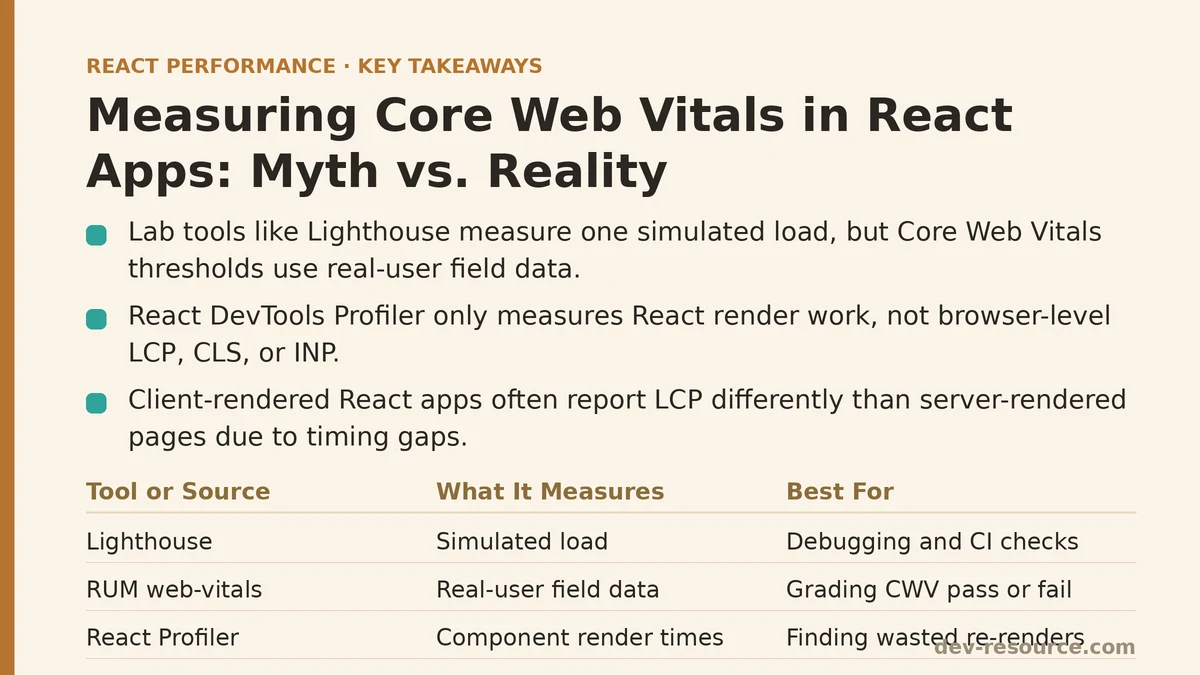
Lighthouse runs a single, simulated page load on a single simulated device and network profile. It’s an excellent tool for catching regressions in CI and for diagnosing specific bottlenecks, but it is a lab test — one run, one machine, no real network variability, no real user behavior.
Reality: Field Data From Real Users Is the Only Score That Counts for CWV
Google’s Core Web Vitals thresholds, the ones tied to search ranking and the ones referenced in the Chrome UX Report (CrUX), are calculated from real-user field data — actual visits, on actual devices, over actual networks. A React app can pass every Lighthouse audit and still fail its field CWV assessment if a meaningful portion of its traffic comes from mid-range Android phones on 4G connections, conditions a default Lighthouse run doesn’t fully represent.
The practical fix is to collect Real User Monitoring (RUM) data directly from the app using the web-vitals library:
import { onCLS, onINP, onLCP } from 'web-vitals';

function sendToAnalytics(metric) {
  const body = JSON.stringify(metric);
  navigator.sendBeacon('/analytics', body) || fetch('/analytics', { body, method: 'POST', keepalive: true });
}

onCLS(sendToAnalytics);
onINP(sendToAnalytics);
onLCP(sendToAnalytics);
This runs in the actual browsers of actual visitors and reports the metrics that determine whether a page passes its Core Web Vitals assessment. Lab data is for debugging. Field data is for grading.
Myth: React DevTools Profiler Measures Core Web Vitals
The React Profiler is invaluable for understanding component render times, wasted re-renders, and commit durations. It’s tempting to treat a fast Profiler trace as proof that a page is fast overall.
Reality: Profiler Measures React’s Internal Work, Not Browser-Level Loading Metrics
LCP is largely determined by network requests, resource priority, and paint timing — much of which happens before React even finishes hydrating. CLS is caused by layout shifts that can come from images, fonts, or ads loading late, not just from component re-renders. INP (which replaced FID as the responsiveness metric in March 2024) measures the full duration from user interaction to the next paint, including work happening outside React’s render cycle entirely, like style recalculation and layout.
A component that renders in 2ms according to the Profiler can still sit behind a 4-second LCP caused by an unoptimized hero image, or contribute to a poor INP because a large synchronous state update blocks the main thread after the interaction fires. Profiler data is complementary to CWV measurement, not a substitute for it.
Myth: Client-Side Rendered SPAs Report LCP the Same Way Static Sites Do
In a traditional server-rendered page, the browser has a reasonably clear signal for when the largest content element finishes painting.
Reality: Client-Rendered React Apps Introduce Timing Gaps That Distort LCP
In a typical Create React App or client-rendered setup, the initial HTML payload is close to empty — just a <div id="root"> and a script tag. The browser can’t identify the largest content element until JavaScript downloads, parses, executes, and React commits the actual DOM. That entire sequence sits in front of the LCP measurement, inflating it in ways that have nothing to do with image size or font loading.
This is one of the strongest arguments for server-side rendering or static generation with frameworks like Next.js: the browser receives meaningful HTML immediately, so LCP reflects content painting rather than JavaScript bootstrap time. For apps that must remain client-rendered, reducing the JavaScript bundle on the critical path and deferring non-essential scripts narrows this gap, but it rarely closes it entirely.
Myth: CLS Only Comes From Images Without Dimensions
Missing width and height attributes on images are the textbook cause of layout shift, and fixing them is usually the first thing a CLS audit recommends.
Reality: React-Specific Patterns Cause Just as Much Shift
Several patterns unique to how React apps are built introduce layout shift that has nothing to do with image dimensions:
- Conditional rendering based on async data. A component that renders
nullwhile a fetch is pending, then suddenly renders a banner or a card once the data arrives, pushes everything below it down the page. - Web fonts swapping in after initial paint. If a custom font is wider or taller than the fallback, text reflows once the font loads — a shift that traces back to CSS, not to React, but shows up in the same CLS report.
- Client-side route transitions with unstable heights. Skeleton loaders that don’t match the final content’s dimensions cause a shift the moment real content replaces them.
The fix for the first pattern is to reserve space with a fixed-height container or skeleton before the data resolves, rather than toggling between null and content:
function Banner({ data }) {
  return (
    <div style={{ minHeight: '120px' }}>
      {data ? <div className="banner">{data.message}</div> : null}
    </div>
  );
}
That single minHeight prevents the rest of the page from jumping once data resolves.
Myth: INP Can Be Measured Well Enough With Manual console.time Calls
It’s a reasonable instinct to wrap an event handler in timing calls and check the console for slow interactions during development.
Reality: INP Requires Measuring the Full Event-to-Paint Duration, Which Manual Timing Misses
INP isn’t just how long an event handler takes to run. It covers input delay (time before the handler starts, often due to main-thread contention), processing time (the handler itself), and presentation delay (time until the browser paints the next frame). A console.time wrapped around a click handler only captures the middle piece.
The web-vitals library’s onINP callback captures the complete duration and also reports which specific interaction was the worst offender across the page’s lifetime, which is difficult to reconstruct manually:
import { onINP } from 'web-vitals';

onINP((metric) => {
  console.log('Interaction target:', metric.entries[0]?.target);
  console.log('INP value (ms):', metric.value);
});
In React apps specifically, common INP culprits include large useState updates that trigger expensive re-renders synchronously, and heavy computations run directly inside event handlers instead of being deferred with startTransition or moved off the main thread.
A Comparison Table: Where Each Measurement Approach Falls Short
| Tool / Method | What It Measures Well | What It Misses |
|---|---|---|
| Lighthouse (lab) | Diagnosing specific bottlenecks, CI regression checks | Real network/device variability across actual users |
web-vitals library (field/RUM) |
The actual CWV scores tied to search and UX assessment | Root-cause detail on why a metric is poor |
| React DevTools Profiler | Component render and commit time | Network loading, layout shift, work outside React |
| CrUX Report | Aggregated real-user field data over 28 days | Per-session detail, recent regressions (data lags) |
Putting the Pieces Together
None of these tools compete with each other; they answer different questions. Lighthouse and the Profiler are for finding and confirming fixes during development. The web-vitals library, wired into an analytics endpoint, is what tells you whether those fixes actually moved the numbers that matter for search and for users on the far end of the network-speed distribution. Treating a good Lighthouse run as the finish line is the single most common reason a React team believes its performance work is done when the field data says otherwise.
What does your current setup use to measure Core Web Vitals — Lighthouse alone, RUM data, or some combination? If it’s just the former, that gap is worth closing before the next audit.
Related guides: Improving React App Performance with Lighthouse Audits: Myth vs. Reality, Improving Largest Contentful Paint (LCP) in React Apps: A Beginner vs Advanced Guide, and Lazy Loading Third-Party Scripts in React Apps: 5 Techniques Ranked by Impact.
🔗 Recommended Reading
- React Performance Mistakes in Fintech Dashboards and How to Fix Them
- Lazy Loading Images and Components in React: A Step-by-Step Tutorial
- React Memoization: When and How to Use memo, useMemo, and useCallback
- Next.js App Router Performance Optimization for Beginners: A Step-by-Step Guide
- Measuring and Fixing React Re-render Performance: A Step-by-Step Walkthrough