I was recently on a call with a team building a financial modeling dashboard in React. The app was powerful, but adjusting a single input slider to re-run a projection would freeze the entire UI for two to three seconds. The user experience felt genuinely broken. After a quick look at the profiler, the diagnosis was immediate: a complex, synchronous calculation was blocking the browser’s main thread.
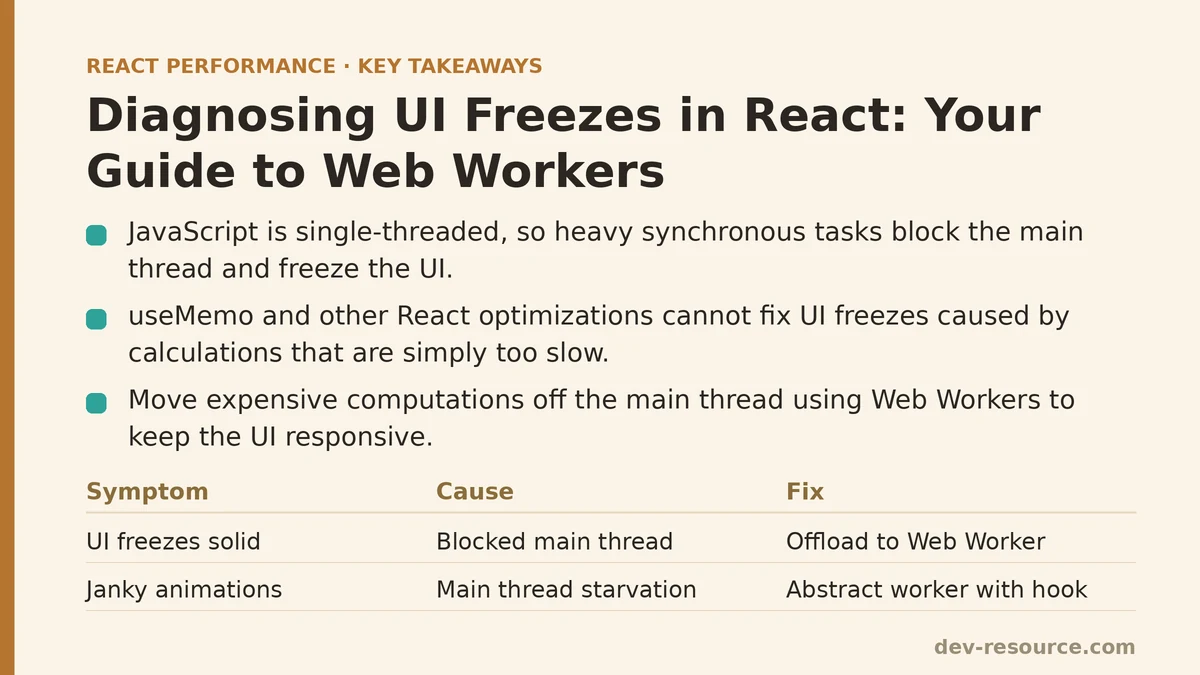
This is a classic problem. We often reach for useMemo or other React optimizations, but these tools can’t help when the calculation itself is simply too slow. The fundamental issue is that JavaScript is single-threaded. When a heavy task is running, nothing else can happen—no clicks, no scrolling, no rendering. The solution isn’t to make the calculation magically faster; it’s to move it off the main thread entirely using a Web Worker.
Here’s a troubleshooting guide I walk teams through, framed as a series of symptoms and their fixes.
Symptom: The UI Freezes Solid During a Specific Action
The Problem: The user clicks a button like “Export CSV” or “Process Data,” and the application becomes completely unresponsive. Spinners stop animating, hover effects die, and the browser might even show a “Page Unresponsive” dialog.
The Cause: This is the most unambiguous sign of a blocked main thread. You are running a function that is so computationally expensive it’s monopolizing the CPU. For the entire duration of that function’s execution, the browser’s event loop is blocked. It cannot process new user input, it cannot re-paint the screen, and it cannot run any other JavaScript.
The Fix: Offloading the Task to a Web Worker
A Web Worker is a JavaScript script that runs on a background thread, completely separate from the main UI thread. This is the perfect place for heavy, synchronous work. The communication pattern is simple:
- The main thread creates a worker.
- The main thread sends data to the worker using
postMessage(). - The worker performs the heavy computation.
- The worker sends the result back to the main thread using its own
postMessage().
Here is the essential structure. First, the worker script itself, which you might save as public/workers/dataProcessor.js:
// public/workers/dataProcessor.js

self.onmessage = function(event) {
  // This is where the heavy work happens
  const rawData = event.data;
  console.log('Worker received data, starting processing...');

  // Example: a long, blocking loop
  let result = 0;
  for (let i = 0; i < rawData.count; i++) {
    result += Math.sqrt(i); // Some expensive operation
  }

  // Send the result back to the main thread
  self.postMessage(result);
};
Then, in your React component, you interact with this worker.
function DataDashboard() {
  const [result, setResult] = useState(null);
  const workerRef = useRef(null);

  useEffect(() => {
    // Create the worker once on component mount
    workerRef.current = new Worker('/workers/dataProcessor.js');
    workerRef.current.onmessage = (event) => {
      console.log('Main thread received result from worker.');
      setResult(event.data); // Update state with the result
    };

    // Terminate the worker on unmount to clean up
    return () => workerRef.current.terminate();
  }, []);

  const handleProcessClick = () => {
    // Tell the worker to start its job
    workerRef.current.postMessage({ count: 1e9 }); // A very large number
  };

  return (
    <div>
      <button onClick={handleProcessClick}>Run Heavy Calculation</button>
      {result && <p>Calculation Result: {result}</p>}
    </div>
  );
}
While the worker is busy counting to a billion, your UI remains perfectly smooth and interactive.
Symptom: Animations and Scrolling are Janky or Choppy
The Problem: Your app feels sluggish. CSS animations stutter, and scrolling down the page is not smooth. This often happens while data is being processed in the background following a network request.
The Cause: Even if a task isn’t long enough to cause a total freeze, a series of moderately expensive tasks can still starve the main thread. The browser tries to render at 60 frames per second (fps), which gives it only about 16.7 milliseconds for each frame. If your JavaScript task takes 30ms to run, you’ve missed a frame. Do this repeatedly, and the user perceives it as jank. This is often what Lighthouse is measuring with its “Total Blocking Time” (TBT) metric.
The Fix: Abstracting the Worker with a Reusable Hook
Managing worker lifecycle and state updates directly in a component can be cumbersome. A custom hook is a much cleaner, more idiomatic React approach.
// hooks/useWorker.js
import { useState, useEffect, useRef } from 'react';

export const useWorker = (workerPath) => {
  const [result, setResult] = useState(null);
  const [error, setError] = useState(null);
  const workerRef = useRef(null);

  useEffect(() => {
    workerRef.current = new Worker(workerPath);

    workerRef.current.onmessage = (event) => setResult(event.data);
    workerRef.current.onerror = (err) => setError(err.message);

    return () => workerRef.current.terminate();
  }, [workerPath]);

  const postMessage = (data) => {
    if (workerRef.current) {
      workerRef.current.postMessage(data);
    }
  };

  return { result, error, postMessage };
};
Using this hook simplifies our component immensely and makes the logic reusable for any background task.
import { useWorker } from './hooks/useWorker';

function AnotherComponent() {
  const { result, postMessage } = useWorker('/workers/dataProcessor.js');

  return (
    <div>
      <button onClick={() => postMessage({ count: 1e9 })}>
        Process Data without Jank
      </button>
      {result && <p>Result: {result}</p>}
    </div>
  );
}
By offloading the work, you give the main thread the breathing room it needs to maintain a smooth 60fps refresh rate.
A Few Critical Caveats
Before moving all your logic to Web Workers, it’s genuinely important to understand their limitations.
- No DOM Access: This is the most important rule. A worker runs in a completely separate context and cannot access
window,document, or any of your React components. Its sole purpose is computation and I/O. All DOM updates must be performed on the main thread based on the results the worker sends back. - Data Serialization Overhead: Data sent via
postMessageis copied, not shared. It’s serialized using the structured clone algorithm. For small JSON objects, this is fine. But if you’re sending huge multi-megabyte arrays, this copying process can become its own bottleneck. For extreme performance needs, you can look intoTransferableobjects to transfer ownership of data without copying. - Not for API Calls: A Web Worker will not make a slow network request faster. It’s for CPU-bound tasks, not I/O-bound tasks. Standard
async/awaitwithfetchis the correct, non-blocking way to handle network I/O on the main thread.
Quick Troubleshooting Reference
| Symptom | Underlying Cause | Solution |
|---|---|---|
| UI freezes on button click | Long-running synchronous function blocks the event loop | Offload the entire function to a Web Worker |
| Janky animations/scrolling | Main thread is too busy with frequent, smaller tasks | Move recurring calculations to a worker to free up the main thread |
| High Total Blocking Time (TBT) | Initial state computation blocks page interactivity | Start a worker on component mount to compute state in the background |
The Main Thread is Sacred
In the case of that financial modeling dashboard, we moved their entire projection engine into a Web Worker. The transformation was immediate and dramatic. The UI remained perfectly fluid, sliders moved smoothly, and the app felt professional and responsive, even while crunching years of financial data. The team learned that the main thread is a sacred resource. It should be reserved exclusively for what it does best: handling user input and rendering the UI. For everything else, there’s a worker for that.
Are you dealing with a UI performance problem you suspect is due to a blocking task? Detail the type of calculation you’re running, and I can help you evaluate if a Web Worker is the right tool for the job. Related guides: React Hydration Performance: A Step-by-Step Guide to Diagnosing and Fixing Slow Hydration, Are Your React Dependencies Secretly Slowing You Down?, and How to Cut a React App’s Image Load Time: A Practical Guide.
🔗 Recommended Reading
- React Performance Mistakes in Fintech Dashboards and How to Fix Them
- Lazy Loading Images and Components in React: A Step-by-Step Tutorial
- React Memoization: When and How to Use memo, useMemo, and useCallback
- Next.js App Router Performance Optimization for Beginners: A Step-by-Step Guide
- Measuring and Fixing React Re-render Performance: A Step-by-Step Walkthrough