Say you are trying to fetch some data when a filter object changes, so you drop that object into a useEffect dependency array and move on. The browser tab starts heating up, the network panel fills with the same request over and over, and React DevTools shows a component re-rendering dozens of times a second with no user interaction at all. Nothing in the code looks wrong at a glance. The bug is almost always the same one: a new object or function reference being created on every render, landing in a dependency array that’s supposed to only fire on real changes.
This post breaks the problem down twice — once for the version of the bug you’ll hit as a beginner, and once for the subtler version that shows up in larger, more stateful components once you already know the basics.
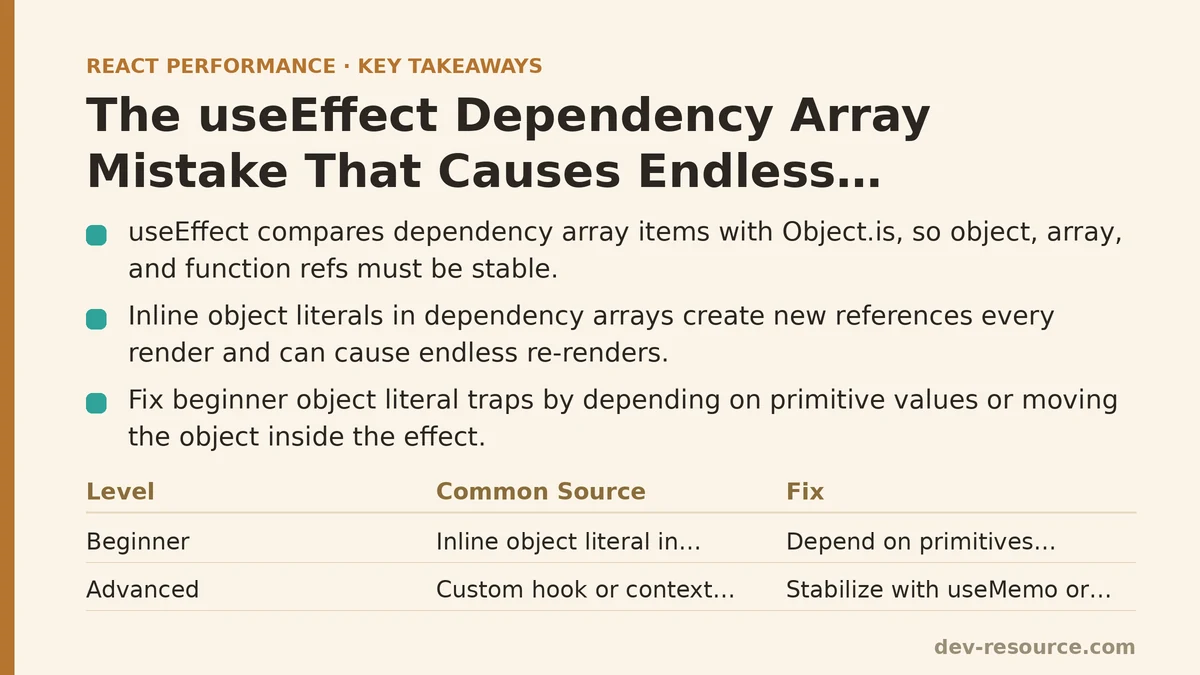
The Core Mechanism, in One Sentence
useEffect compares each item in its dependency array to the previous render’s array using Object.is, which for objects, arrays, and functions means reference equality, not content equality. Two objects with identical keys and values are not equal to Object.is unless they’re the exact same object in memory. If your effect creates a new object every render and that object sits in the dependency array, the effect fires every render — and if that effect also sets state, you’ve built a loop that never settles.
Beginner Level: The Object Literal Trap
The most common version of this bug looks almost identical to correct code. Here’s a component fetching search results based on a filters object:
function SearchResults({ query }) {
  const [results, setResults] = useState([]);
  const filters = { query, sortBy: 'relevance' };

  useEffect(() => {
    fetchResults(filters).then(setResults);
  }, [filters]);

  return <ResultsList items={results} />;
}
This compiles fine, runs fine on the first render, and then never stops running. filters is declared inline inside the component body, which means a brand-new object is created on every single render — including the re-render triggered by setResults inside the effect itself. React checks filters against the previous render’s filters, finds two different objects, and reruns the effect. That reruns setResults, which triggers another render, which creates another new filters object, and the cycle repeats indefinitely.
The beginner-level fix is to pull the primitive values out of the object and depend on those directly, since strings and numbers compare by value rather than by reference:
function SearchResults({ query }) {
  const [results, setResults] = useState([]);

  useEffect(() => {
    const filters = { query, sortBy: 'relevance' };
    fetchResults(filters).then(setResults);
  }, [query]);

  return <ResultsList items={results} />;
}
Moving the object literal inside the effect means it’s still recreated every time the effect runs, but that’s fine — nothing depends on that object’s reference anymore. The dependency array now lists query, a string, and strings compare by value. The effect only reruns when query itself changes.
How to recognize this pattern before it ships: if a dependency array contains anything created with {}, [], or a function definition written directly in the component body, that’s worth a second look before merging. It’s not always a bug — sometimes that value truly is stable — but it’s the single most common shape this problem takes.
Advanced Level: When the Object Comes From Somewhere Less Obvious
Once you’ve internalized “don’t put inline object literals in dependency arrays,” the bug tends to resurface in a less visible form: hidden inside a custom hook, a context value, or a prop passed down from a parent that doesn’t know it’s causing the problem.
Consider a custom hook that returns a config object derived from several pieces of state:
function useApiConfig(userId, region) {
  const config = {
    userId,
    region,
    timeout: 5000,
  };
  return config;
}

function Dashboard({ userId, region }) {
  const config = useApiConfig(userId, region);

  useEffect(() => {
    connectToApi(config);
  }, [config]);

  // ...
}
Nothing about Dashboard looks wrong. The object literal is tucked away inside useApiConfig, one layer removed from the effect that consumes it. But the hook still constructs a new object every time it’s called, and it’s called on every render of Dashboard. The dependency array sees a new reference each time, and the same loop from the beginner example reappears — just harder to spot because the object creation and the effect are in different files.
The advanced-level fix is to memoize inside the hook itself, so the object returned only changes when its actual inputs change:
function useApiConfig(userId, region) {
  return useMemo(() => ({
    userId,
    region,
    timeout: 5000,
  }), [userId, region]);
}
Now useApiConfig returns the same object reference across renders as long as userId and region haven’t changed, and the useEffect in Dashboard that depends on config behaves correctly without either component needing to know the internal details of the other.
This same issue shows up constantly with Context. A provider that computes its value prop inline —
<MyContext.Provider value={{ user, theme }}>
— hands every consumer a new object on every render of the provider, whether or not user or theme changed. Any consumer with a useEffect depending on that context value inherits the same infinite-loop risk, and the fix is identical: wrap the value in useMemo at the provider level, keyed on the actual primitives it’s built from.
A Side-by-Side Comparison
| Beginner Version | Advanced Version | |
|---|---|---|
| Where the new object is created | Directly inside the component body | Inside a custom hook, context provider, or parent component |
| How visible the bug is | Easy to spot once you know to look for {} in the dependency array |
Hidden behind an abstraction layer, harder to trace |
| Typical fix | Depend on primitives instead of the object | Wrap the object in useMemo, keyed on its real inputs |
| Debugging tool that reveals it | Console log inside the effect showing it fires every render | React DevTools Profiler + why-did-you-render or manual reference logging |
Checking Your Work
For either version of this bug, the fastest way to confirm a fix worked is to log something on every effect run and watch whether it stabilizes:
useEffect(() => {
  console.log('effect ran');
  fetchResults(filters).then(setResults);
}, [query]);
If that log line keeps firing after the component has settled into a stable state with no user input, something in the dependency array is still getting a new reference each render — even if the code otherwise looks correct. Trust the console output over a visual read of the dependency array; reference instability is easy to miss by eye and easy to confirm with a log.
Where to Look First
If you’re chasing one of these loops right now, start by opening the dependency array and asking, for each item, “was this created fresh in this render, or does it persist across renders unless something meaningful changed?” Anything failing that test is a candidate — whether it’s sitting in plain sight in your component or buried two layers deep in a hook you imported from somewhere else in the codebase. Related guides: React Memory Leaks: Common Causes and Fixes, Building a PWA Caching Strategy for React Performance: The Service Worker That Cut Our Load Times, and Common Mistakes That Slow Down Next.js Image Optimization.
🔗 Recommended Reading
- React Performance Mistakes in Fintech Dashboards and How to Fix Them
- Lazy Loading Images and Components in React: A Step-by-Step Tutorial
- React Memoization: When and How to Use memo, useMemo, and useCallback
- Next.js App Router Performance Optimization for Beginners: A Step-by-Step Guide
- Measuring and Fixing React Re-render Performance: A Step-by-Step Walkthrough