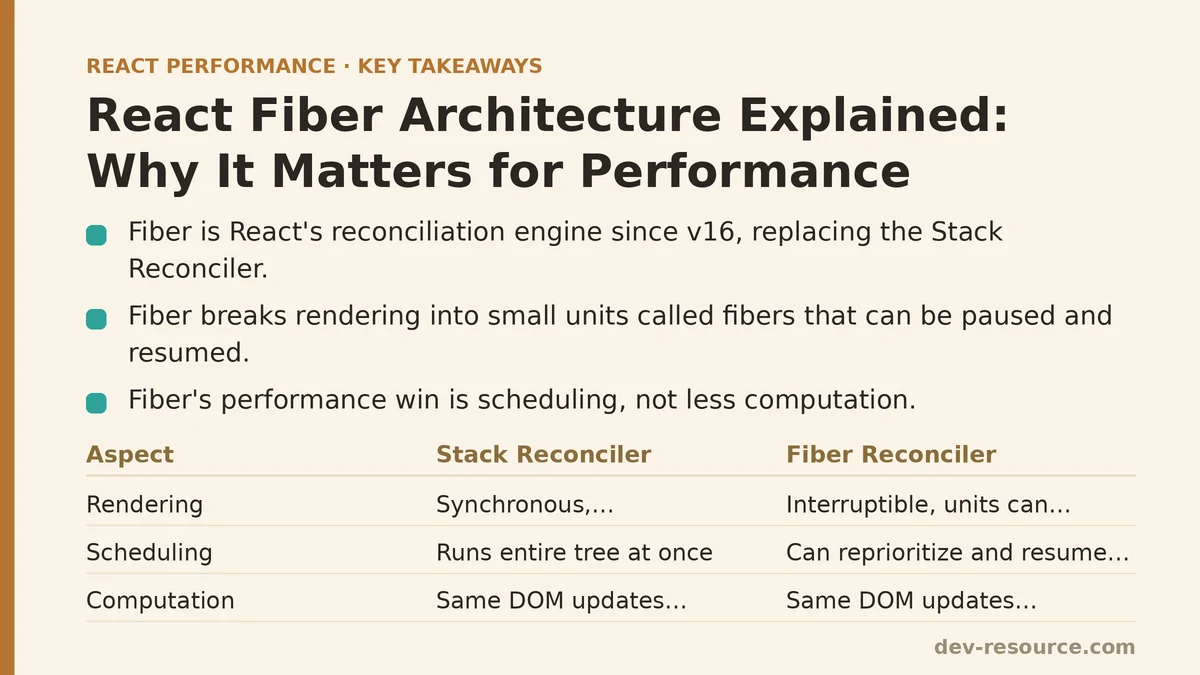
React Fiber is the reconciliation engine that has powered React’s core algorithm since version 16, replacing the older “Stack Reconciler.” Its defining feature is that rendering work is broken into small units, called fibers, which React can pause, resume, abandon, or reprioritize instead of running the entire render as one uninterruptible synchronous pass. That capability — interruptible rendering — is the entire point of the rewrite, and it’s the piece most explanations either skip or oversimplify into “Fiber makes React faster.”
It doesn’t, at least not directly. Fiber didn’t reduce the amount of work React does to render a component tree. What it changed is how that work is scheduled, which matters enormously for perceived performance but has nothing to do with raw computation speed. Separating those two ideas — less work versus better-scheduled work — is the key to understanding why Fiber matters and where the common explanations go wrong.
Myth 1: Fiber Is a New Version of React
A surprising number of developers talk about “upgrading to Fiber” as if it were a framework version, similar to moving from React 15 to React 16. It isn’t a version at all — it’s the internal architecture that React 16 and every version since has used to perform reconciliation. There was no fiber package to install, no new API surface exposed to application code, and no breaking change in how components are written. Class components, function components, createElement, all of it stayed exactly the same from a developer’s point of view.
Reality
Fiber is an implementation detail. The reconciliation algorithm — the process of comparing the current tree to a new tree and figuring out the minimal set of DOM mutations required — was rewritten from the ground up, but the public API sitting on top of it was left untouched by design. You can write and ship a complete React application without ever knowing Fiber exists, and for years, most developers did exactly that. What Fiber unlocked is a different question, and it’s the one worth focusing on: features like Suspense, concurrent rendering, and time-slicing are only possible because the underlying architecture can pause and resume work. None of those features existed at Fiber’s initial release; they arrived incrementally, built on a foundation that had already shipped.
Myth 2: Fiber Makes Rendering Faster By Doing Less Work
This is the most persistent misconception, and it’s easy to see why it took hold — “faster” is the word attached to almost every Fiber explanation on the internet. The old Stack Reconciler and the Fiber reconciler, given the same component tree and the same state change, will compute essentially the same set of DOM updates. Fiber does not skip diffing work that the old reconciler used to perform, and it doesn’t introduce some cleverer algorithm for figuring out what changed.
Reality
The performance win is entirely about scheduling, not computation. The old reconciler processed the entire tree in one synchronous, uninterruptible call stack — once it started walking the tree, it couldn’t stop until the whole thing was done, even if something more urgent came in, like a user keystroke or a click. On a large enough tree, that single call could block the main thread for long enough that the browser couldn’t paint or respond to input, producing the dropped frames and input lag associated with “jank.”
Fiber restructures that same work into a linked list of units that can be paused after any single unit completes. React checks, between units, whether it has time remaining in the current frame before continuing. If a higher-priority update comes in — a user typing into a focused input, for instance — React can set aside the in-progress work and handle the urgent update first. The total amount of computation across both approaches is comparable. What changes is whether that computation gets to hog the main thread uninterrupted, and that difference alone is responsible for the perceived speed gains people associate with Fiber.
Myth 3: Fiber Means React Renders Asynchronously by Default
Because “interruptible” and “asynchronous” get used loosely in casual conversation, it’s common to hear that Fiber made React’s rendering asynchronous out of the box. Open a fresh Create React App or Vite project, render a component tree, and profile it — the render still happens synchronously on the main thread in the default rendering mode.
Reality
Fiber makes interruptible rendering possible, but by itself it doesn’t change React’s default scheduling behavior. Synchronous mode — the default for a plain ReactDOM.render or createRoot().render() call without any concurrent features enabled — still processes updates without yielding to the browser between them, much like the old reconciler did, just organized into the fiber data structure under the hood. The actual asynchronous, interruptible behavior only shows up once concurrent features are explicitly used: startTransition, useDeferredValue, or Suspense boundaries that trigger concurrent rendering paths. Fiber is the architecture that makes those features possible. It is not, on its own, a switch that changes default behavior.
// Synchronous update — Fiber's interruptibility isn't engaged here
setQuery(inputValue);

// Marked as non-urgent — this is where the interruptible scheduling kicks in
startTransition(() => {
  setQuery(inputValue);
});
The distinction matters in practice. Wrapping every state update in startTransition on the assumption that “Fiber will make it async anyway” won’t do anything, because the update was never marked as interruptible to begin with. The architecture supports the behavior; the API call is what activates it for a given update.
Myth 4: Fiber Is Only Relevant If You’re Debugging Internals
Because Fiber is invisible from the component API, there’s a reasonable-sounding argument that it’s irrelevant to day-to-day application work — something for React core contributors to worry about, not app developers.
Reality
Fiber concepts surface constantly once you’re doing real performance work, even without ever inspecting a fiber node directly. Understanding priority — that React treats a discrete click differently from a continuous drag, and a transition differently from either — explains why two seemingly identical state updates can behave very differently under load. It explains why useDeferredValue can keep a large list responsive during fast typing without any manual debouncing. It’s also the reason the React DevTools Profiler shows renders split into distinct commits with timing gaps between them, rather than one flat block of work — those gaps are Fiber yielding to the browser.
A concrete example: a search input filtering a list of several thousand rows will feel noticeably smoother if the filtering update is wrapped in startTransition, because React can keep the input’s own state update at high priority while deferring the expensive list re-render.
function SearchableList({ items }) {
  const [query, setQuery] = useState('');
  const [isPending, startTransition] = useTransition();

  function handleChange(e) {
    setQuery(e.target.value); // stays responsive, high priority
    startTransition(() => {
      // expensive filtering, deprioritized
      setFilteredResults(filterItems(items, e.target.value));
    });
  }

  return (
    <>
      <input value={query} onChange={handleChange} />
      {isPending && <span>Updating…</span>}
      {/* render filteredResults */}
    </>
  );
}
Nothing in that code references Fiber by name, but the smoothness it produces is a direct consequence of the interruptible scheduling Fiber makes available.
Myth 5: Concurrent Features Work Automatically Once You’re on a Fiber-Based React Version
Since every React version since 16 uses Fiber internally, it’s tempting to assume that concurrent behavior — the responsiveness benefits described above — comes for free simply by being on a modern React version.
Reality
Concurrent rendering has to be opted into, both at the root level and at the level of individual updates. Using createRoot instead of the legacy ReactDOM.render is the first prerequisite — the legacy root API deliberately disables the concurrent features Fiber makes possible, for backward-compatibility reasons. Beyond that, individual updates still default to synchronous priority unless explicitly wrapped in startTransition, marked through useDeferredValue, or triggered by a Suspense-aware data source. A codebase can be running the latest React release, built entirely on Fiber, and still exhibit none of the responsiveness benefits associated with concurrent rendering, simply because nothing in the code has asked for it.
What This Means for How You Write Components
None of the above requires touching the Fiber tree directly or importing anything from React’s internals — that layer stays private for good reason, and it changes between minor versions without notice. What’s useful to carry forward into everyday component work is a short set of practical distinctions:
- Treat “Fiber” and “faster” as separate claims. Fiber changes scheduling, not the total amount of diffing work.
- Default rendering is still synchronous. Concurrent behavior has to be requested explicitly through
startTransition,useDeferredValue, or Suspense. - Legacy root APIs (
ReactDOM.render) opt out of concurrent behavior entirely, regardless of the React version installed. - Gaps in the DevTools Profiler timeline between commits are evidence of Fiber yielding to the browser, not a sign of something broken.
- Expensive, non-urgent updates — filtering, sorting, large list re-renders — are the best candidates for
startTransition; keep direct user input (typing, focus, click feedback) on the default synchronous path.
If you’re profiling a component tree that feels sluggish under fast input, the question worth asking isn’t “is this React version using Fiber” — it already is. The more useful question is whether any of the expensive updates in that tree have been marked as interruptible, or whether they’re all still competing for the main thread on equal, synchronous footing. Related guides: Building a PWA Caching Strategy for React Performance: The Service Worker That Cut Our Load Times, Building a Performance-First React Component Library from Scratch, and Caching Strategies for Improving React App Performance: Myth vs Reality.
🔗 Recommended Reading
- React Render Props Performance: A Beginner Tutorial
- React Performance Mistakes in Fintech Dashboards and How to Fix Them
- Lazy Loading Images and Components in React: A Step-by-Step Tutorial
- React Memoization: When and How to Use memo, useMemo, and useCallback
- Next.js App Router Performance Optimization for Beginners: A Step-by-Step Guide