A memory leak and a slow render are two different problems that get diagnosed as the same thing far too often. A slow render happens because a component does too much work on every pass and the fix is usually memoization or reducing computation. A memory leak happens because something a component created — a subscription, a timer, a listener — outlives the component itself and keeps sitting in memory, referencing state that should have been garbage collected. Chrome DevTools will show these very differently: one shows up as long scripting bars in the Performance tab, the other shows up as a memory graph that climbs and never comes back down after navigation.
This post is organized as a troubleshooting checklist. Each entry starts with a symptom you’re likely to notice in the browser or in a bug report, followed by the underlying cause, and a concrete fix you can apply to the component.
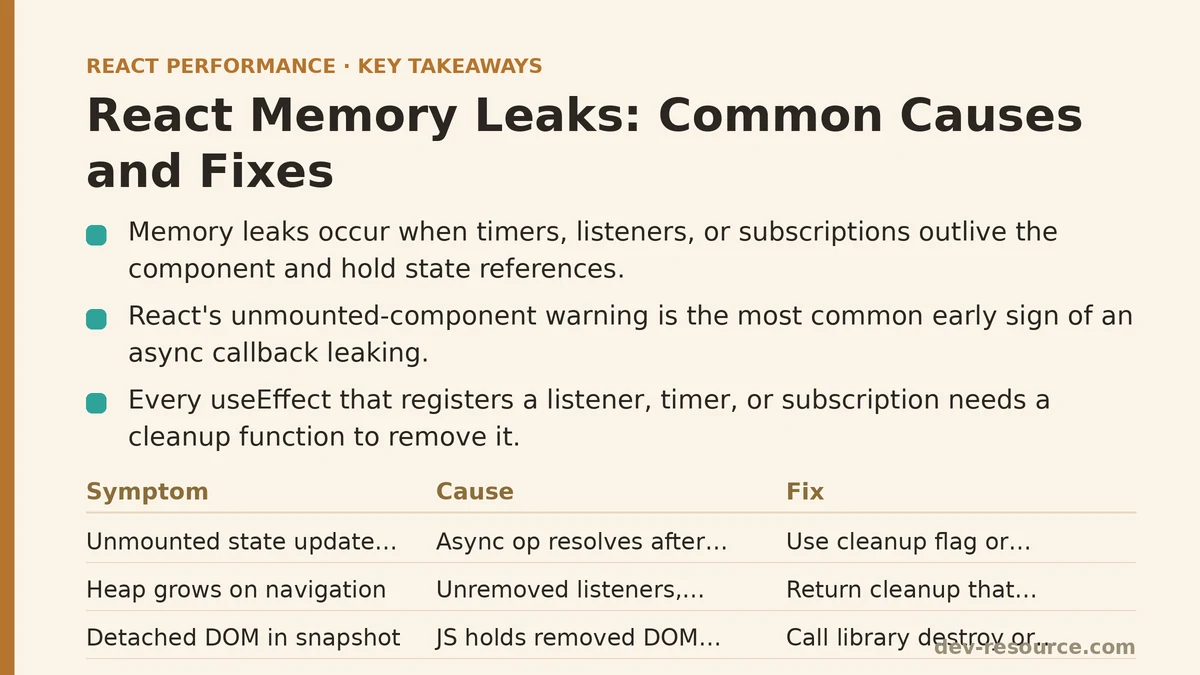
Symptom: The Console Warns “Can’t Perform a React State Update on an Unmounted Component”
This is the single most common early warning sign of a leak, and it’s one React gives you almost for free in development mode.
Cause: Somewhere in the component, an asynchronous operation — a fetch call, a setTimeout, a subscription callback — resolves after the component has already unmounted, and the resolved callback tries to call setState (or a useState setter) on a component that no longer exists.
function UserProfile({ userId }) {
  const [user, setUser] = useState(null);

  useEffect(() => {
    fetchUser(userId).then(data => {
      setUser(data); // Fires even after unmount, if the component navigated away
    });
  }, [userId]);

  return <div>{user?.name}</div>;
}
Fix: Track whether the component is still mounted, and check that flag before calling the setter. A cleanup function returned from useEffect is the correct place to flip that flag.
function UserProfile({ userId }) {
  const [user, setUser] = useState(null);

  useEffect(() => {
    let isMounted = true;
    fetchUser(userId).then(data => {
      if (isMounted) setUser(data);
    });
    return () => {
      isMounted = false;
    };
  }, [userId]);

  return <div>{user?.name}</div>;
}
For fetch specifically, an AbortController is a cleaner option than a boolean flag, since it also cancels the network request instead of just ignoring its result.
Symptom: Memory Usage Climbs on Every Navigation and Never Drops
You navigate between two routes repeatedly in a single-page app, take heap snapshots in DevTools’ Memory tab, and the retained size keeps growing with each round trip instead of returning to baseline.
Cause: An event listener, interval, or subscription was attached when the component mounted but was never removed when it unmounted. Each mount adds a new listener; none of them ever get cleared, so they pile up and each one holds a reference to the component’s closure, preventing garbage collection.
function ScrollTracker() {
  const [position, setPosition] = useState(0);

  useEffect(() => {
    window.addEventListener('scroll', () => setPosition(window.scrollY));
    // No cleanup — this listener is never removed
  }, []);

  return <div>Scroll position: {position}</div>;
}
Fix: Every useEffect that registers a listener, timer, or subscription needs a corresponding cleanup function that removes it. This is the pattern to check for on every effect that touches something outside React’s own state.
function ScrollTracker() {
  const [position, setPosition] = useState(0);

  useEffect(() => {
    const handleScroll = () => setPosition(window.scrollY);
    window.addEventListener('scroll', handleScroll);
    return () => window.removeEventListener('scroll', handleScroll);
  }, []);

  return <div>Scroll position: {position}</div>;
}
The same pattern applies to setInterval/clearInterval, setTimeout/clearTimeout, and third-party library subscriptions such as WebSocket connections or observable streams.
Symptom: A Detached DOM Tree Shows Up in a Heap Snapshot
Taking a heap snapshot in DevTools and filtering by “Detached” reveals DOM nodes that no longer exist in the visible page but are still retained in memory, sometimes numbering in the hundreds after extended use.
Cause: Something in JavaScript still holds a reference to a DOM node after React has removed it from the tree. This commonly happens with manually stored refs to elements passed to third-party libraries (chart renderers, map widgets, rich text editors) that keep their own internal reference and never release it on unmount.
function Chart({ data }) {
  const chartRef = useRef(null);

  useEffect(() => {
    const instance = new ThirdPartyChartLibrary(chartRef.current, data);
    // instance is never destroyed
  }, [data]);

  return <div ref={chartRef} />;
}
Fix: Nearly every charting, mapping, or editor library ships a destroy(), dispose(), or unmount() method for exactly this reason. Call it in the effect’s cleanup function.
function Chart({ data }) {
  const chartRef = useRef(null);

  useEffect(() => {
    const instance = new ThirdPartyChartLibrary(chartRef.current, data);
    return () => instance.destroy();
  }, [data]);

  return <div ref={chartRef} />;
}
If you’re integrating a library that has no documented cleanup method, that’s worth flagging as a limitation of the library itself, not something you can fully work around from the consuming component.
Symptom: Memory Grows Specifically on Components with Global State Subscriptions
The leak is isolated to components connected to a global store — Redux, Zustand, a custom context with a subscribe/unsubscribe pattern, or a library like RxJS.
Cause: The subscription was created but the unsubscribe function returned by the store was never called, so the store keeps a live reference to the component’s update callback long after the component is gone.
function Notifications() {
  const [count, setCount] = useState(0);

  useEffect(() => {
    notificationStore.subscribe(setCount);
    // Missing: notificationStore.unsubscribe(setCount)
  }, []);

  return <div>{count} unread</div>;
}
Fix: Most subscription-based APIs return an unsubscribe function directly from the subscribe call, or expose a matching unsubscribe method. Either way, that call belongs in the cleanup function.
function Notifications() {
  const [count, setCount] = useState(0);

  useEffect(() => {
    const unsubscribe = notificationStore.subscribe(setCount);
    return () => unsubscribe();
  }, []);

  return <div>{count} unread</div>;
}
If you’re using a well-maintained state library, check whether its official hooks (useSelector, useStore, etc.) already handle this for you — writing your own manual subscription logic is usually the point where this bug gets introduced.
Symptom: A Closure Keeps Holding Onto a Large Object After It’s No Longer Needed
A heap snapshot’s retainer tree shows a large array or object — sometimes a full dataset that should have been discarded — still attached to a function that outlived its usefulness.
Cause: A callback passed into useCallback, useMemo, or an event handler captured a large value in its closure, and that callback itself got stored somewhere long-lived (a ref, a module-level cache, an external library’s internal state), keeping the entire closure — including the large value — alive.
function DataExporter({ largeDataset }) {
  const exportHandlerRef = useRef();

  useEffect(() => {
    exportHandlerRef.current = () => exportToCSV(largeDataset);
    globalExportRegistry.register(exportHandlerRef.current);
  }, [largeDataset]);

  return <button onClick={exportHandlerRef.current}>Export</button>;
}
Fix: If a callback gets registered somewhere outside the component’s own lifecycle, that registration needs an explicit deregistration step, and the dependency array needs scrutiny to confirm you aren’t recreating (and re-registering) the closure more often than intended.
function DataExporter({ largeDataset }) {
  useEffect(() => {
    const handler = () => exportToCSV(largeDataset);
    globalExportRegistry.register(handler);
    return () => globalExportRegistry.unregister(handler);
  }, [largeDataset]);

  return <button onClick={() => exportToCSV(largeDataset)}>Export</button>;
}
This category of leak is harder to spot because nothing throws a warning — the only sign is memory that doesn’t shrink after a heap snapshot’s garbage collection pass.
A Troubleshooting Reference
| Symptom | Likely Cause | Fix |
|---|---|---|
| Console warning about state update on unmounted component | Async callback resolves after unmount | Mounted-ref check or AbortController |
| Memory climbs on repeated navigation | Event listener/timer never removed | Cleanup function in useEffect |
| Detached DOM nodes in heap snapshot | Third-party instance never destroyed | Call the library’s destroy()/dispose() in cleanup |
| Leak tied to global store subscriptions | Missing unsubscribe call | Return unsubscribe function from effect |
| Large object retained in closure | Callback registered externally, never deregistered | Explicit deregistration + dependency review |
Confirming a Fix With the Memory Tab, Not Just Code Review
Reading a diff and confirming it “looks right” is not the same as confirming a leak is gone. After applying any of the fixes above, take a heap snapshot before triggering the leaking behavior, trigger it repeatedly (mount and unmount the component ten or twenty times), then take a second snapshot and force garbage collection using the trash-can icon in DevTools. Compare retained size between the two snapshots. If it’s flat, the leak is fixed. If it’s still climbing, there’s a second reference somewhere you haven’t found yet — and the retainer tree in the snapshot will usually point you straight at it.
Have you found a memory leak in a React component that doesn’t match any of the patterns above? Share what the heap snapshot’s retainer tree is showing, and it’s often possible to trace the exact reference that’s keeping things alive.
Related guides: Common Mistakes When Optimizing React Forms for Performance, The Top 5 Causes of Cumulative Layout Shift in React Apps (Ranked by Impact), and Are Your React Dependencies Secretly Slowing You Down?.
🔗 Recommended Reading
- React Performance Mistakes in Fintech Dashboards and How to Fix Them
- Lazy Loading Images and Components in React: A Step-by-Step Tutorial
- React Memoization: When and How to Use memo, useMemo, and useCallback
- Next.js App Router Performance Optimization for Beginners: A Step-by-Step Guide
- Measuring and Fixing React Re-render Performance: A Step-by-Step Walkthrough