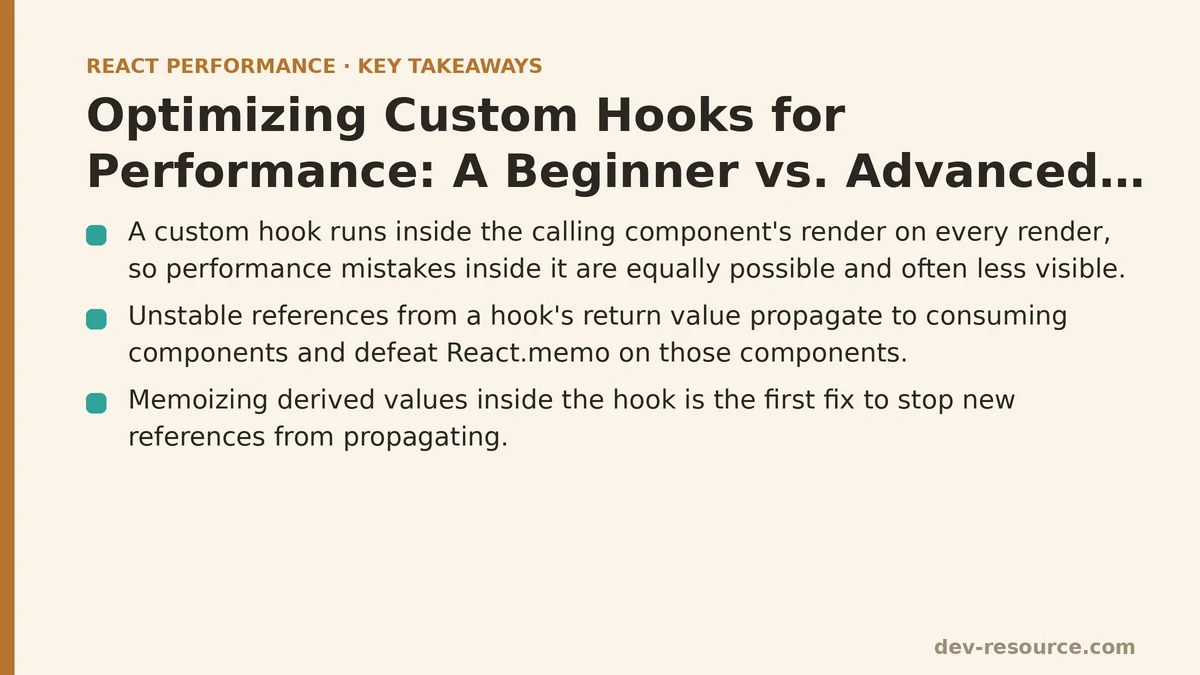
A custom hook is a JavaScript function, prefixed with use, that calls other hooks internally and shares stateful logic across components. That’s the entire definition — there’s no special compiler transform, no unique lifecycle, no isolated rendering context. A custom hook runs inside the render of whatever component calls it, on every single render of that component. Whatever performance mistakes are possible inside a component body are equally possible, and often less visible, inside a custom hook. This case study walks through a hook that started as a reasonable-looking first draft and traces every step of turning it into one that doesn’t create unnecessary work for the components consuming it.
The Hook: useFilteredList
The scenario is common enough to generalize well: a hook that takes a list of items and a filter term, and returns the filtered subset along with a couple of derived values a UI might need — a count and a “hasResults” flag.
Here is the first version, written the way most people reach for it on a first pass:
function useFilteredList(items, searchTerm) {
  const [debouncedTerm, setDebouncedTerm] = useState(searchTerm);

  useEffect(() => {
    const timeout = setTimeout(() => setDebouncedTerm(searchTerm), 300);
    return () => clearTimeout(timeout);
  }, [searchTerm]);

  const filtered = items.filter(item =>
    item.name.toLowerCase().includes(debouncedTerm.toLowerCase())
  );

  const stats = {
    count: filtered.length,
    hasResults: filtered.length > 0,
  };

  return { filtered, stats };
}
Nothing here is wrong in the sense of producing incorrect output. The debounce works. The filtering works. The stats object is accurate. The problem, as with the unoptimized <img> tag in any image-performance write-up, is what the code doesn’t account for: the cost of recomputation and the cost of new references, multiplied by every component that calls this hook and every render that component goes through.
Setting Up a Way to Measure the Damage
Before changing anything, it helps to have a component that exercises the hook the way a real app would — with a parent that re-renders for unrelated reasons, which is the single most common trigger for hook-related performance problems in production code.
function SearchableList({ items }) {
  const [searchTerm, setSearchTerm] = useState('');
  const [tick, setTick] = useState(0);

  useEffect(() => {
    const interval = setInterval(() => setTick(t => t + 1), 1000);
    return () => clearInterval(interval);
  }, []);

  const { filtered, stats } = useFilteredList(items, searchTerm);

  return (
    <div>
      <input value={searchTerm} onChange={e => setSearchTerm(e.target.value)} />
      <ResultsSummary stats={stats} />
      <ResultsList items={filtered} />
    </div>
  );
}
The tick state is standing in for something ordinary — a websocket update, a polling interval, a sibling component’s state lifted too high. It re-renders SearchableList once per second regardless of whether the user has typed anything. Wrapping ResultsSummary and ResultsList in React.memo and watching the React DevTools Profiler during a ten-second window with items held constant and searchTerm untouched shows both child components re-rendering once per second, right alongside the parent. React.memo is present on both, and it isn’t helping at all.
Diagnosing Why Memoization Isn’t Working
The reason traces directly back to the hook, not to the components. Every time SearchableList re-renders — once per second, from the tick update — useFilteredList runs its body again. The filtered array is rebuilt via .filter(), producing a brand-new array reference even though its contents are identical to the previous render. The stats object is a fresh object literal, same story. Both of these new references get passed down as props, and React.memo’s shallow comparison sees different references and re-renders the children, exactly the failure mode you’d expect from an unstabilized object or array anywhere else in a React tree.
This is the core lesson worth pulling out of this specific example and generalizing: a custom hook is not a boundary that contains instability. It’s a pass-through. Whatever reference instability exists inside the hook body propagates directly to every component that destructures its return value, and no amount of React.memo on the consuming components will fix a problem that originates one layer up, inside the hook itself.
First Fix: Memoizing the Derived Values
The filtering and the stats calculation are both pure derivations of items and debouncedTerm — they don’t need to run on every render, only when one of those two inputs changes. useMemo is the direct tool for this:
function useFilteredList(items, searchTerm) {
  const [debouncedTerm, setDebouncedTerm] = useState(searchTerm);

  useEffect(() => {
    const timeout = setTimeout(() => setDebouncedTerm(searchTerm), 300);
    return () => clearTimeout(timeout);
  }, [searchTerm]);

  const filtered = useMemo(() => {
    return items.filter(item =>
      item.name.toLowerCase().includes(debouncedTerm.toLowerCase())
    );
  }, [items, debouncedTerm]);

  const stats = useMemo(() => ({
    count: filtered.length,
    hasResults: filtered.length > 0,
  }), [filtered]);

  return { filtered, stats };
}
Re-running the same Profiler session, with tick still updating every second and searchTerm still untouched, shows filtered and stats holding the same references across those ticks. ResultsList and ResultsSummary stop re-rendering on the tick interval entirely — they only re-render once the debounced search term actually changes. That’s the fix confirmed by measurement, not just by the code matching a recommended pattern, which matters because it’s entirely possible to add useMemo with a dependency array mistake and get none of this benefit while the code still looks correct on the page.
Second Fix: The Return Object Itself Is Still Unstable
There’s a subtler problem left, and it’s one that’s easy to miss even after the two derivations above are memoized. Look again at the return statement: return { filtered, stats }. Even though filtered and stats are now stable references individually, the object literal wrapping them is rebuilt fresh on every call of the hook. If a consuming component destructures the whole object and passes it down as a single prop — <Child result={useFilteredList(items, term)} /> — that prop is a new reference every render, regardless of how stable its contents are.
The fix is the same tool applied one level higher:
function useFilteredList(items, searchTerm) {
  const [debouncedTerm, setDebouncedTerm] = useState(searchTerm);

  useEffect(() => {
    const timeout = setTimeout(() => setDebouncedTerm(searchTerm), 300);
    return () => clearTimeout(timeout);
  }, [searchTerm]);

  const filtered = useMemo(() => {
    return items.filter(item =>
      item.name.toLowerCase().includes(debouncedTerm.toLowerCase())
    );
  }, [items, debouncedTerm]);

  const stats = useMemo(() => ({
    count: filtered.length,
    hasResults: filtered.length > 0,
  }), [filtered]);

  return useMemo(() => ({ filtered, stats }), [filtered, stats]);
}
In the test component above, SearchableList destructures filtered and stats separately rather than passing the whole return value down as one object, so this particular fix doesn’t change the Profiler numbers in this exact case. It matters for a different, very common pattern: any consumer that does const result = useFilteredList(...) and forwards result wholesale as a single prop. Skipping this step is a frequent reason a hook looks fully optimized — every internal value memoized — while still defeating React.memo on a downstream component, simply because the wrapping object was never stabilized.
Third Fix: Function References Returned from Hooks
Many custom hooks return not just data but functions — a refetch, a toggle, a setPage. Extending useFilteredList with a clearSearch function illustrates the same problem in a different shape:
// Defeats memoization on every render, same as an inline handler in JSX
function useFilteredList(items, searchTerm) {
  // ...previous logic
  const clearSearch = () => setDebouncedTerm('');
  return useMemo(() => ({ filtered, stats, clearSearch }), [filtered, stats, clearSearch]);
}
Because clearSearch is redefined on every call, it’s a new reference every render, which means it also has to go into the useMemo dependency array — and since it changes every time, the outer memoization is defeated again, quietly, in a way that’s easy to overlook during a code review. useCallback closes this gap the same way it would for any inline handler in a component body:
function useFilteredList(items, searchTerm) {
  const [debouncedTerm, setDebouncedTerm] = useState(searchTerm);

  useEffect(() => {
    const timeout = setTimeout(() => setDebouncedTerm(searchTerm), 300);
    return () => clearTimeout(timeout);
  }, [searchTerm]);

  const filtered = useMemo(() => {
    return items.filter(item =>
      item.name.toLowerCase().includes(debouncedTerm.toLowerCase())
    );
  }, [items, debouncedTerm]);

  const stats = useMemo(() => ({
    count: filtered.length,
    hasResults: filtered.length > 0,
  }), [filtered]);

  const clearSearch = useCallback(() => setDebouncedTerm(''), []);

  return useMemo(
    () => ({ filtered, stats, clearSearch }),
    [filtered, stats, clearSearch]
  );
}
With this in place, every value returned by the hook — the array, the derived object, and the function — holds a stable reference across renders where none of the underlying inputs have changed. That’s the point where React.memo on the consuming components has something real to work with.
Measuring the Full Result
Running the same ten-second Profiler session one more time, with all three fixes applied and tick still firing every second: ResultsList and ResultsSummary render exactly once, at mount, and then again only when the debounced search term changes roughly 300 milliseconds after the user stops typing. The once-per-second re-renders driven by unrelated parent state are gone entirely. The hook itself still runs on every render of SearchableList — that part is unavoidable, since a hook is just a function call inside the render — but the expensive work inside it (filtering, object construction) and the references it hands to children are no longer recreated needlessly.
| Version | Filtering Runs on Tick? | New Object Reference per Tick? | Children Re-render on Tick? |
|---|---|---|---|
| Beginner (no memoization) | Yes | Yes | Yes |
+ useMemo on filtered/stats |
No | Return object still new | Yes, if consumed as one prop |
+ useMemo on return object |
No | No | No |
+ useCallback on functions |
No | No | No |
What Generalizes Beyond This One Hook
Four habits came out of this walkthrough, and they apply to essentially any custom hook, not just one built around filtering a list:
Memoize derived values with useMemo before they leave the hook, using the actual inputs they depend on as the dependency array — not the hook’s own arguments if those arguments are themselves unstable objects passed fresh by the caller.
Wrap the hook’s return value in its own useMemo whenever it’s an object or array, since consumers frequently pass the whole return value down as a single prop rather than destructuring it.
Wrap any returned function in useCallback, and make sure that function isn’t recreated internally in a way that then has to be listed as a dependency of the outer memoization, undoing it.
Confirm every one of these with the React DevTools Profiler rather than trusting that the presence of useMemo and useCallback in the code is sufficient — a dependency array error can leave a hook looking fully optimized while still handing out a new reference on every call.
None of this changes what the hook returns or how it behaves from the caller’s point of view. useFilteredList(items, searchTerm) produces the identical filtered array and stats object at every step of this walkthrough. What changes is whether the components downstream of it can actually benefit from React.memo, and whether the hook’s internal work gets redone for no reason every time something unrelated causes its owning component to re-render.
If you’re auditing a custom hook in your own codebase, the order here is worth following directly: profile first with a parent that re-renders for unrelated reasons, check whether derived values inside the hook are memoized, check whether the return value itself is stable, and only then look at whether any functions the hook exposes are wrapped in useCallback.
Related guides: The Real Performance Impact of Inline Functions and Objects in JSX, React Memoization: When and How to Use memo, useMemo, and useCallback, and Top Mistakes Developers Make With useMemo and useCallback.
🔗 Recommended Reading
- React Performance Mistakes in Fintech Dashboards and How to Fix Them
- Lazy Loading Images and Components in React: A Step-by-Step Tutorial
- React Memoization: When and How to Use memo, useMemo, and useCallback
- Next.js App Router Performance Optimization for Beginners: A Step-by-Step Guide
- Measuring and Fixing React Re-render Performance: A Step-by-Step Walkthrough