By the end of this post you’ll be able to tell, from a component’s specific symptoms, whether useTransition is the right fix or a distraction from the real problem. You’ll also have a concrete before-and-after measurement to compare against your own profiling data, since the hook’s benefit is easy to overstate if you haven’t watched it work on a component with a real rendering cost.
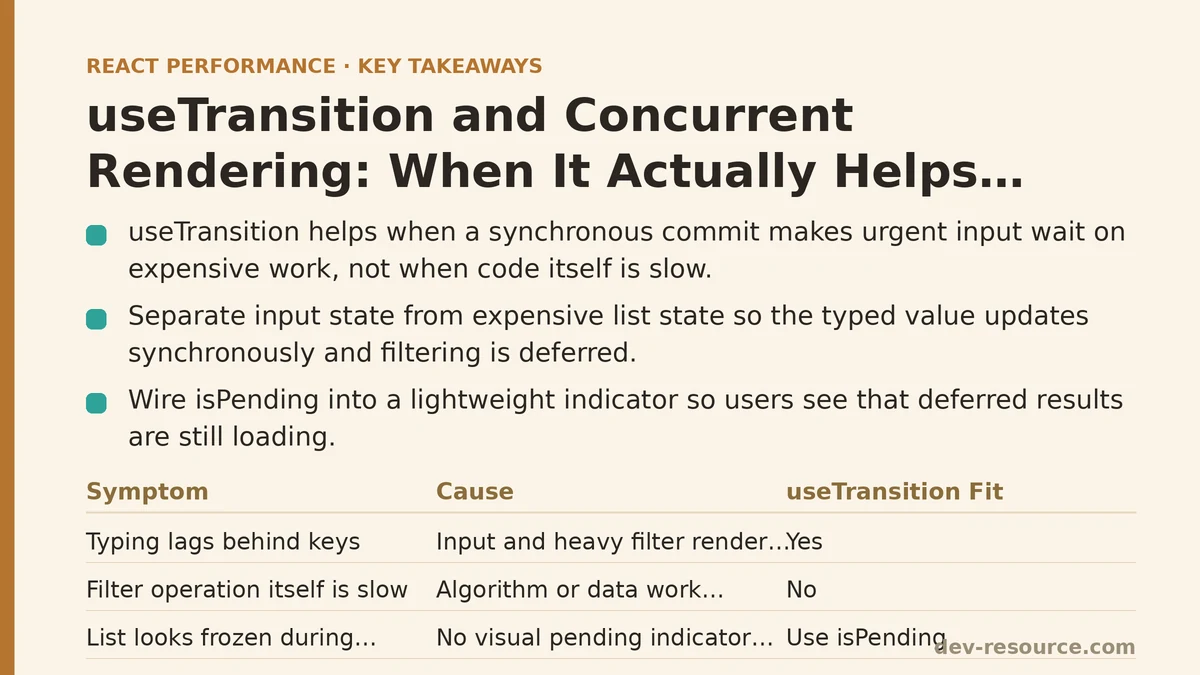
The Component: A Filterable List of 10,000 Rows
The component in question was a customer-facing search tool: a text input at the top, a list of roughly 10,000 rows below it, filtered on every keystroke against a name and email field. Nothing about the implementation was unusual.
function CustomerSearch({ customers }) {
  const [query, setQuery] = useState('');

  const filtered = customers.filter(c =>
    c.name.toLowerCase().includes(query.toLowerCase()) ||
    c.email.toLowerCase().includes(query.toLowerCase())
  );

  return (
    <div>
      <input value={query} onChange={e => setQuery(e.target.value)} />
      <CustomerList customers={filtered} />
    </div>
  );
}
Typing into the input felt sluggish enough that users noticed and complained. Each keystroke triggered a state update, which triggered a re-filter of 10,000 records, which triggered a re-render of however many rows survived the filter. On a fast desktop this was tolerable. On a mid-range laptop with a handful of browser tabs open, characters visibly lagged behind the keys being pressed.
Diagnosing the Lag Before Reaching for Any API
Before touching the code, the React DevTools Profiler recorded a session of typing five characters into the search box. Each keystroke showed up as a commit taking somewhere between 45ms and 90ms, almost entirely spent inside the filter operation and the subsequent render of CustomerList. That’s the important detail: the input itself wasn’t slow to update in principle. The problem was that React was treating the input’s value and the filtered list as one synchronous unit of work, and the browser couldn’t paint the updated input text until the entire list had finished re-rendering.
This is the specific shape of problem useTransition addresses. It doesn’t make the filtering itself faster — the 10,000-record filter still takes roughly the same number of milliseconds to run. What it does is let React split that one commit into two: an urgent update (the text the user just typed, which needs to appear immediately) and a non-urgent update (the filtered list, which can lag behind by a frame or two without the user noticing, provided the input stays responsive).
First Attempt: startTransition Around the State Update
The fix separates the input’s own state from the state driving the expensive list:
function CustomerSearch({ customers }) {
  const [query, setQuery] = useState('');
  const [deferredResults, setDeferredResults] = useState(customers);
  const [isPending, startTransition] = useTransition();

  function handleChange(e) {
    const value = e.target.value;
    setQuery(value);

    startTransition(() => {
      const filtered = customers.filter(c =>
        c.name.toLowerCase().includes(value.toLowerCase()) ||
        c.email.toLowerCase().includes(value.toLowerCase())
      );
      setDeferredResults(filtered);
    });
  }

  return (
    <div>
      <input value={query} onChange={handleChange} />
      {isPending && <span className="updating-indicator">Updating…</span>}
      <CustomerList customers={deferredResults} />
    </div>
  );
}
query updates synchronously, so the input always reflects exactly what was typed, with zero lag. The filtering and the resulting list update happen inside startTransition, marking them as work React is allowed to interrupt or delay in favor of higher-priority updates — like, for instance, the next keystroke.
Why isPending Matters More Than It Looks
It’s tempting to treat isPending as an afterthought, but skipping it produces a subtle usability problem: the list appears to freeze with no indication that anything is happening, and a user typing quickly can be left staring at stale results with no visual cue that new ones are on the way. Wiring isPending into a lightweight loading indicator, even something as small as a reduced opacity on the list container, closes that gap. It costs almost nothing to render and it answers the one question a frozen-looking UI otherwise leaves open: is this broken, or is it working?
Measuring the Difference With the Profiler
Running the same five-keystroke test after the change told a clearer story than intuition alone would have. The input’s own commit — the part responsible for the character appearing in the text box — dropped to under 5ms per keystroke, consistently. The filtering and list re-render still took the same 45–90ms it always had, but that work no longer blocked the input from updating. It happened in the background, on its own schedule, and the Profiler’s flame graph showed those transition-marked commits rendered at lower priority, sometimes several frames after the corresponding keystroke.
Subjectively, and this matched what several test users reported independently, typing felt instantaneous even though the underlying computation hadn’t gotten any cheaper. That’s the core mechanism worth internalizing: useTransition redistributes when expensive work happens relative to urgent work, rather than reducing how expensive that work is. If a component’s slowness comes from blocking the UI thread during a render that competes with more urgent input, this is the right lever. If the slowness comes from an algorithm that’s just doing too much work, no amount of transition-wrapping fixes that on its own.
Where useTransition Falls Short
Two other components in the same codebase seemed like reasonable candidates for the same treatment, and both turned out to be poor fits — worth walking through because the failure modes are instructive.
The first was a settings toggle that flipped a boolean and re-rendered a small options panel. Wrapping that update in startTransition produced no measurable change in the Profiler’s timings, for a straightforward reason: the render being deferred took under 2ms to begin with. There was no blocking work to move out of the critical path, so nothing improved. This mirrors a pattern worth remembering from memoization decisions generally — an optimization aimed at expensive renders provides no benefit when applied to cheap ones, and in this case it added a small amount of conceptual overhead (an extra state variable, an extra pending flag) for zero measured gain.
The second was a form validation flow where immediate feedback was the entire point — a password strength indicator that needed to update the instant a character was typed. Deferring that update, even by a frame, undermined the feature’s purpose. Some updates are urgent by design, and useTransition exists specifically to let non-urgent updates yield to those — it isn’t a tool for making every update feel faster indiscriminately.
useTransition vs. Debouncing: Different Tools for a Similar Symptom
It’s worth being explicit about how this differs from debouncing the input, since the two are often reached for in the same situation. Debouncing delays the filter operation entirely until typing pauses, which means the list can sit stale for a few hundred milliseconds after the last keystroke — a real delay, imposed on purpose, to reduce how often the expensive work runs at all.
useTransition doesn’t reduce how often the filter runs; it runs on every keystroke, same as before. What changes is scheduling: React interrupts an in-progress transition render if a higher-priority update arrives, so the list update can be superseded by a newer one before it ever finishes, rather than queuing up stale work. For a search box where users type quickly, this tends to produce results that catch up faster than a debounced equivalent would, without the deliberate lag debouncing introduces. The two aren’t mutually exclusive, either — combining a short debounce with a transition can reduce the total number of filter operations while still keeping the input itself perfectly responsive.
The Numbers, Before and After
| Measurement | Before | After |
|---|---|---|
| Input commit time per keystroke | 45–90ms (blocked by list render) | Under 5ms |
| Filter + list render time | 45–90ms | 45–90ms (unchanged, now deferred) |
| Visible typing lag | Noticeable, reported by users | Not reported in follow-up testing |
| Loading feedback during filter | None | isPending indicator |
The filter operation itself was never the target of this fix, and it’s worth stating that plainly: nothing here made the list-filtering algorithm faster. A future pass on this component might still be worth doing — virtualizing the list with something like react-window would cut the render cost of 10,000 rows dramatically, and would compound well with the scheduling benefit useTransition already provides. The two optimizations solve different halves of the same complaint.
A Short Checklist Before Reaching for useTransition
Before wrapping a state update in startTransition, it’s worth confirming three things with actual profiling data rather than assumption: that the update in question is genuinely expensive enough to block the UI thread, that the urgency of the update is negotiable rather than immediate, and that a user-visible pending state can be added without making the interface feel unresponsive in a different way. Skip any one of these checks and the hook is likely to add complexity without a measurable return — which, based on the two components that didn’t benefit here, is a more common outcome than the marketing around concurrent rendering tends to suggest.
If you’re evaluating a laggy input or filter in your own codebase, the Profiler session is the step to run first, before any code changes. Everything about whether useTransition will help — or whether it’s the wrong tool for the specific slowdown you’re looking at — shows up in that recording before you write a single line.
Related guides: useDeferredValue vs useTransition: A Performance Comparison, React Server Components: What They Actually Change for Performance, and React State Update Batching: Why Your Renders Happen When They Do.
🔗 Recommended Reading
- React Performance Mistakes in Fintech Dashboards and How to Fix Them
- Lazy Loading Images and Components in React: A Step-by-Step Tutorial
- React Memoization: When and How to Use memo, useMemo, and useCallback
- Next.js App Router Performance Optimization for Beginners: A Step-by-Step Guide
- Measuring and Fixing React Re-render Performance: A Step-by-Step Walkthrough