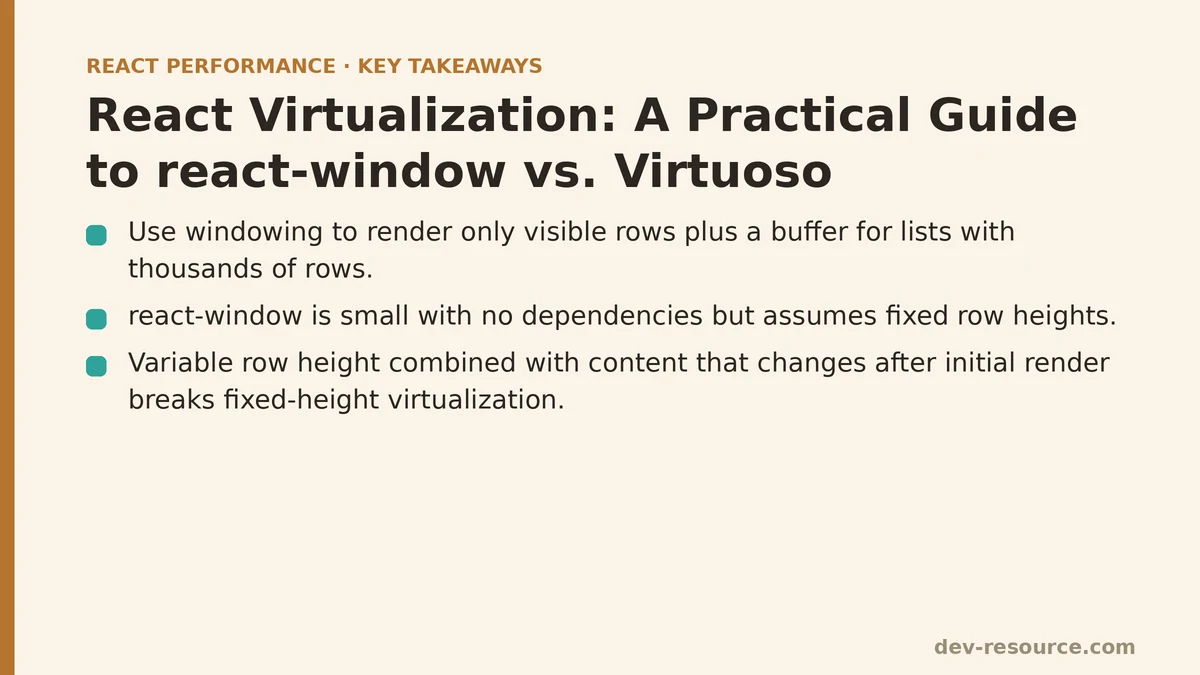
By the end of this guide, you’ll know which of the two most common React virtualization libraries fits a given list-rendering problem, and — more importantly — you’ll know the specific technical symptom that should push you from one to the other. That symptom, as the case study below shows, is variable row height combined with content that can change after the initial render.
The Setup: A Support Ticket Table With 20,000 Rows
The component in question rendered a support inbox: a scrollable list of tickets, each showing a subject line, a status badge, a truncated preview, and a few metadata tags. Nothing about the individual row was expensive to render. The problem was volume — the underlying dataset regularly held between 15,000 and 25,000 tickets, and the original implementation mapped every one of them straight into the DOM.
function TicketList({ tickets }) {
  return (
    <div className="ticket-list">
      {tickets.map(ticket => (
        <TicketRow key={ticket.id} ticket={ticket} />
      ))}
    </div>
  );
}
Opening the inbox with a full dataset loaded took just under 4 seconds before the page became responsive, and React DevTools Profiler showed a single commit rendering all 20,000 TicketRow instances at once. Scroll performance was worse than the initial load suggested it would be — the browser had to keep that many DOM nodes in its layout tree, and even a passive scroll listener attached elsewhere on the page was measurably janky, dropping well below 60fps during fast scrolling.
The fix for a list this size isn’t pagination — the product requirement was continuous scrolling through the full dataset, not page-by-page navigation. It’s windowing: rendering only the rows currently visible in the viewport, plus a small buffer, and swapping their content as the user scrolls rather than mounting and unmounting thousands of components.
First Attempt: react-window and Its Fixed-Height Assumption
react-window was the natural first choice. It’s small — under 7KB gzipped — has no dependencies, and its API maps directly onto the windowing concept: you tell it the total row count, a fixed row height, and a render function, and it handles the rest by rendering only what fits inside a fixed-size scroll container.
import { FixedSizeList } from 'react-window';

function TicketList({ tickets }) {
  const Row = ({ index, style }) => (
    <div style={style}>
      <TicketRow ticket={tickets[index]} />
    </div>
  );

  return (
    <FixedSizeList
      height={600}
      width="100%"
      itemCount={tickets.length}
      itemSize={72}
      overscanCount={5}
    >
      {Row}
    </FixedSizeList>
  );
}
The style prop passed into each row is what makes windowing work under the hood — react-window positions every rendered row absolutely, using transform to place it at the correct offset within a container sized to match the full scrollable height of all 20,000 items combined, even though only a handful of rows exist in the DOM at any given moment. The overscanCount prop controls how many extra rows get rendered just outside the visible viewport, which smooths out the blank flash that can otherwise appear during fast scrolling.
The initial results were dramatic. Time to interactive can drop from just under 4 seconds to under 300 milliseconds, and Profiler can show a steady 20–30 rendered rows per commit regardless of dataset size. Scroll performance held close to 60fps. On paper, the problem was solved.
Where the Fixed-Height Assumption Broke Down
The trouble surfaced a week later, once the design added a feature: tickets with more than three tags would wrap onto a second line, and any ticket could be expanded inline to show its full message body. Both of those features meant row height was no longer a constant — and FixedSizeList has no mechanism for handling that. Every row is assumed to be exactly the same height as every other row.
The documented fix is VariableSizeList, which accepts a function instead of a fixed number:
import { VariableSizeList } from 'react-window';

function getItemSize(index, tickets) {
  const ticket = tickets[index];
  return ticket.tags.length > 3 ? 96 : 72;
}

function TicketList({ tickets }) {
  const listRef = useRef();

  const Row = ({ index, style }) => (
    <div style={style}>
      <TicketRow ticket={tickets[index]} />
    </div>
  );

  return (
    <VariableSizeList
      ref={listRef}
      height={600}
      width="100%"
      itemCount={tickets.length}
      itemSize={index => getItemSize(index, tickets)}
      overscanCount={5}
    >
      {Row}
    </VariableSizeList>
  );
}
This works, but it shifts a real burden onto the application code. getItemSize has to know, in advance, exactly how tall a row will render — which meant hardcoding pixel values tied to a specific font size and line height, values that would silently go stale the first time a designer changed the tag component’s padding. Worse, the inline-expansion feature meant a row’s height could change after it had already been measured and cached. react-window caches item sizes internally for performance, so expanding a ticket required manually calling listRef.current.resetAfterIndex(index) to invalidate that cache — miss that call in any code path, and rows below the expanded one would silently overlap or leave gaps.
This is the general lesson worth extracting from this project: react-window’s speed and small footprint come from a deliberately narrow contract — it needs to know row size up front, and it needs to be told explicitly whenever that size changes. That contract is easy to satisfy for uniform lists and painful to maintain for content that resizes dynamically based on user interaction.
Switching to react-virtuoso
react-virtuoso (commonly just called Virtuoso) starts from a different assumption: rows are variably sized by default, and the library measures them itself using a ResizeObserver rather than requiring the application to compute or cache heights.
import { Virtuoso } from 'react-virtuoso';

function TicketList({ tickets }) {
  return (
    <Virtuoso
      style={{ height: 600 }}
      totalCount={tickets.length}
      itemContent={index => <TicketRow ticket={tickets[index]} />}
    />
  );
}
That’s the entire implementation. There’s no itemSize function, no manual cache invalidation, and no ref juggling to handle an expanding row — when a TicketRow grows because a user clicked to expand it, Virtuoso’s resize observer picks up the new height automatically and adjusts the positions of the rows below it on the next frame. The inline-expansion bug that had required a manual resetAfterIndex call in the react-window version simply stopped being a problem to solve.
The tradeoff shows up in two places. First, bundle size: Virtuoso weighs in closer to 30KB gzipped, roughly four times heavier than react-window, because it ships the measurement and layout logic that react-window leaves to the consuming application. Second, control: Virtuoso’s API is more opinionated about how scrolling and grouping work, which is convenient until a project needs a layout pattern the library wasn’t designed around — a virtualized grid, for instance, is not something Virtuoso handles, while react-window ships a dedicated FixedSizeGrid and VariableSizeGrid for exactly that case.
Measuring the Difference
Both versions were profiled against the same 20,000-row dataset with the expansion feature enabled, using React DevTools Profiler and Chrome’s Performance panel:
| Metric | Unvirtualized | react-window (VariableSizeList) | Virtuoso |
|---|---|---|---|
| Time to interactive | ~3,900ms | ~310ms | ~340ms |
| Rows in DOM at rest | 20,000 | ~28 | ~30 |
| Scroll frame rate | Frequent drops below 40fps | Stable ~60fps | Stable ~60fps |
| Manual height bookkeeping | N/A | Required (getItemSize, resetAfterIndex) |
None |
| Gzipped library size | 0KB | ~7KB | ~30KB |
The performance gap between the two virtualization approaches was negligible for this dataset — both comfortably solved the original scroll-jank problem. The deciding factor ended up being maintenance cost, not raw speed: the resetAfterIndex calls scattered through the expansion logic in the react-window version were a recurring source of subtle bugs whenever a new contributor touched the row component, and every one of those bugs disappeared once Virtuoso took over height measurement.
When react-window Is Still the Right Call
None of this makes react-window the wrong choice in general. It remains the better fit when:
- Row height is genuinely fixed and unlikely to change based on content or interaction — think a monospaced log viewer or a table with a single line of text per row.
- Bundle size matters more than developer convenience, such as in a widget embedded on third-party sites.
- The layout is a grid rather than a list, since
react-windowhas first-party grid support and Virtuoso does not. - Fine-grained control over scroll behavior or item positioning is a requirement rather than a nice-to-have.
Virtuoso earns its larger bundle size when rows have any of the properties that made this case study painful: variable height, height that changes after mount, or grouped/sectioned data where headers need to stick and unstick as the user scrolls.
A Short Checklist for the Next List You’re Virtualizing
Before reaching for either library, it’s worth confirming a few things about the data first:
- Is every row the same height, and will it stay that way? If yes,
FixedSizeListfromreact-windowis the simplest possible answer. - Can a row’s height change after it renders — through expansion, async content, or user edits? If yes, Virtuoso’s automatic measurement will save real maintenance time.
- Does the layout need to be a grid rather than a single-axis list?
react-window’s grid components are the more direct fit. - Does bundle size carry unusual weight for this project, such as a widget or embed? Lean toward
react-window.
Whichever library you land on, profile before and after with the actual dataset size your users will hit in production — the difference between a demo with 200 rows and a production table with 20,000 is exactly where these tradeoffs stop being theoretical. Related guides: Optimizing Infinite Scroll Performance in React: A Practical Q&A, The Top 5 Performance Techniques for React Data Tables With Large Datasets, and Why Your React List Rendering Is Slow and How to Fix It.
🔗 Recommended Reading
- React Performance Mistakes in Fintech Dashboards and How to Fix Them
- Lazy Loading Images and Components in React: A Step-by-Step Tutorial
- React Memoization: When and How to Use memo, useMemo, and useCallback
- Next.js App Router Performance Optimization for Beginners: A Step-by-Step Guide
- Measuring and Fixing React Re-render Performance: A Step-by-Step Walkthrough