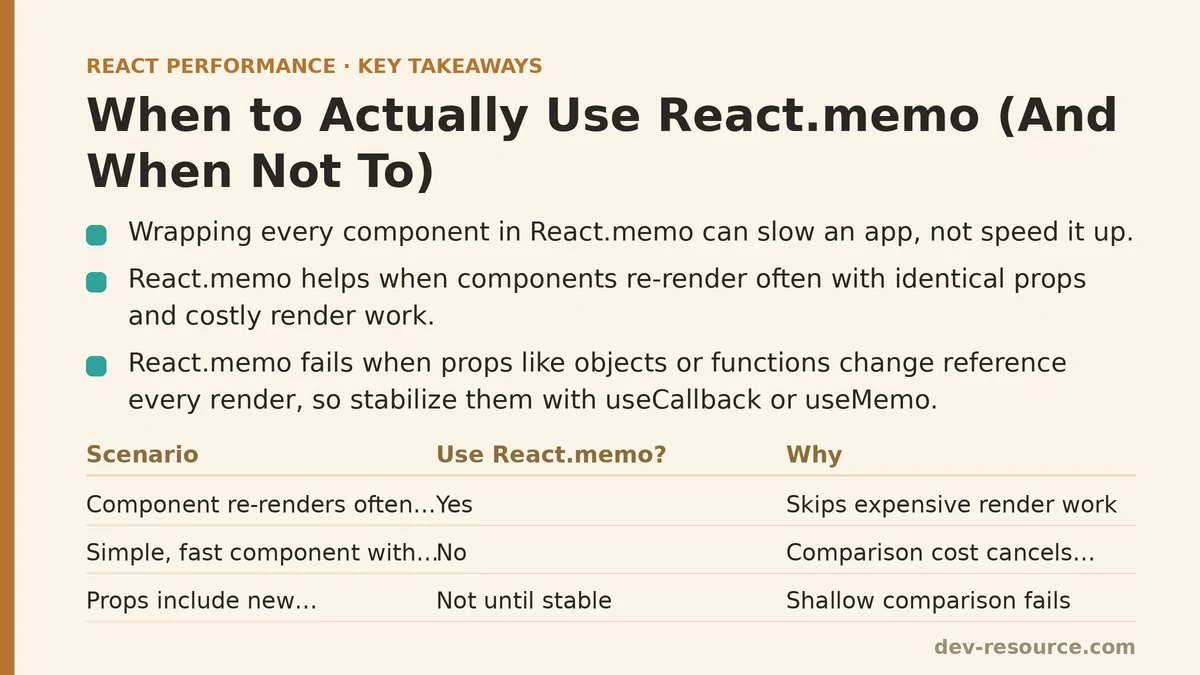
Wrapping every component in React.memo can make an application slower, not faster. That’s the counterintuitive result that came out of profiling several codebases where blanket memoization had been applied as a default habit rather than a targeted fix. Some components improved. Others showed no measurable difference. A handful got marginally worse once the comparison overhead was factored in.
What React.memo Does
The wrapper performs a shallow comparison of a component’s props between renders and skips the re-render when those props are referentially equal to the previous pass. On paper this looks like a guaranteed win — fewer renders, better performance — but the real payoff hinges on two things: whether the component was re-rendering unnecessarily to begin with, and whether the cost of the comparison itself is smaller than the render work it’s preventing.
When This Helps: Profiling Evidence
Using React DevTools Profiler on a dashboard application with frequently updating parent state surfaced components rendering dozens of times per second, even though their own props stayed completely unchanged across most of those renders. Wrapping those specific components in React.memo brought the render count down in a way the Profiler’s before-and-after numbers confirmed directly.
What these components had in common: they kept receiving identical props across repeated parent re-renders, and their render cost was high enough that skipping the unnecessary ones produced a real, measurable gain.
When This Provides No Measurable Benefit
Simple, fast components — a text label, a small icon button — often have render costs so low that the comparison React.memo performs ends up costing about the same as just re-rendering would have. Profiling several of these showed no meaningful shift in render times before and after the change, mostly because there was no expensive work sitting there to save.
Worth saying plainly: React.memo isn’t free. The comparison takes time, and for cheap-enough components, that cost can roughly cancel out whatever gets saved by occasionally skipping a render.
The More Common Problem: Memo Not Working Due to Prop Reference Instability
This is the issue behind most of the cases where React.memo fails to deliver, and it’s worth walking through carefully. When a parent passes a new object, array, or function as a prop on every render — even one with identical content — the shallow comparison sees a different reference and re-renders the child anyway, wiping out the memoization entirely.
// This defeats memoization, even with React.memo applied
function Parent() {
  return <Child onClick={() => doSomething()} data={{ value: 1 }} />;
}
Both the inline arrow function and the inline object literal get recreated on every render of Parent, no matter whether Child sits inside React.memo or not. Fixing this means stabilizing those references — useCallback for functions, useMemo for objects — so the same reference carries over between renders when nothing underneath has changed.
function Parent() {
  const handleClick = useCallback(() => doSomething(), []);
  const data = useMemo(() => ({ value: 1 }), []);
  return <Child onClick={handleClick} data={data} />;
}
Verifying the Fix Worked
After applying a reference-stabilization fix like this, confirming the render count dropped using React DevTools Profiler matters more than trusting that the code now matches the recommended pattern. There have been cases where a useCallback was added but a dependency array mistake still let the function reference change on every render, quietly defeating the memoization even though the code looked correct at a glance.
A Practical Decision Framework
Profile first, before optimizing. Use React DevTools Profiler to find which components are re-rendering often and needlessly, instead of sprinkling React.memo across the whole tree on assumption alone.
Check whether the component receives stable props. If a component re-renders because the data it depends on has changed, React.memo won’t help — that re-render is necessary regardless of memoization.
Check whether the render cost justifies the comparison overhead. For simple, cheap components, the comparison may cost more than it saves.
Verify with profiling data, not code inspection. Reference instability can silently undo memoization even when the pattern looks right on the page.
A Quick Reference Table
| Situation | React.memo Recommendation |
|---|---|
| Component re-renders frequently with unchanged props | Apply, likely genuine benefit |
| Component is simple/cheap to render | Skip, overhead may not be worth it |
| Props include inline objects/functions | Fix reference stability first (useCallback/useMemo) |
| Props change frequently | Memoization provides no benefit, re-render is necessary |
What Changed Once Profiling Came First
Switching from “wrap everything in React.memo” to a profile-first approach meant fewer total memoization calls across the codebase — but each one now rests on measured evidence rather than the assumption that memoization is a safe default no matter the component’s actual rendering pattern or cost.
Are you seeing specific React performance issues you are trying to diagnose? Describe what you are experiencing and I can help you think through whether memoization is the right tool for your specific situation.
Related guides: React Memoization: When and How to Use memo, useMemo, and useCallback, React Memoization: A Beginner Tutorial and Step-by-Step Guide, and Step-by-Step Guide to Memoizing React Components for Beginners.
🔗 Recommended Reading
- React Performance Mistakes in Fintech Dashboards and How to Fix Them
- Lazy Loading Images and Components in React: A Step-by-Step Tutorial
- React Memoization: When and How to Use memo, useMemo, and useCallback
- Next.js App Router Performance Optimization for Beginners: A Step-by-Step Guide
- Measuring and Fixing React Re-render Performance: A Step-by-Step Walkthrough