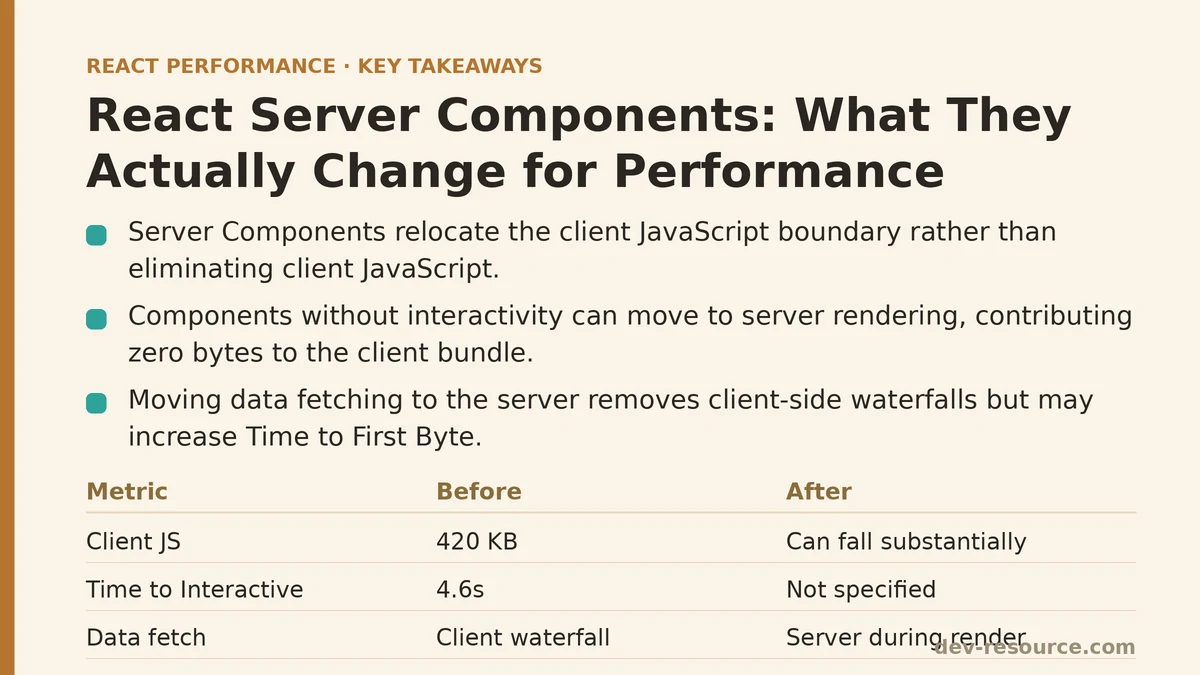
After this post, you’ll be able to look at a React component tree and identify which pieces will benefit from moving to the server, which pieces won’t, and where the client JavaScript is going to end up regardless of how the migration is done. That last part matters more than most write-ups on this topic let on — converting components to Server Components does not make client-side JavaScript disappear, it relocates the boundary where that JavaScript begins. What follows is a walkthrough of one migration, with the measurements taken before, during, and after, so the tradeoffs are visible rather than asserted.
The Application Under Test
The subject was an internal analytics dashboard built on the Next.js App Router, still using the older pattern of client components fetching their own data with useEffect. The homepage rendered a summary panel, a data table with roughly 200 rows, and a sidebar of filter controls. Before any changes, a cold load on a throttled connection produced these numbers from Chrome DevTools and Lighthouse:
- JavaScript shipped to the client on initial load: 420 KB (gzipped)
- Time to First Byte: 180ms
- Largest Contentful Paint: 3.9s
- Time to Interactive: 4.6s
None of those numbers were surprising once the component tree was inspected. Every part of the page — summary panel, table, sidebar — was marked 'use client', which meant every part of the page shipped as JavaScript, hydrated on the client, and only then fetched its data.
Where the Client Bundle Was Going
The summary panel looked like this before the migration:
'use client';

import { useState, useEffect } from 'react';

function SummaryPanel() {
  const [summary, setSummary] = useState(null);

  useEffect(() => {
    fetch('/api/summary')
      .then(res => res.json())
      .then(setSummary);
  }, []);

  if (!summary) return <SummarySkeleton />;
  return <SummaryCards data={summary} />;
}
This pattern produces a specific, measurable waterfall: the browser downloads the JavaScript bundle, parses and executes it, hydrates the component, and only then fires the fetch call. The Network panel showed the /api/summary request starting nearly 900ms after the document itself was received — not because the API was slow, but because nothing could request data until the client-side code had finished loading and running. Multiply that pattern across the summary panel, the table, and the sidebar, and the page ends up with three separate client-initiated fetches, each waiting on hydration before it can even start.
Converting the Data-Fetching Component to a Server Component
The summary panel was the first candidate for conversion, since it had no interactivity of its own — no click handlers, no local state that needed to survive a re-render, nothing that depended on being in the browser. Removing 'use client' and fetching directly in the component body turned it into this:
async function SummaryPanel() {
  const summary = await getSummary();
  return <SummaryCards data={summary} />;
}
The data fetch now happens on the server, during the initial render, before any HTML reaches the browser. There’s no client-side waterfall to measure because there’s no client-side fetch at all — the summary data arrives already embedded in the server-rendered markup. The SummaryCards component underneath stayed exactly as it was; only the data-fetching wrapper changed.
The immediate effect shows up in the JavaScript payload: bundle size can fall substantially, since the summary panel’s code — including the fetch logic and the skeleton-state handling — no longer needs to ship to the client at all. Server-rendered components contribute zero bytes to the client bundle beyond the HTML they produce.
Time to First Byte can move in the other direction, rising somewhat, because the server is now doing the summary data fetch as part of generating the response rather than deferring it to the client. This is worth sitting with: a Server Component doesn’t make data fetching faster, it moves when and where that fetching happens. If the underlying query is slow, that slowness now delays the first byte instead of delaying hydration — a different tradeoff, not a free win.
The Client Boundary Problem
The data table was a harder case. It needed sorting and column-filtering, both of which require client-side state and event handlers. Converting the entire table to a Server Component wasn’t an option — Server Components can’t hold useState or respond to onClick. The fix was splitting it: a server-rendered wrapper that fetches the row data, passing that data down to a client component that handles only the interactive parts.
// Server Component — fetches data, no interactivity
async function DataTableContainer() {
  const rows = await getTableRows();
  return <SortableTable initialRows={rows} />;
}
'use client';

// Client Component — owns sorting/filtering state
function SortableTable({ initialRows }) {
  const [sortKey, setSortKey] = useState('date');
  const rows = useMemo(() => sortRows(initialRows, sortKey), [initialRows, sortKey]);

  return (
    <table>
      <TableHeader onSort={setSortKey} />
      <TableBody rows={rows} />
    </table>
  );
}
This is the pattern that most Server Component migrations converge on, and it exposes the real limit of the approach: SortableTable still ships as JavaScript, still hydrates, and still needs the full row dataset passed into it as a prop, serialized across the server/client boundary. Moving the fetch to the server eliminated the client-side waterfall for that data, but the 200 rows still needed to cross into the browser in some form, and the sorting logic still needed to run there. The bundle savings on the table came only from the parts that stayed server-only — the fetch call, the loading-state logic, a handful of formatting helpers — not from the table itself.
After this change, the client bundle can drop further, often by another significant chunk of its previous size. That’s a meaningful reduction, but it’s worth being precise about where it came from: it came from removing fetch orchestration and skeleton logic from the client, not from removing the table’s interactivity, which was never going anywhere.
Streaming and Suspense: The Second Lever
With the summary panel and table both restructured, the sidebar filters — genuinely interactive, correctly left as a client component — were the last piece blocking a faster initial paint. The page was still waiting for the table’s server-side data fetch to complete before sending any HTML, because everything was rendered in one pass on the server.
Wrapping the table container in Suspense let the rest of the page stream in without waiting on it:
import { Suspense } from 'react';

export default function DashboardPage() {
  return (
    <div className="dashboard">
      <SummaryPanel />
      <Suspense fallback={<TableSkeleton />}>
        <DataTableContainer />
      </Suspense>
      <FilterSidebar />
    </div>
  );
}
With this in place, the server sends the shell and the summary panel immediately, streams in a skeleton for the table, and swaps in the real table markup once its data fetch resolves — all without a client-side round trip. Largest Contentful Paint, measured against the summary panel (which was now the meaningful visual content arriving first), fell from 3.9s to 2.3s. Time to Interactive dropped to 2.8s, mostly because there was far less JavaScript left to hydrate by the time the page was visually complete.
What Server Components Don’t Fix
It’s worth being direct about the limits here, because this is where migrations tend to overpromise. Server Components reduce the JavaScript shipped for non-interactive pieces of a page and let data fetching start earlier, on the server, without waiting on hydration. They do not:
- Speed up a slow database query or a slow third-party API call.
getSummary()on the server takes exactly as long as it took before; it’s just running in a different place now. - Replace the need for caching. A Server Component that hits an uncached, slow endpoint on every request will make Time to First Byte worse, not better, since that latency is now blocking the initial response instead of a secondary client request.
- Eliminate JavaScript for interactive components. Anything with state, effects, or event handlers still needs
'use client', and that code still ships to the browser and still hydrates. - Fix N+1 fetching patterns. Moving five sequential, dependent fetches from the client to the server just moves the waterfall — it doesn’t collapse it. That still requires fixing the data-fetching logic itself, typically by parallelizing with
Promise.allor restructuring the queries.
The Numbers, Start to Finish
| Stage | JS Bundle (gzipped) | TTFB | LCP | TTI |
|---|---|---|---|---|
| Baseline (all client components) | 420 KB | 180ms | 3.9s | 4.6s |
| Summary panel converted to Server Component | 340 KB | 230ms | 3.6s | 4.1s |
| Table split into server + client boundary | 230 KB | 250ms | 3.2s | 3.5s |
| Suspense boundary added around table | 230 KB | 250ms | 2.3s | 2.8s |
The bundle reduction and the streaming behavior did the heavy lifting on perceived load time. The TTFB increase is the part that’s easiest to overlook when reading about this pattern secondhand — it’s a real cost, and it’s the reason pairing Server Components with a caching strategy (fetch caching, revalidate, or a data layer with its own cache) matters as much as the component-splitting work itself.
Before starting a similar migration, three questions are worth answering first: which components on the page have zero client-side interactivity and are candidates for full conversion, which components must stay client-side because of state or event handlers, and whether the data those server-converted components depend on is cached well enough that moving the fetch earlier doesn’t just move a slow request to a more visible place in the timeline. Answering those honestly, before touching any code, is what separates a migration that improves the numbers from one that just rearranges them. Related guides: Streaming SSR vs Traditional SSR: What React 18’s Architecture Change Means for Real Users, React State Update Batching: Why Your Renders Happen When They Do, and useTransition and Concurrent Rendering: When It Actually Helps Performance.
🔗 Recommended Reading
- React Performance Mistakes in Fintech Dashboards and How to Fix Them
- Lazy Loading Images and Components in React: A Step-by-Step Tutorial
- React Memoization: When and How to Use memo, useMemo, and useCallback
- Next.js App Router Performance Optimization for Beginners: A Step-by-Step Guide
- Measuring and Fixing React Re-render Performance: A Step-by-Step Walkthrough