Lazy loading in Next.js is the practice of deferring the download and execution of a JavaScript module until the point in the user’s session where that module is needed. The mechanism is code splitting: instead of shipping one large bundle, the build emits separate chunks, and a dynamic import loads a chunk on demand. Next.js exposes this through the next/dynamic module for components and through standard import() for anything else, while React’s Suspense component defines what renders while a chunk is in flight.
This walkthrough is organized as a troubleshooting checklist. Each section states a symptom you are likely to observe, explains the underlying cause, and gives the fix with runnable code.
Symptom: The initial bundle is large and the client bundle ships code for routes the user never visits
Cause
Static import statements at the top of a file are hoisted and included in the parent chunk at build time. If a component is only rendered after a user interaction or below the fold, bundling it into the main chunk means every visitor downloads it whether or not it is ever used.
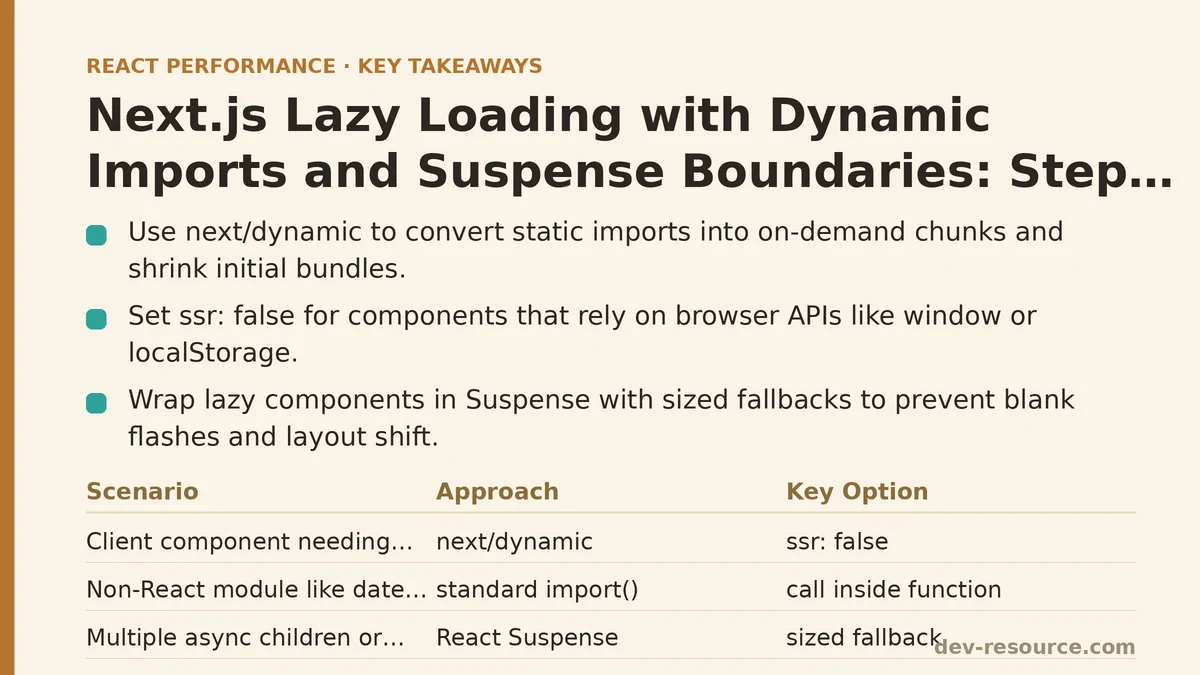
Fix: Convert the import to a dynamic import with next/dynamic
For a client component in the App Router, ssr: false skips server rendering for that component, which is appropriate for anything that depends on browser-only APIs such as window, localStorage, or a charting library that measures DOM size.
// app/dashboard/page.jsx
import dynamic from 'next/dynamic';

const HeavyChart = dynamic(() => import('@/components/HeavyChart'), {
  ssr: false,
  loading: () => <p>Loading chart…</p>,
});

export default function Dashboard() {
  return (
    <section>
      <h1>Dashboard</h1>
      <HeavyChart data={/* … */} />
    </section>
  );
}
The loading option is a fallback rendered while the chunk downloads. It is a Next.js convenience that wraps the component in a Suspense boundary internally, so you do not have to write one yourself for this simple case.
For a module that is not a React component — a date formatting library, a heavy parser — use a plain dynamic import inside the function that needs it:
async function formatReportDate(iso) {
  const { format } = await import('date-fns');
  return format(new Date(iso), 'PPP');
}
The first call pays the download cost. The bundler hoists nothing, and the code only enters the network graph when this branch executes.
Symptom: The page flashes a blank area or a layout jump while the lazy component loads
Cause
A dynamic import resolves asynchronously. Between the initial paint and the moment the chunk executes, the browser has nothing to render in that slot unless you provide a placeholder. Without a reserved height, the surrounding content reflows when the component mounts.
Fix: Wrap the component in an explicit Suspense boundary with a sized fallback
next/dynamic covers the simple case, but when you want a single boundary to cover several async children, or when the component is imported statically but suspends on data, use React Suspense directly:
import { Suspense } from 'react';
import Reviews from '@/components/Reviews';
import Recommendations from '@/components/Recommendations';

export default function ProductPage({ id }) {
  return (
    <main>
      <h1>Product</h1>
      <Suspense
        fallback={
          <div style={{ minHeight: 320 }} aria-busy="true">
            <p>Loading reviews…</p>
          </div>
        }
      >
        <Reviews productId={id} />
        <Recommendations productId={id} />
      </Suspense>
    </main>
  );
}
Two details in that fallback matter more than they look. The minHeight reserves the vertical space the content will occupy, which prevents the cumulative layout shift that a zero-height placeholder causes. The aria-busy="true" attribute signals assistive technology that the region is loading, so screen reader users are not left with an empty landmark.
A Suspense boundary also defines the granularity of your fallback. One boundary around the whole page means one spinner governs everything. Several smaller boundaries let independent regions stream in separately, which usually produces a better-perceived result on slow connections.
Symptom: A next/dynamic import throws “window is not defined” during build
Cause
The component references a browser global at module evaluation time, and it is being rendered on the server. Static imports of such a component fail the same way; the dynamic import does not change this unless you tell Next.js not to server-render it.
Fix: Set ssr: false
const Map = dynamic(() => import('@/components/Map'), {
  ssr: false,
});
The component then only renders on the client, after hydration. The trade-off is that the server-rendered HTML contains the fallback rather than the map, so the map region should still reserve space to avoid a shift once it mounts.
Note that in the App Router, ssr: false is only permitted inside a Client Component. If you place a next/dynamic call with ssr: false in a Server Component, the build will error. Move the dynamic import into a file with 'use client' at the top.
Symptom: Lazy loading a component made no measurable difference
Cause
Several conditions can silently negate the benefit:
- The component was already small enough that its chunk overhead (a separate network request, additional build metadata) roughly cancels the saving.
- The chunk is downloaded immediately on the first render anyway, so the user still pays for it, just slightly later.
- The parent component re-renders frequently and the dynamic import is re-evaluated on each render because it was defined inline rather than at module scope.
Fix: Move the dynamic call to module scope and profile before splitting
A dynamic import defined inside a component body is recreated on every render:
// Avoid: the import factory is re-created on each render
function Page() {
  const Chart = dynamic(() => import('@/components/Chart'));
  return <Chart />;
}
Hoist it to module scope so the import is evaluated once:
const Chart = dynamic(() => import('@/components/Chart'));

function Page() {
  return <Chart />;
}
Then verify the split with a bundle analyzer before assuming the change helped. In a Next.js project, @next/bundle-analyzer produces an interactive treemap of every chunk:
npm install --save-dev @next/bundle-analyzer
// next.config.mjs
import withBundleAnalyzer from '@next/bundle-analyzer';

const analyzer = withBundleAnalyzer({ enabled: process.env.ANALYZE === 'true' });

export default analyzer({
  // your existing config
});
ANALYZE=true npm run build
Typical results: a component that pulls in a large dependency is removed from the main chunk and reappears as its own chunk, which the browser only requests on demand. Bundles that mix heavy, rarely-used modules into the entry file are commonly reduced by roughly 30–50% at the entry level once those modules are split out, though the exact figure depends entirely on what was bundled and how it was imported. If the split chunk is still downloaded on the first paint, the network waterfall in the browser’s DevTools Network tab will show it alongside the entry bundle, and no benefit was realized.
Symptom: A lazy-loaded route shows a flash of the loading fallback even on fast connections
Cause
This is the classic latency trade-off. Code splitting converts a large synchronous download into a smaller synchronous download plus a small asynchronous one. On a low-latency connection the difference is imperceptible; on a high-latency mobile connection it can be visible. If the fallback is heavier than the content it is standing in for, the split is net negative.
Fix: Split at route boundaries and preload the critical chunk
The Next.js router already splits by route. Manual splitting earns its keep at boundaries below the route level — a modal, a tab, a chart that only renders after an interaction — not for the primary content of a page the user has just navigated to.
When you know a chunk will be needed soon, next/dynamic supports a preload. The returned component has a preload method you can call on hover or focus:
const CheckoutForm = dynamic(() => import('@/components/CheckoutForm'));

<button onMouseEnter={() => CheckoutForm.preload?.()}>
  Proceed to checkout
</button>
This starts the download during the hover, so by the time the click arrives the chunk is often already cached. Used sparingly — the preload competes for bandwidth with whatever the page is doing — it removes the visible fallback on interaction-triggered loads.
Troubleshooting table
| Symptom | Likely cause | Fix |
|---|---|---|
| Main bundle includes unused code | Hoisted static import | Convert to dynamic() or import() at the call site |
| Blank gap or layout shift while loading | No sized fallback | Wrap in Suspense with a fallback that reserves height |
| “window is not defined” at build | Browser global evaluated during SSR | Add ssr: false (inside a Client Component) |
| Chunk requested on first paint anyway | Import evaluated eagerly or on render | Hoist the dynamic() call to module scope |
| Fallback flashes on fast connections | Split boundary placed too high or too fine | Move the split below the route level; preload on hover |
When not to use this
Dynamic imports add a network round trip and a small amount of runtime bookkeeping. Avoid them for:
- Tiny components whose render cost is comparable to the cost of fetching the chunk.
- Components that always render on first paint, where the split only delays the same download.
- Above-the-fold content on the initial route, where deferring the chunk worsens the Largest Contentful Paint that a performance budget is trying to protect.
The useful default is to split exactly where the user’s interaction or scroll determines whether a module is needed, and to leave the critical path for the current route intact. Analyze the build output, place the boundary at the interaction, and confirm in the network waterfall that the chunk is only fetched when you expect it to be.
Related guides: Dynamic Imports in Next.js: A Field Guide to Cutting Your Initial Bundle Significantly, Code Splitting in the Next.js App Router: A Practical Walkthrough, and Next.js App Router Performance Optimization for Beginners: A Step-by-Step Guide.
🔗 Recommended Reading
- React Performance Mistakes in Fintech Dashboards and How to Fix Them
- Lazy Loading Images and Components in React: A Step-by-Step Tutorial
- React Memoization: When and How to Use memo, useMemo, and useCallback
- Next.js App Router Performance Optimization for Beginners: A Step-by-Step Guide
- Measuring and Fixing React Re-render Performance: A Step-by-Step Walkthrough