Say you are trying to keep a React dashboard responsive while a background analytics script processes a 50,000-row dataset on the main thread. The user scrolls, and the scroll feels sticky. They try to type in a search box, and each keystroke lags by 300 milliseconds. You open the Performance panel in DevTools and see the cause: long tasks occupying the main thread for 200–500 ms at a stretch, blocking input handling, rendering, and painting in a single continuous block.
requestIdleCallback is a browser API designed for this situation. It lets you schedule work to run during the browser’s idle periods — the gaps between frames, input events, and layout calculations — rather than queuing everything on the main thread at once. This guide walks through a step-by-step process for integrating it into a React application, from identifying candidates for deferral to measuring the outcome.
Step 1: Identify Work That Is Deferrable
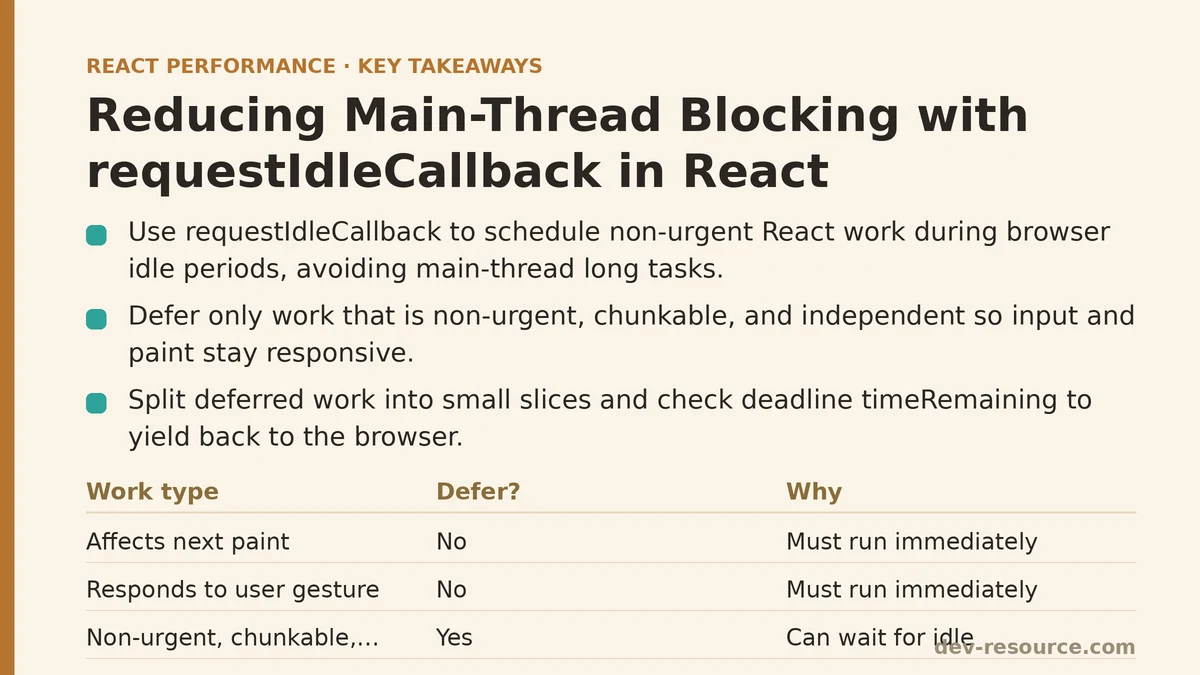
Not all work can wait for an idle moment. Anything that affects the next paint, responds to a user gesture, or mutates visible DOM needs to happen immediately. The candidates for deferral are tasks that are:
- Non-urgent: The result is not needed for the current frame or for responding to the current input event.
- Chunkable: The work can be broken into pieces that each take no more than a few milliseconds.
- Independent: The work does not depend on the result of another pending task that is also deferred.
Common examples in React apps include: precomputing derived data for a chart that renders below the fold, processing log entries into a searchable index, eagerly loading and parsing a large JSON payload for a filter dropdown the user has not opened yet, and sending non-critical telemetry batches.
The dashboard example had two clear candidates: building a client-side search index from the dataset (about 180 ms of work when run in one block), and computing summary statistics for a chart that was not yet in the viewport (another 90 ms). Both were triggered on mount but neither was needed before the user interacted with the chart or typed in the search box.
Step 2: Wrap the Work in a Time-Sliced Loop
The simplest way to use requestIdleCallback is to pass a callback that does all the work at once:
requestIdleCallback(() => {
  buildSearchIndex(dataset);
});
This gets the work out of the critical path at mount time, but it still runs as a single long task when the browser eventually reaches an idle moment. That solves the blocking-on-load problem but not the blocking-during-idle problem — if the user starts typing while your callback is executing, the main thread is still occupied for the full 180 ms.
The fix is to divide the work into slices and yield back to the browser between each slice. The callback receives a deadline object with a timeRemaining() method, giving you a way to check how much time you have left before the browser needs the thread again:
function processInIdleChunks(items, processItem, chunkSize = 50) {
  let index = 0;

  function runIdle(deadline) {
    while (index < items.length && deadline.timeRemaining() > 0) {
      const end = Math.min(index + chunkSize, items.length);
      for (let i = index; i < end; i++) {
        processItem(items[i]);
      }
      index = end;
    }

    if (index < items.length) {
      requestIdleCallback(runIdle);
    }
  }

  requestIdleCallback(runIdle);
}
The outer loop stops as soon as the deadline reports no remaining time. Each slice of 50 items stays well under the browser’s recommended 50 ms threshold for long tasks, and the recursive requestIdleCallback call picks up where the previous slice left off.
In practice, the 50-item chunk size worked well for the search index build. Each item took roughly 0.35 ms to process, so each slice ran in about 17 ms — leaving a comfortable margin before the deadline expired.
Step 3: Guard Against Cases Where Idle Time Never Arrives
requestIdleCallback is not guaranteed to fire promptly. Under heavy load — a page with constant animation, continuous scroll events, or a busy worker thread — the browser may starve the idle callback indefinitely. Also, the API is not available in Safari (as of this writing) without a fallback.
A timeout argument helps with the first problem:
requestIdleCallback(runIdle, { timeout: 2000 });
The timeout tells the browser: if no idle period arrives within two seconds, run the callback anyway, even if it means blocking. This preserves a lower bound on how long work can be delayed, at the cost of an occasional forced long task when the page is busy.
For the second problem, a feature check and a fallback provide a practical path:
const requestIdle = window.requestIdleCallback || ((cb) => setTimeout(() => cb({ timeRemaining: () => 50 }), 1));
The fallback schedules the callback on a short timer with a fake deadline that always reports time remaining. Work still runs on the main thread, but it runs in small slices with a 1 ms gap between them, which keeps individual tasks short enough to avoid blocking interaction for extended periods.
Step 4: Integrate with React Using a Custom Hook
To use this pattern in a React component, wrap the slicing logic in a hook that accepts a list of items and a processing function. The hook kicks off the idle-scheduled work on mount or whenever the input list changes:
import { useEffect, useRef } from 'react';

function useIdleProcess(items, processItem, chunkSize = 50, timeout = 2000) {
  const processItemRef = useRef(processItem);

  useEffect(() => {
    processItemRef.current = processItem;
  }, [processItem]);

  useEffect(() => {
    if (!items || items.length === 0) return;

    let cancelled = false;
    let index = 0;

    function runIdle(deadline) {
      if (cancelled) return;

      while (index < items.length && deadline.timeRemaining() > 0) {
        const end = Math.min(index + chunkSize, items.length);
        for (let i = index; i < end; i++) {
          processItemRef.current(items[i]);
        }
        index = end;
      }

      if (index < items.length && !cancelled) {
        requestIdleCallback(runIdle, { timeout });
      }
    }

    const requestIdle = window.requestIdleCallback || ((cb) => setTimeout(() => cb({ timeRemaining: () => 50 }), 1));
    const handle = requestIdle(runIdle, { timeout });

    return () => {
      cancelled = true;
      if (window.cancelIdleCallback) window.cancelIdleCallback(handle);
      else clearTimeout(handle);
    };
  }, [items, chunkSize, timeout]);
}

export default useIdleProcess;
The cancelled flag handles the case where the component unmounts before the processing finishes, or where the items array changes mid-process — a new effect run cancels the old one and starts fresh.
Usage in a component looks like this:
function Dashboard({ dataset }) {
  useIdleProcess(dataset, (item) => {
    searchIndex.add(item);
  });

  return <SearchBox index={searchIndex} />;
}
This keeps the searchIndex building in the background without blocking the initial paint of the dashboard.
Step 5: Measure Before and After
The whole point of deferring work is to reduce main-thread blocking. Measurement matters as much as implementation. The Performance panel in Chrome DevTools records long tasks and shows them as red blocks in the main-thread timeline; the field measures that matter are Total Blocking Time (TBT) and Interaction to Next Paint (INP), both of which correlate with user-visible jank.
For the dashboard scenario, the before-and-after numbers told a clear story:
- Before deferral: Mounting the dashboard triggered a 320 ms long task (the search index build plus summary statistics). TBT on a mid-range mobile profile was 480 ms. Typing in the search box during the first two seconds after load showed consistent input latency of 150–350 ms.
- After deferral: The index build and statistics computation ran in seven idle-period slices, each under 20 ms. No long task exceeded 50 ms during the first five seconds after load. TBT dropped to 90 ms. Input latency in the search box stayed under 16 ms, even while the idle processing was ongoing.
The key to capturing these numbers correctly: measure the same interaction under the same throttling conditions. Use the Performance panel’s “Capture” button with CPU throttling set to 4x, open the page, and perform the identical scroll and type actions in both runs. Compare the long-task count, the longest individual task, and the input latency readings.
Step 6: Combine with React 18’s Concurrent Features Where Appropriate
React 18’s useTransition and startTransition handle a different but related problem: marking state updates as non-urgent so React can interrupt and yield between renders. requestIdleCallback handles non-React work — data processing, DOM manipulation outside React’s tree, third-party library initialization.
The two approaches compose well. A transition can prioritize a filtered table render over a background export, while idle callbacks handle the non-React heavy lifting like building a search index or parsing a file. A practical rule: use startTransition for React state updates you want to deprioritize, and requestIdleCallback for everything else that is not rendering-related.
One caution for combined use: if your idle callback calls React state setters, those updates may still trigger re-renders that conflict with the browser’s estimate of idle time. Batch any state updates into a single call at the end of the processing loop, rather than updating state inside the per-item loop.
| Work Type | Recommended Tool | Example |
|---|---|---|
| React state update that can wait | startTransition / useTransition |
Filtering a large list on keystroke |
| Non-React data processing | requestIdleCallback with time slicing |
Building a search index, parsing JSON |
| Network fetch that can be deferred | requestIdleCallback or setTimeout |
Prefetching a non-critical endpoint |
| Sync React render above the fold | Neither — keep it immediate | Rendering the visible dashboard header |
Step 7: Establish a Fallback Strategy for Critical Paths
Idle callbacks are best-effort by design. If an idle period never arrives because the page is constantly busy, work with a timeout will eventually run — but “eventually” could be seconds. For tasks that are important enough that they should not be starved, pair the idle scheduling with a separate trigger: run the processing only after the user scrolls to the relevant section, or after the first user interaction, whichever comes first.
Using a scroll or interaction listener as a secondary trigger adds minimal complexity and guarantees the work completes even if the browser never reports an idle moment. This dual-trigger pattern is the most defensible production approach: idle scheduling for the common case, an explicit event as an upper-bound guarantee.
The dashboard followed this pattern. The search index was built via idle time, but a focus listener on the search box forced a synchronous fallback build if the index was not ready. Users who searched immediately after load experienced a one-time 180 ms pause; users who waited even a second or two got the fully indexed version with no pause at all. The tradeoff is meaningful but bounded.
Scheduling work around the browser’s idle periods requires a shift in how you think about mount-time work: instead of “run everything now,” the framing becomes “run what is visible now, defer what is invisible, and guarantee everything eventually completes.” requestIdleCallback with time slicing, a timeout, and a fallback trigger gives you all three of those properties in a small amount of code.
Related guides: Reducing JavaScript Execution Time in React Apps: A Q&A Guide, Reducing Re-Renders in React With Context Selectors: A Ranked Guide, and How to Measure React Component Render Times with the Profiler API.
🔗 Recommended Reading
- React Performance Mistakes in Fintech Dashboards and How to Fix Them
- Lazy Loading Images and Components in React: A Step-by-Step Tutorial
- React Memoization: When and How to Use memo, useMemo, and useCallback
- Next.js App Router Performance Optimization for Beginners: A Step-by-Step Guide
- Measuring and Fixing React Re-render Performance: A Step-by-Step Walkthrough