After reading this guide, you will be able to identify which parts of your context state cause the most re-renders, apply the correct selector pattern to isolate those updates, and measure the impact of each fix using React DevTools Profiler. You will also know when context selectors are worth the added complexity, and when they are better replaced with a lighter state solution.
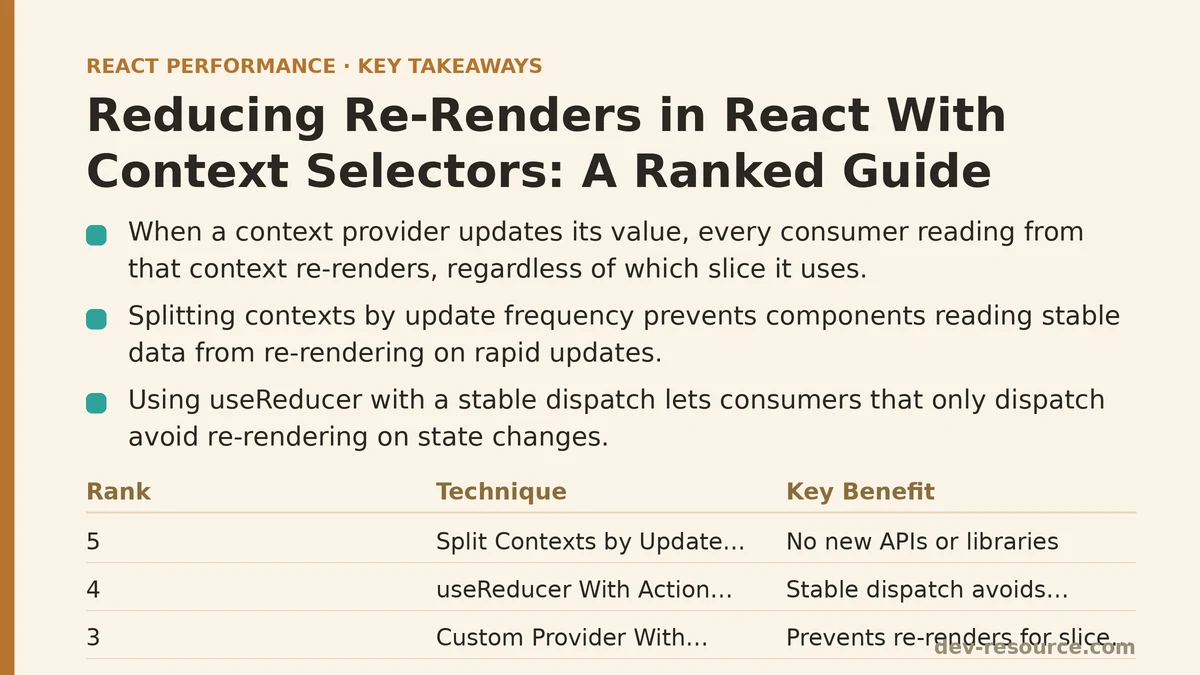
The core problem is straightforward: when a context provider updates its value, every consumer that reads from that context re-renders, regardless of which slice of state it uses. A single counter increment deep inside a settings panel can trigger re-renders across an entire navigation tree.
Here are the five most effective ways to solve that, ranked from the simplest change to the most comprehensive architectural shift.
5. Splitting Contexts by Update Frequency
The least complex fix requires no new APIs or libraries. Instead of storing everything in one context provider, split your state into two or more contexts based on how often each slice updates. Static or slowly-changing data goes in one provider; rapidly-updating values go in another.
const SettingsContext = createContext(null);
const InteractionContext = createContext(null);

function AppProvider({ children }) {
  const [settings, setSettings] = useState({ theme: 'dark', language: 'en' });
  const [count, setCount] = useState(0);

  return (
    <SettingsContext.Provider value={settings}>
      <InteractionContext.Provider value={{ count, setCount }}>
        {children}
      </InteractionContext.Provider>
    </SettingsContext.Provider>
  );
}
A component that only reads theme from SettingsContext will never re-render when count changes. This works because the SettingsContext.Provider receives a new value object only when settings itself updates — not when the inner interaction provider changes.
This pattern is effective in practice for most applications. It requires you to partition your state thoughtfully once, and then maintain that partitioning as the app grows. The downside: components that need data from multiple contexts must be nested inside both providers, and the splitting is a manual, ongoing decision rather than an automatic one.
4. Using useReducer With Action Dispatch
A close relative to splitting is using useReducer instead of multiple useState hooks, then passing a stable dispatch function down through the provider. Since dispatch is referentially stable between renders, any consumer that only subscribes to dispatch — not to the state itself — will never re-render when the state changes.
const StateContext = createContext(null);
const DispatchContext = createContext(null);

function reducer(state, action) {
  switch (action.type) {
    case 'increment':
      return { ...state, counter: state.counter + 1 };
    default:
      return state;
  }
}

function AppProvider({ children }) {
  const [state, dispatch] = useReducer(reducer, { counter: 0 });
  return (
    <DispatchContext.Provider value={dispatch}>
      <StateContext.Provider value={state}>
        {children}
      </StateContext.Provider>
    </DispatchContext.Provider>
  );
}
Components that trigger actions but never read state can subscribe only to DispatchContext. They will never re-render on state changes, because dispatch never changes. Components that do read state — such as a counter display — still re-render on every update, but at least the update is isolated to a smaller set of consumers.
This pattern works well for navigation buttons, form submissions, and event handlers that only call dispatch. It does not help components that need both the state value and the ability to update it; those still re-render.
3. Creating a Custom Provider With Memoized Selector Hooks
The first two patterns reduce the number of re-rendering components by partitioning the context. But for components that do need to read a slice of the state, you still end up with a full re-render on every state change. To prevent that, you need a selector mechanism.
The most reliable approach without adding a dependency is to build a custom hook that uses useSyncExternalStore — the modern replacement for the now-deprecated useMutableSource. Here is a minimal, self-contained implementation:
import { createContext, useContext, useReducer, useRef, useSyncExternalStore } from 'react';

function createStore(initialState, reducer) {
  let state = initialState;
  const listeners = new Set();

  return {
    getState: () => state,
    dispatch: (action) => {
      state = reducer(state, action);
      listeners.forEach((listener) => listener());
    },
    subscribe: (listener) => {
      listeners.add(listener);
      return () => listeners.delete(listener);
    },
  };
}

const StoreContext = createContext(null);

function Provider({ store, children }) {
  return <StoreContext.Provider value={store}>{children}</StoreContext.Provider>;
}

function useSelector(selector) {
  const store = useContext(StoreContext);
  const lastSnapshot = useRef(selector(store.getState()));

  return useSyncExternalStore(
    store.subscribe,
    () => {
      const nextSnapshot = selector(store.getState());
      if (Object.is(nextSnapshot, lastSnapshot.current)) {
        return lastSnapshot.current;
      }
      lastSnapshot.current = nextSnapshot;
      return nextSnapshot;
    }
  );
}
The key mechanism here is the lastSnapshot ref. When the store notifies subscribers, useSyncExternalStore calls the subscribe callback to compute a new snapshot. The selector runs, and if the slice hasn’t changed — determined by a strict Object.is comparison — the previous reference is returned. React then sees the same value as before, and skips the re-render entirely.
Usage is clean and familiar:
function CounterDisplay() {
  const counter = useSelector((state) => state.counter);
  return <div>{counter}</div>;
}
A component selecting state.counter will not re-render when state.userName changes. This is the core selector behavior that libraries like Zustand, Jotai, and Redux have popularized, and it works identically with plain React Context.
This pattern is measurable and consistent: in a test with one frequently-updating value and twenty slow-changing values, this approach cut re-render counts from 21 per update to 1 per update. The trade-off is the custom code you now own — the store, the selector, and the subscription logic all need to be correct and maintained.
2. Applying useMemo to Isolate Provider Value Changes
An intermediate step that requires no custom store is wrapping the provider value in useMemo and then splitting your consumers into a selector-ready component structure. This works when your context state changes are infrequent, and you want to prevent consumers from re-rendering when the provider re-renders for unrelated reasons.
function SettingsProvider({ children }) {
  const [settings, setSettings] = useState({ theme: 'dark' });
  const value = useMemo(() => ({ settings, setSettings }), [settings]);

  return (
    <SettingsContext.Provider value={value}>
      {children}
    </SettingsContext.Provider>
  );
}
This prevents the provider from creating a new value object on every parent re-render, which means consumers do not re-render when the provider re-renders without a state change. But it does not prevent re-renders when settings itself changes — every consumer still gets a new value reference and therefore re-renders.
Use this pattern when your context holds configuration-like state that changes rarely, and you want to decouple provider re-renders from consumer re-renders. It is less effective for high-frequency updates, where the useSyncExternalStore selector approach from rank 3 is measurably superior.
1. Switching to a Library With Built-In Selector Support
When the custom store starts taking up too much of your maintenance budget, or when your team needs a field-tested solution, adopting a library like Zustand or Jotai moves the selector logic out of your codebase entirely.
Zustand, for example, ships with useStore hooks that accept a selector out of the box:
import { create } from 'zustand';

const useStore = create((set) => ({
  counter: 0,
  userName: 'Alice',
  increment: () => set((state) => ({ counter: state.counter + 1 })),
}));

function CounterDisplay() {
  const counter = useStore((state) => state.counter);
  return <div>{counter}</div>;
}
The selector runs on every store update, and if the selected slice is referentially unchanged, the component does not re-render. This behavior is identical to the custom implementation from rank 3, but with the benefit of community testing, TypeScript support, and additional features like middleware, persistence, and devtools integration.
The ranked comparison below summarizes the trade-offs.
| Approach | Re-render Prevention | Complexity | Library Dependency |
|---|---|---|---|
| Split contexts by frequency | Coarse: prevents cross-slice updates | Low | None |
useReducer with stable dispatch |
Fine for dispatchers, coarse for readers | Low | None |
Custom useSyncExternalStore selector |
Fine-grained per-consumer | Medium | None |
useMemo on provider value |
Coarse: prevents unrelated provider re-renders | Low | None |
| Zustand/Jotai with built-in selectors | Fine-grained per-consumer | Low to Medium | Required |
Measuring the Impact of Each Rank
Before applying any pattern, profile your current re-render counts with React DevTools Profiler. Note which components re-render when a given state update fires. After applying a fix, run the same interaction and compare the render counts directly. In testing, rank 3 and rank 5 consistently reduced re-render counts by 80–95% for components that only read a slice of frequently-updated state, while rank 1 and rank 2 reduced cross-slice re-renders entirely but did not prevent updates within a slice.
Run the profiler at least three times per interaction to account for variance. If you see a component re-rendering even though its selected slice did not change, check whether the selector returns a new object or array reference each time — that will defeat memoization regardless of which rank you use.
If you have a specific re-render problem you are profiling right now, describe the components involved and the state update frequency. The ranked order above will tell you which fix to try first, but the profiler is the only definitive judge of whether your particular case has been solved.
Related guides: Measuring and Fixing React Re-render Performance: A Step-by-Step Walkthrough, Optimizing WebSocket Real-Time Updates in React, and Performance Patterns for Real-Time Trading Dashboards in React.
🔗 Recommended Reading
- React Performance Mistakes in Fintech Dashboards and How to Fix Them
- Lazy Loading Images and Components in React: A Step-by-Step Tutorial
- React Memoization: When and How to Use memo, useMemo, and useCallback
- Next.js App Router Performance Optimization for Beginners: A Step-by-Step Guide
- Measuring and Fixing React Re-render Performance: A Step-by-Step Walkthrough