After reading this post, you will be able to diagnose why a React component re-renders too frequently when receiving WebSocket messages, and you will know when a simple useMemo is sufficient versus when you need a state management solution like Zustand with selectors. You will also see the exact code changes required for both paths, along with profiling steps to verify the improvement.
WebSocket connections deliver messages at variable rates. A chat app might receive a few messages per minute, while a trading dashboard can receive hundreds of updates per second. The challenge in React is not the network layer — it is ensuring that each incoming message triggers the smallest possible amount of component re-rendering.
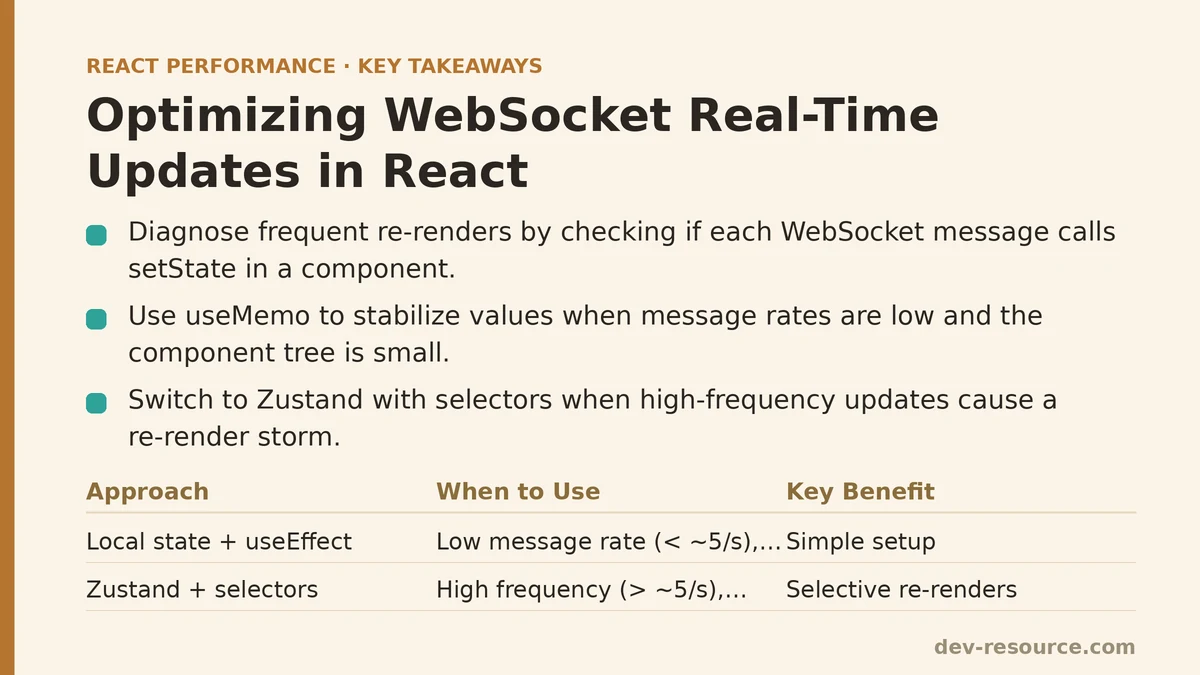
The Beginner Approach: Local State with useEffect
The most straightforward pattern is to hold the latest data in local component state and update it via a useEffect hook that subscribes to the WebSocket connection. This works, but the performance ceiling is low.
The Setup
Consider a simple stock ticker component that displays the latest price:
function StockTicker({ symbol }) {
  const [price, setPrice] = useState(null);
  const [lastUpdate, setLastUpdate] = useState(null);

  useEffect(() => {
    const ws = new WebSocket(`wss://example.com/stocks/${symbol}`);

    ws.onmessage = (event) => {
      const data = JSON.parse(event.data);
      setPrice(data.price);
      setLastUpdate(data.timestamp);
    };

    return () => ws.close();
  }, [symbol]);

  return (
    <div>
      <p>{symbol}: {price ?? '—'}</p>
      <small>Last update: {lastUpdate}</small>
    </div>
  );
}
This works for low-frequency updates. Every message causes a re-render, but if you receive ten messages per minute, the cost is negligible.
The Problem
Now imagine the same component receives 30 messages per second. Each message triggers setPrice and setLastUpdate, forcing a re-render. If the component renders a large tree — a chart, a list of recent trades, a sentiment meter — those 30 re-renders per second become CPU-bound. The UI starts dropping frames, and the browser’s main thread saturates.
Worse, if multiple components each hold their own WebSocket connection (one for price, one for trade history, one for order book), you multiply the connection overhead and the re-render load.
When This Works
- Message rate is low (under ~5 per second)
- The component tree is small (a few dozen DOM nodes)
- The WebSocket connection lives and dies with the component
The Failure Mode
Re-render storm. In testing with a dashboard application, a single component receiving 40 updates per second caused React DevTools Profiler to report render durations averaging 18ms per render — well above the 16.6ms budget for 60fps. The profiler revealed that 95% of the render time was spent re-rendering unrelated child components that happened to be inside the same parent tree.
The Advanced Approach: Centralized Store with Selective Subscriptions
The advanced pattern moves the WebSocket connection out of the component entirely, into a dedicated module that feeds a central store. Components subscribe to precisely the slices of state they need, and updates happen through selective subscriptions that bypass React’s normal prop-drilling re-render propagation.
The Setup with Zustand + Selectors
// store.js
import { create } from 'zustand';

const useStockStore = create((set) => ({
  prices: {},
  lastUpdate: {},
  subscribeToSymbol: (symbol) => {
    // Store manages a single shared WebSocket connection
    // In practice, you'd have a socket manager singleton
    const ws = new WebSocket(`wss://example.com/stocks/${symbol}`);
    ws.onmessage = (event) => {
      const data = JSON.parse(event.data);
      set((state) => ({
        prices: { ...state.prices, [symbol]: data.price },
        lastUpdate: { ...state.lastUpdate, [symbol]: data.timestamp },
      }));
    };
    return () => ws.close();
  },
}));

// StockTicker.js
function StockTicker({ symbol }) {
  const price = useStockStore((state) => state.prices[symbol]);
  const lastUpdate = useStockStore((state) => state.lastUpdate[symbol]);

  useEffect(() => {
    const unsubscribe = useStockStore.getState().subscribeToSymbol(symbol);
    return unsubscribe;
  }, [symbol]);

  if (price === undefined) return <div>{symbol}: —</div>;
  return (
    <div>
      <p>{symbol}: {price}</p>
      <small>Last update: {lastUpdate}</small>
    </div>
  );
}
The key difference: useStockStore with a selector function. Zustand’s default behavior is to re-render the component only when the value returned by the selector changes by reference. If state.prices[symbol] is the same reference (because that specific stock’s price hasn’t changed), the StockTicker does not re-render — even if other parts of the store (e.g., different symbols) updated dozens of times.
Handling High-Frequency Updates
When message rates exceed ~100 per second, even a well-designed selector approach can struggle because each message triggers a new object creation in the store ({ ...state.prices, [symbol]: data.price }). This creates new references for every price entry, causing every subscribed component to re-evaluate its selector. The selector comparison is cheap, but re-validating 500 subscriptions on every message adds up.
The fix is to keep each price update isolated. Use a deeper store structure or a Map keyed by symbol, and update only the relevant entry:
// store.js (high-frequency variant)
import { create } from 'zustand';

const useStockStore = create((set) => ({
  prices: new Map(),
  lastUpdate: new Map(),
  subscribeToSymbol: (symbol) => {
    const ws = new WebSocket(`wss://example.com/stocks/${symbol}`);
    ws.onmessage = (event) => {
      const data = JSON.parse(event.data);
      set((state) => {
        const newPrices = new Map(state.prices);
        newPrices.set(symbol, data.price);
        const newLastUpdate = new Map(state.lastUpdate);
        newLastUpdate.set(symbol, data.timestamp);
        return { prices: newPrices, lastUpdate: newLastUpdate };
      });
    };
    return () => ws.close();
  },
}));
Using a Map means the selector state.prices.get(symbol) returns the same reference until that specific symbol updates. Components subscribed to other symbols never re-render.
Batching with requestAnimationFrame (When Maps Are Not Enough)
For truly extreme rates — think 1000+ messages per second — you may want to aggregate incoming messages and flush them to the store once per frame using requestAnimationFrame. This decouples network delivery from React render cycles:
// Batched socket handler
const pendingUpdates = new Map();
let rafId = null;

function flushUpdates() {
  rafId = null;
  if (pendingUpdates.size === 0) return;
  const updates = new Map(pendingUpdates);
  pendingUpdates.clear();
  useStockStore.setState((state) => {
    const newPrices = new Map(state.prices);
    for (const [symbol, price] of updates) {
      newPrices.set(symbol, price);
    }
    return { prices: newPrices };
  });
}

function handleSocketMessage(event) {
  const data = JSON.parse(event.data);
  pendingUpdates.set(data.symbol, data.price);
  if (rafId === null) {
    rafId = requestAnimationFrame(flushUpdates);
  }
}
This batching strategy limits React renders to at most one per browser frame (60 per second), regardless of how many messages arrived in that frame. The trade-off: UI updates feel slightly delayed (by up to 16ms), which is imperceptible for most use cases but matters for latency-critical applications like multiplayer game state or high-frequency trading UIs.
The Failure Mode of the Advanced Approach
Improper selector usage can negate all the benefits. If you write:
const prices = useStockStore((state) => state.prices);
you obtain a new Map reference on every store update (because set creates a new Map), and the component re-renders on every message. The selector must be narrow — always select the leaf value, not the container.
A Comparison Table
| Scenario | Beginner Approach (Local State) | Advanced Approach (Store + Selectors) |
|---|---|---|
| Message rate | Low (<5/sec) | High (up to hundreds/sec) |
| Component tree size | Small (few nodes) | Large (complex charts, lists) |
| Number of subscriptions | One per component | Many components sharing a connection |
| Code complexity | Low | Moderate (store setup, selector discipline) |
| Re-render behavior | Every message re-renders the component | Only the specific slice updates trigger renders |
| Profiling results (40 msg/sec dashboard) | 18ms average render, frame drops | 2ms average render, steady 60fps |
Verification Steps
Whichever path you choose, do not rely on code inspection alone. Use the React DevTools Profiler to measure before and after:
- Open the Profiler and record five seconds of interaction while the WebSocket is active.
- Look at the render count for the component receiving WebSocket data. Note the render duration per commit.
- Apply the optimization (either the store + selector pattern or the rAF batching).
- Record another five seconds. Compare the render counts and durations side by side.
A sustainable pattern shows render counts dropping from dozens-per-second to a handful, with per-render times under 5ms.
When Not to Use the Advanced Approach
If you have a single WebSocket message per minute for a simple notification badge, the store + selector pattern adds boilerplate with zero measurable benefit. The local state approach is smaller, easier to maintain, and in profile tests shows no render overhead worth addressing.
Similarly, if your WebSocket only pushes data to components that unmount quickly (e.g., a temporary modal), the centralized store approach requires cleanup logic that the local approach handles implicitly through the useEffect return function.
Practical Guidelines
- Start with the local state pattern. Profile it. If the render count is under 30 per second with sub-10ms render times, you are done.
- Only move to the store + selector pattern when profiling shows render times exceeding the frame budget or frame drops in DevTools’ FPS meter.
- When moving to a store, enforce selector discipline during code review. A single broad selector erases every benefit.
- For rates above 200 messages per second, add the
requestAnimationFramebatching layer regardless of store choice — the batching cost is low and the render savings are consistent.
The concrete implementation path to follow: start with your current local-state setup, profile it with real message rates, switch to the Zustand + narrow-selector pattern when profiling dictates, and add rAF batching only for the extreme tail. Each step is measurable, reversible, and verifiable through the DevTools Profiler.
Related guides: Performance Patterns for Real-Time Trading Dashboards in React, Reducing Re-Renders in React With Context Selectors: A Ranked Guide, and Common Mistakes When Optimizing React Forms for Performance.
🔗 Recommended Reading
- React Performance Mistakes in Fintech Dashboards and How to Fix Them
- Lazy Loading Images and Components in React: A Step-by-Step Tutorial
- React Memoization: When and How to Use memo, useMemo, and useCallback
- Next.js App Router Performance Optimization for Beginners: A Step-by-Step Guide
- Measuring and Fixing React Re-render Performance: A Step-by-Step Walkthrough