After reading this, you’ll be able to identify the specific patterns that turn a React form into a typing-lag problem, understand why each one hurts, and apply targeted corrections without rewriting the whole form from scratch. The focus here is on one realistic scenario — a multi-field form that started simple and accumulated performance issues as it grew — with each mistake examined as it appears, the underlying cause explained, and a fix demonstrated through code.
The Starting Point: A Form That Worked Fine at Five Fields
Consider a checkout form with five inputs, a submit button, and a single piece of state holding all the values.
function CheckoutForm() {
  const [values, setValues] = useState({
    email: '',
    name: '',
    address: '',
    city: '',
    zip: '',
  });

  function handleChange(e) {
    setValues({ ...values, [e.target.name]: e.target.value });
  }

  return (
    <form onSubmit={handleSubmit}>
      <input name="email" value={values.email} onChange={handleChange} />
      <input name="name" value={values.name} onChange={handleChange} />
      <input name="address" value={values.address} onChange={handleChange} />
      <input name="city" value={values.city} onChange={handleChange} />
      <input name="zip" value={values.zip} onChange={handleChange} />
      <button type="submit">Place Order</button>
    </form>
  );
}
At five inputs, this is completely reasonable. Every keystroke updates one object in state, and React re-renders the form. With a handful of lightweight children, the re-render finishes in well under a frame, so nobody notices. This is the version that usually ships, and it’s also the version that becomes a problem later, when the form grows and gets surrounded by other stateful UI.
That growth is what reveals the mistakes.
Mistake One: One Giant State Object That Re-renders Everything
The first field to get added after launch was a country selector that renders a list of over two hundred options. A few weeks later, a live-updating price summary was wired into the same component, and a coupon code field with an async validation indicator followed.
The state now looks like this:
const [values, setValues] = useState({
  email: '',
  name: '',
  address: '',
  city: '',
  zip: '',
  country: '',
  couponCode: '',
});

const [priceSummary, setPriceSummary] = useState({ subtotal: 0, tax: 0, total: 0 });
const [couponStatus, setCouponStatus] = useState('idle');
Every keystroke in the email field calls setValues, which replaces the entire values object and triggers a re-render of CheckoutForm and every child beneath it — including the 200-option country select and the price summary. The email field is updating; the country dropdown has no reason to render again, but React has no way to know that, because the parent re-rendered and the child isn’t memoized or isolated.
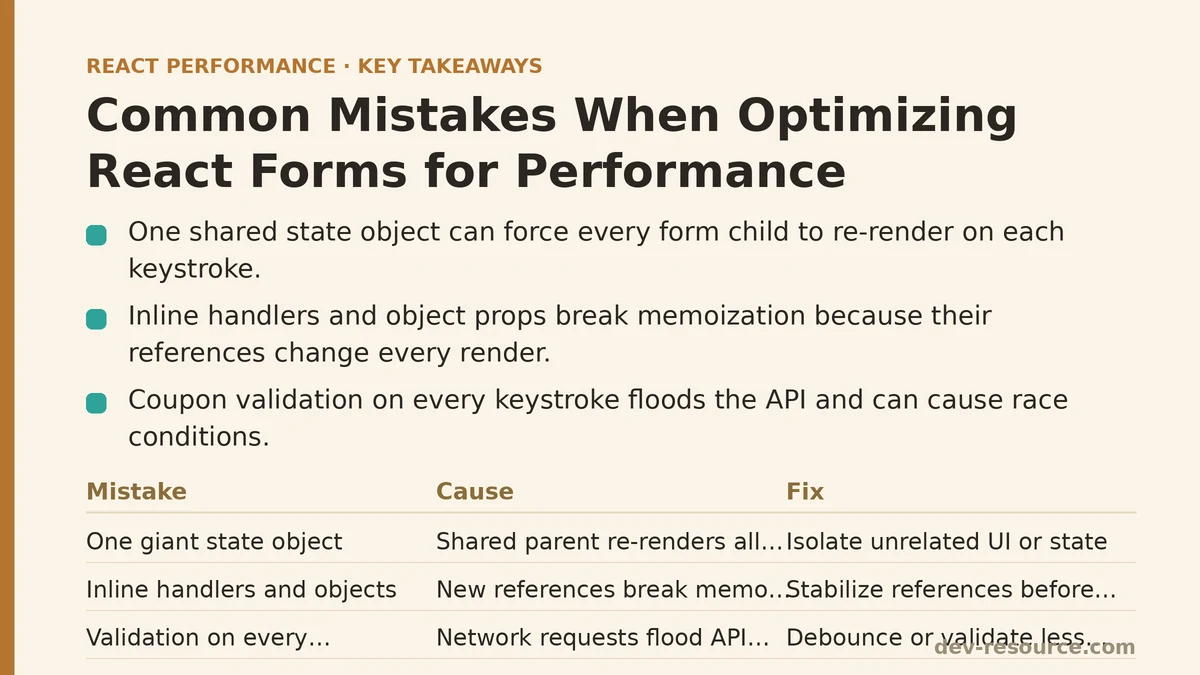
This is mistake one: letting one piece of state drive the entire form’s render tree. The fix isn’t “wrap everything in React.memo” — that treats a symptom. The root issue is that unrelated pieces of UI are coupled through a shared parent.
Mistake Two: Inline Handlers and Objects in Form Fields
Tucked inside the same component is a subtler problem. The submit handler and a couple of field-level callbacks look like this:
<button onClick={() => setCouponStatus('checking')}>Apply Coupon</button>
<PriceSummary summary={{ subtotal, tax, total }} />
Both the inline arrow function and the inline object literal are recreated on every render of CheckoutForm. If PriceSummary is wrapped in React.memo, it still re-renders, because the summary prop is a new object reference each pass. The memo comparison sees a different reference and gives up.
The correction is to stabilize references:
const handleApplyCoupon = useCallback(() => {
  setCouponStatus('checking');
}, []);

const priceSummary = useMemo(
  () => ({ subtotal, tax, total }),
  [subtotal, tax, total]
);

// then:
<button onClick={handleApplyCoupon}>Apply Coupon</button>
<PriceSummary summary={priceSummary} />
This only pays off if PriceSummary is expensive enough to be worth skipping. For a component that renders three numbers, the comparison overhead can approach the cost of just re-rendering, so memoization delivers little. For a component that formats currency, renders a breakdown table, and applies several conditional styles, the savings are real. The point of stabilizing references isn’t to memoize everything — it’s to make memoization possible where it helps.
Mistake Three: Reading Form State on Every Keystroke
The coupon validation logic was originally wired to update a status message as the user typed:
function handleCouponChange(e) {
  setValues({ ...values, couponCode: e.target.value });
  setCouponStatus('validating');

  fetch('/api/validate-coupon', {
    method: 'POST',
    body: JSON.stringify({ code: e.target.value }),
  }).then(/* ... */);
}
Two problems live in this function. The first is that it fires a network request on every keystroke, which floods the API and produces race conditions where a slower response for an earlier partial code can overwrite the result for the complete code. The second is that it sets couponStatus on every keystroke, triggering an additional re-render pass per character typed.
The usual fix for the first half is debouncing:
const debouncedValidate = useMemo(
  () =>
    debounce((code) => {
      setCouponStatus('validating');
      fetch('/api/validate-coupon', {
        method: 'POST',
        body: JSON.stringify({ code }),
      }).then(/* ... */);
    }, 400),
  []
);

function handleCouponChange(e) {
  const code = e.target.value;
  setValues((prev) => ({ ...prev, couponCode: code }));
  debouncedValidate(code);
}
Even a 300–500ms debounce window is usually enough to drop the request count by an order of magnitude on typical typing speeds, and it eliminates most of the race behavior because only one request is in flight at a time. Note that debouncing does not solve the second half of the problem — setValues still fires on every keystroke — but it removes the network amplification that made the pattern expensive.
Mistake Four: Letting Uncontrolled Fields Flush to State Too Often
A well-known escape hatch for typing performance is useRef plus uncontrolled inputs. The intent is good: if the input holds its own value in the DOM and you only read it when you need it, the parent doesn’t re-render per keystroke. But it’s easy to misuse:
const emailRef = useRef();

function handleChange() {
  // still reading every keystroke and writing to state
  setValues((prev) => ({ ...prev, email: emailRef.current.value }));
}

<input ref={emailRef} onChange={handleChange} />
This is the worst of both worlds — the field is technically uncontrolled (no value prop), but the parent still updates state on every keystroke, so you get the same re-render pressure without the guarantees that a controlled input provides. If you’re reaching for refs, the point is to read the value at submit time or on blur, not mid-typing.
A cleaner variant keeps the input fully controlled and defers the parent update:
const [email, setEmail] = useState('');

function handleEmailBlur() {
  setValues((prev) => ({ ...prev, email }));
}

<input
  value={email}
  onChange={(e) => setEmail(e.target.value)}
  onBlur={handleEmailBlur}
/>
The field still feels instant because only the local component re-renders per keystroke — and if that component is isolated from the rest of the tree, the heavier children (country list, price summary) don’t re-render at all.
Mistake Five: Not Isolating the Fields That Matter
The structural correction that ties all of this together is splitting the form into field-level components that own their own state, and hoisting only the state that needs to be shared.
function EmailField({ onCommit }) {
  const [value, setValue] = useState('');
  return (
    <input
      value={value}
      onChange={(e) => setValue(e.target.value)}
      onBlur={() => onCommit(value)}
    />
  );
}

function CountrySelect({ value, onChange }) {
  return (
    <select value={value} onChange={onChange}>
      {countries.map((c) => (
        <option key={c.code} value={c.code}>
          {c.name}
        </option>
      ))}
    </select>
  );
}
Now typing in EmailField re-renders EmailField and nothing else. The country list, the price summary, and the rest of the form sit outside that render boundary. When the email is committed on blur, the parent updates values once, and the downstream consumers get the new value.
This isn’t free. Splitting a form into many small components adds ceremony — you now have more files, and you need to decide which pieces of state belong at the top. The trade-off is worth it when a form has grown past a handful of inputs and starts carrying heavy children. For a three-field login form, splitting is usually overkill.
Verifying the Change
Whatever changes you make, verify them with React DevTools Profiler rather than by inspecting code and assuming the pattern is correct. The Profiler records how many times each component rendered during a given interaction and how long those renders took. A useful check after the split is to focus the email field, type a short string, and confirm that the render count for CountrySelect and PriceSummary stays at zero during typing.
A few verification signals typically worth watching:
- Per-keystroke render count for the whole form tree, before and after isolation.
- Whether the heavy children re-render when only a distant field changes.
- Whether the coupon API request count drops after debouncing.
- Whether the submit path still reads the correct values after switching fields to commit-on-blur.
One subtle failure mode to look for: after splitting state, a value might no longer reach the parent because the commit handler was wired to the wrong event. If the form submits with a missing field, that’s the first thing to check — not memoization, not debouncing.
When These Fixes Are Not Worth Applying
Not every form needs this treatment. The mistake patterns above matter when the form has grown to the point where a single keystroke re-renders a large subtree of expensive children, or when per-keystroke network calls create a reliability problem. If a form has five inputs and no heavy children, the original single-state-object pattern is often the clearer, more maintainable choice, and refactoring it toward isolation introduces complexity without any measurable gain.
Debouncing is similarly situational. If coupon validation is cheap and local, or if the field commits on blur, debouncing is unnecessary. It becomes the right tool specifically when the field is tied to a network call or a heavier downstream computation that fires on change.
The general shape of the fix across all five mistakes is the same: keep the state as close to the field that owns it as possible, hoist only what must be shared, and verify with the Profiler before trusting any assumption about what re-rendered. Memoization, debouncing, and refs are tools you reach for once profiling shows a specific cost — not defaults applied to every form the moment it has more than two fields.
Related guides: How to Measure React Component Render Times with the Profiler API, Optimizing Infinite Scroll Performance in React: A Practical Q&A, and Optimizing React Charts and Graphs Performance for Large Datasets.
🔗 Recommended Reading
- React Performance Mistakes in Fintech Dashboards and How to Fix Them
- Lazy Loading Images and Components in React: A Step-by-Step Tutorial
- React Memoization: When and How to Use memo, useMemo, and useCallback
- Next.js App Router Performance Optimization for Beginners: A Step-by-Step Guide
- Measuring and Fixing React Re-render Performance: A Step-by-Step Walkthrough