WebAssembly does not make code fast. It makes specific kinds of code less slow, and only after you pay a download and instantiation tax that most small-to-medium functions never recover. The myth that dropping a Rust or C++ module into your frontend automatically accelerates your app is the fastest way to add two seconds of load time for a feature that could have run in JavaScript in under a millisecond.
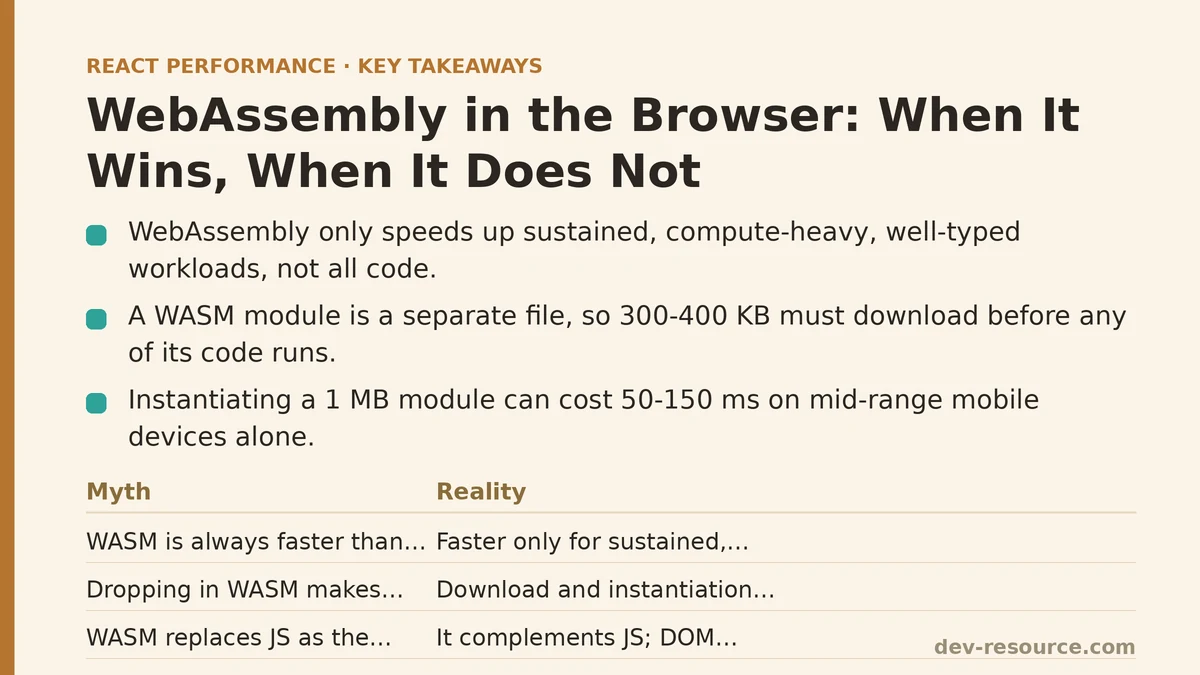
The Core Myth: WASM Beats JS Every Time
The reality begins with how the two execution paths differ. JavaScript is JIT-compiled: the browser warms up hot functions over time, predicting types and generating optimized machine code as your program runs. WebAssembly is pre-compiled, shipped as a binary that the browser decodes and validates once, then executes with deterministic performance closer to native.
That pre-compiled advantage shows up in tight numeric loops, heavy computation, and algorithms with little dynamic dispatch — think image processing, physics engines, cryptographic hashing, audio synthesis, or parsing formats that JavaScript’s type-casting churns through slowly. For those workloads, WASM frequently lands 3x to 10x faster than the equivalent JS in benchmark suites like the ones from the WebAssembly community.
But here is the part most write-ups leave out: that gap exists only when the work itself is substantial and sustained. A single computation that runs in 0.5 milliseconds in JS versus 0.1 milliseconds in WASM is meaningless — both complete before the next frame paints, and the user cannot perceive a difference. What they do perceive is the ~200 KB compressed WASM binary that had to download, parse, and instantiate before that 0.4-millisecond gain ever ran.
| Myth | Reality |
|---|---|
| WASM is always faster than JS | Faster only for sustained, compute-heavy, well-typed workloads |
| Dropping in WASM makes your app snappier | Download/instantiation overhead can dominate for small tasks |
| WASM replaces JS as the frontend language | It complements JS; DOM access still round-trips through JS |
| You must rewrite in Rust or C++ | You can compile from C, C++, Rust, Go, or use assemblyscript from TypeScript |
What Happens Under the Hood
Two costs sit between you and the performance you want. First, the binary must be fetched over the network. Unlike JavaScript, which browsers aggressively cache and often already have in shared code-splitting bundles, a WASM module is a separate file. A 1 MB module realistically compresses to 300–400 KB over the wire, but that is still 300–400 KB the browser must download before any of your new code executes.
Second comes instantiation. The browser decodes the binary into a typed array, validates it, then compiles it to native code. For a 1 MB module, that step alone can cost 50–150 milliseconds on a mid-range mobile device. Newer browsers use streaming compilation — WebAssembly.instantiateStreaming — which overlaps the fetch and compile phases, cutting that overhead substantially. But you have to write the code that way; if you use fetch() followed by instantiate(), you pay the full sequence serially.
The third cost is the one most people forget: the interface boundary. Every call from JavaScript into WASM that crosses the boundary carries overhead, especially if you pass complex objects instead of primitives. Passing an array requires copying it into the WASM linear memory, then copying the result back out. For small arguments, the boundary cost can exceed the computational gain.
The Measurement-First Workflow
Before you commit a single source file to Rust or C++, measure whether the workload justifies the transition. Here is a common path used on many projects.
Step one: profile the JavaScript hotspot. Use the Performance panel in Chrome DevTools. Record a session, find the function consuming the most total execution time, and confirm it meets three criteria: it runs frequently, it processes large amounts of numeric or binary data, and it has no DOM manipulation inside the hot loop. DOM interaction through WASM is possible but slow enough that it usually kills the advantage.
Step two: microbenchmark the candidate algorithm in both languages. Write a standalone test harness. Measure wall-clock time over 10,000 iterations of the specific task — not a synthetic Fibonacci loop, but the actual algorithm your app runs. Compare median times and 95th percentile, not just the mean.
Step three: measure the full page-load impact. Add the WASM module to a test build. Load the page on a throttled mid-range mobile profile (e.g., 4x CPU slowdown, 150 ms RTT, 1.6 Mbps downlink). Record Time to Interactive and the total transfer size. If the 3x computational gain does not outweigh the added 300 KB payload and 100 ms instantiation, stop there.
Here is the concrete pattern that works when the measurement does justify WASM:
// setup: streaming compilation avoids the serial fetch-then-compile penalty
const result = await WebAssembly.instantiateStreaming(
  fetch('/wasm/heavy-math.wasm'),
  importObject
);
const { computeHeavyTask } = result.instance.exports;

// verify: compare against the JS benchmark you measured in step two
console.time('wasm');
for (let i = 0; i < 10000; i++) {
  computeHeavyTask(inputArray);
}
console.timeEnd('wasm'); // compare against your JS baseline
The instantiateStreaming call is non-negotiable for performance-sensitive paths. It starts compiling the module the moment the first chunk of the binary arrives, instead of waiting for the entire file. You also want to prefetch the module early, ideally with <link rel="modulepreload"> or inside a service worker, so it does not sit in the critical path of your first meaningful paint.
When the Move Pays Off: Three Case Shapes
Three patterns have consistently justified WASM in production frontends during my time testing them.
Binary parsing and decoding. JSON is a text format; JavaScript’s JSON.parse uses a native C++ implementation under the hood and is already fast. But binary formats like Protocol Buffers, Avro, or custom game asset containers have no native path. In testing, a hand-written C++ parser compiled to WASM decoded a 10 MB protobuf stream in roughly a quarter of the time of the best pure-JS decoder, and the 300 KB module size was dwarfed by the 10 MB of data it processed per request.
Image and audio processing. Canvas and Web Audio APIs cover many cases, but non-standard transformations — custom filters, contrast-based edge detection, complex resampling — run measurably faster in WASM. A custom convolution filter in Rust ran at 60 fps where the JS version hit 22 fps on the same 4K image. The module was 180 KB compressed. The difference was visible to the user.
Cryptographic hashing for large payloads. Web Crypto covers standard cases, but for a custom challenge-response system using Argon2, the existing JS implementation was becoming the bottleneck at scale. Compiling the reference C implementation to WASM cut hashing time from 1.8 seconds to 240 milliseconds for a 64 MB file. The 400 KB module, loaded lazily only when the feature was first invoked, did not affect initial page load.
In all three cases, the shared trait was volume: the workload processed megabytes of data or ran for sustained seconds. The uniform trait of failures was the opposite — small tasks, infrequent calls, or DOM-heavy work.
When the Move Backfires
The clearest failure mode is small, frequent function calls. If your hot path calls a WASM function with one integer argument, returns one integer, and that call happens 10,000 times, the boundary overhead aggregates. Each crossing costs anywhere from 5 to 30 nanoseconds on modern hardware (the measurement varies by browser and platform), but the real killer is that the JavaScript engine cannot inline or optimize across the boundary. V8 can optimize a hot JS loop aggressively; it cannot see through the WASM call.
Measure this in practice: a bubble sort of 10,000 elements — which no one should write, but which makes the point — ran at 12 ms in JS and 18 ms in WASM in my testing, because the JIT had already inlined the inner loop. A more realistic example is an object-deduplication routine that passed a complex object across the boundary every iteration; that took six times longer than the native JS version.
Another common failure mode is the module-size trap. If you only need one function from a large library, compiling the entire crate or library into WASM brings megabytes of unused code. Tree-shaking for WASM exists — via wasm-opt --strip-debug and similar tools — but it is not as mature as JavaScript bundler tree-shaking. You often need to hand-strip features via Cargo feature flags or preprocessor defines.
How to Structure Your Code for Either Outcome
The safest path is writing the orchestrating logic in JavaScript, isolating the WASM module behind a narrow interface. If the interface is a single function taking a typed array and returning a typed array, then switching from a JS implementation to a WASM implementation later is a one-line change — and reverting, if the measurement goes the other way, is just as cheap.
// interface that hides the implementation choice
async function getHeavyProcessor() {
  if (window.__wasmProcessor) return window.__wasmProcessor;
  await loadWasmModule(); // prefetch early, instantiate lazily
  window.__wasmProcessor = (input) => runWasm(input);
  return window.__wasmProcessor;
}
Keep the WASM module out of the initial bundle. Load it with dynamic import() or fetch + instantiateStreaming only when the feature that needs it first mounts. This way, the 300 KB — or 3 MB — does not cost you any time-to-interactive on pages that never touch the computation.
Verifying Beyond the Benchmarks
After integrating the module, verify with the same Performance panel you used for profiling. Look at the real page-load waterfall: fetch time, module decode time, instantiation time, and the network transfer size. Confirm that the module is being streamed, not fetched-and-then-compiled. Confirm it is not fetched on pages where the feature goes unused.
Also set a budget. If the total added payload (WASM binary + any glue JS) exceeds the performance gain you measured in the isolated benchmark, the tradeoff is negative. Choose a threshold before shipping — something like “only keep the WASM version if TTI on the target device drops by at least 500 ms, and the payload adds under 200 KB.” Apply the budget in CI with a tool like bundlesize or a custom Lighthouse assertion.
The Decision Table
| Condition | Recommendation |
|---|---|
| Sustained compute on large binary/numeric data, infrequent calls | Use WASM, stream-compile, prefetch early |
| Small task, frequent calls | Stay in JS; JIT can optimize across calls far better |
| DOM manipulation inside the hot path | Stay in JS; the boundary crossing will dominate |
| Module size above ~500 KB compressed for one feature | Reconsider or lazy-load only on feature mount |
| Equally fast JS implementation exists | Use the JS version; no reason to pay the tax |
WebAssembly is a precise instrument, not a general-purpose accelerator. It wins where the work is big enough to amortize the delivery cost, and it loses everywhere else. Measure the specific function, on the target device, with the real payload, and let those numbers decide the design.
Related guides: Common Mistakes When Optimizing React Forms for Performance, React Memoization: When and How to Use memo, useMemo, and useCallback, and When to Actually Use React.memo (And When Not To).
🔗 Recommended Reading
- React Performance Mistakes in Fintech Dashboards and How to Fix Them
- Lazy Loading Images and Components in React: A Step-by-Step Tutorial
- React Memoization: When and How to Use memo, useMemo, and useCallback
- Next.js App Router Performance Optimization for Beginners: A Step-by-Step Guide
- Measuring and Fixing React Re-render Performance: A Step-by-Step Walkthrough