The common misconception is that route-based code splitting is a single-line change: replace import with React.lazy and you’re done. That framing ignores the part that matters most — what happens between the moment the user clicks a link and the moment the routed component renders. Without deliberate handling of that gap, you trade a slow initial load for a janky navigation experience, and the performance win evaporates.
What problem does route-based code splitting solve?
A single-page React app built with Create React App, Vite, or webpack bundles every route’s components into one JavaScript file. A marketing site with a dashboard route, a settings route, and a reports route ships all three modules to every visitor, even if they only ever view the landing page.
Code splitting changes that equation. The bundler produces separate chunks per route, and the browser downloads only the chunk for the route being entered. The initial load gets smaller; the navigation loads the remaining code at the moment it’s needed. The trade-off is that a route change now involves a network fetch for JavaScript, not just a render.
How do you set up lazy loading with React Router?
The setup pairs React.lazy with Suspense, and the route definition looks like this:
import { lazy, Suspense } from 'react';
import { BrowserRouter, Routes, Route } from 'react-router-dom';

const Dashboard = lazy(() => import('./pages/Dashboard'));
const Settings = lazy(() => import('./pages/Settings'));
const Reports = lazy(() => import('./pages/Reports'));

function App() {
  return (
    <BrowserRouter>
      <Routes>
        <Route
          path="/"
          element={
            <Suspense fallback={<PageLoader />}>
              <Dashboard />
            </Suspense>
          }
        />
        <Route
          path="/settings"
          element={
            <Suspense fallback={<PageLoader />}>
              <Settings />
            </Suspense>
          }
        />
        <Route
          path="/reports"
          element={
            <Suspense fallback={<PageLoader />}>
              <Reports />
            </Suspense>
          }
        />
      </Routes>
    </BrowserRouter>
  );
}
Each route’s chunk is requested when the route matches. The Suspense fallback renders during the fetch, and once the chunk arrives, the component renders in its place.
The repetition of Suspense per route works, but a cleaner pattern wraps all route elements in a single Suspense boundary at the top level, which also catches multiple routes loading simultaneously — useful for a user who navigates quickly between two lazy routes.
What is the right fallback UI for the loading state?
A common mistake is a blank screen or a full-page spinner that flashes for a few hundred milliseconds on every navigation. In practice, the fallback needs to match the shape of the destination page so the layout doesn’t jump when the real content arrives.
A skeleton loader that mirrors the target page’s structure — a header bar, a few placeholder blocks — communicates progress without the jarring flash a centered spinner creates. The key measurement is not how fast the chunk loads but how stable the viewport remains during the swap.
function DashboardSkeleton() {
  return (
    <div className="page-skeleton">
      <div className="skeleton-header" />
      <div className="skeleton-grid">
        <div className="skeleton-card" />
        <div className="skeleton-card" />
        <div className="skeleton-card" />
      </div>
    </div>
  );
}
What happens when a lazy chunk fails to load?
Network failures, deploy mismatches, or stale hashes in the chunk filename can make the dynamically imported module throw. Without an error boundary, that error bubbles up and unmounts the entire React tree — the whole app goes blank.
The fix is a class-based error boundary wrapping the Suspense fallback per route, or at the layout level:
class RouteErrorBoundary extends React.Component {
  state = { hasError: false };

  static getDerivedStateFromError() {
    return { hasError: true };
  }

  componentDidCatch(error) {
    // Log to your error tracking service here
    console.error('Route chunk failed to load:', error);
  }

  handleRetry = () => {
    this.setState({ hasError: false });
    // Force the lazy component to re-attempt its import
    this.props.onRetry?.();
  };

  render() {
    if (this.state.hasError) {
      return (
        <div className="route-error">
          <h2>This section could not be loaded.</h2>
          <button onClick={this.handleRetry}>Try again</button>
        </div>
      );
    }
    return this.props.children;
  }
}
The retry handler is the part most people skip. A transient network blip can resolve in seconds, and giving the user a way to re-trigger the chunk request instead of forcing a full page reload is a small touch with outsized perceived-quality impact.
When does lazy loading measurably hurt performance?
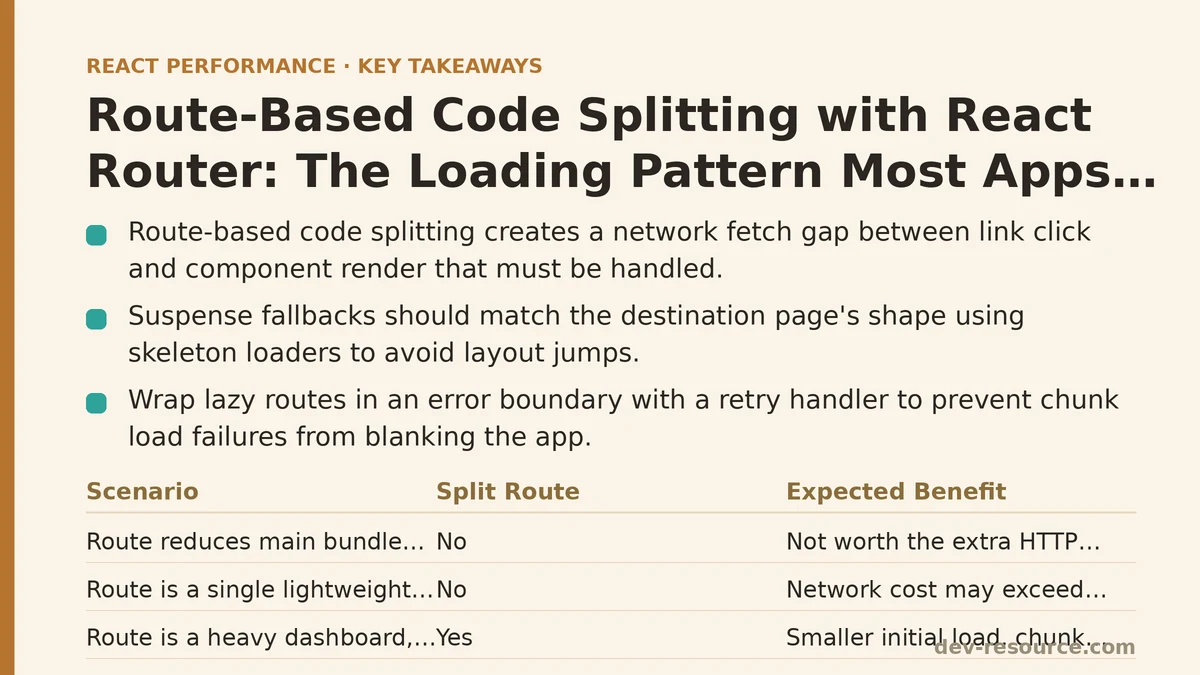
Not every route benefits from being split. The rule of thumb used to be “split anything above 30 KB,” but modern bundlers and HTTP/2 make that threshold fuzzy. A route with a single lightweight component that loads in 5 milliseconds of execution time may cost more in the network round-trip than it saves in initial bundle size.
Measure the initial bundle’s total size before and after the change. If splitting one route reduces the main bundle by only 10 KB, the navigation now pays a full HTTP request round-trip for that 10 KB — a net loss in perceived speed for users who land directly on that route.
The opposite case is where the technique shines: a route like a data-heavy reports page that pulls in a charting library (25 KB minified), a CSV export utility, and a complex table component. Splitting that route out of the main bundle can cut initial load by hundreds of kilobytes.
How do you verify the split improved performance?
Lighthouse and WebPageTest give the before-and-after numbers for initial load, but they don’t capture the navigation-time cost. For that, the browser’s Performance panel shows the network waterfall for the chunk request and the time-to-interactive after navigation.
The more direct check is to measure route-change duration with the User Timing API:
const start = performance.now();

const Dashboard = lazy(() => {
  const promise = import('./pages/Dashboard');
  promise.then(() => {
    performance.mark('dashboard-chunk-loaded');
    performance.measure('dashboard-route-load', 'navigation-start', 'dashboard-chunk-loaded');
  });
  return promise;
});
Too much instrumentation clutters the codebase, so keep this to a single route you’re actively tuning rather than a permanent fixture.
Does React Router have built-in data loading that changes this picture?
React Router 6.4 introduced loaders and useLoaderData for route-level data fetching, and React Router 7 continues that direction with framework mode. Loaders run before the component renders — the data arrives at the same time as the route component, which is better than the classic pattern of rendering the component first, then fetching data inside a useEffect.
Loaders can also be code-split themselves. A route module can export both the component and the loader from the same file, and the bundler splits them into the same chunk. That means the data fetch and the code fetch happen in parallel, not sequentially, which trims a full network round-trip from the cold-route navigation.
// routes/reports.jsx
export async function loader({ request }) {
  const response = await fetch('/api/reports', { signal: request.signal });
  return response.json();
}

export default function Reports() {
  const data = useLoaderData();
  // render report
}
Lazy loading this route with lazy={() => import('./routes/reports')} loads the component and the loader together, so the app can kick off the data fetch the moment the chunk arrives instead of after the component mounts.
What is the practical decision process for each route?
Ask three questions before splitting a route. First, what is the route’s contributed size to the initial bundle? A rough estimate from webpack-bundle-analyzer or Vite’s build output settles this quickly. Second, how likely is a user to navigate to this route on their first visit? A route that is the top landing destination for a campaign should probably stay in the main bundle. Third, does the route have heavy dependencies — charting, date libraries, data grids — that only it uses? Those are the clearest splitting candidates.
The default pattern to recommend: split everything except the routes that are part of the critical path to the app’s core purpose. For a dashboard app, that means the first authenticated screen loads eagerly; everything else loads lazily. Over time, analytics data from route-level performance.mark events will reveal which splits help and which add navigation latency for no measurable gain.
Where does this leave the single-line-change myth?
The lazy import is the smallest part of the work. The fallback that prevents layout shift, the error boundary that prevents a blank screen, the retry mechanism for transient failures, and the measurement that confirms the split paid off — those are the load-bearing pieces. Skipping them gets you a smaller initial bundle and a worse navigation experience, which is a net regression in user-perceived performance.
The technique deserves a deliberate placement in your routing architecture: reap the initial-load savings, but budget the same attention for what happens during the fetch as you would for any other network-dependent part of your UI.
Related guides: Lazy Loading Third-Party Scripts in React Apps: 5 Techniques Ranked by Impact, Intersection Observer Lazy Loading in React: A Troubleshooting Checklist, and Reducing JavaScript Execution Time in React Apps: A Q&A Guide.
🔗 Recommended Reading
- React Performance Mistakes in Fintech Dashboards and How to Fix Them
- Lazy Loading Images and Components in React: A Step-by-Step Tutorial
- React Memoization: When and How to Use memo, useMemo, and useCallback
- Next.js App Router Performance Optimization for Beginners: A Step-by-Step Guide
- Measuring and Fixing React Re-render Performance: A Step-by-Step Walkthrough