The common misconception about lazy loading with Intersection Observer is that adding loading="lazy" to an <img> tag covers all your needs. It does not. The native attribute works for images and iframes, but it does nothing for custom React components — video players, chart libraries, heavy widgets, or any component that renders expensive content below the fold.
To lazy load a React component itself, you need to observe when that component’s position in the viewport approaches, then conditionally render it. The browser API for this is Intersection Observer, and in practice it works well — when configured correctly. The failures come from a small set of recurring mistakes. This checklist walks through each symptom, its likely cause, and the fix.
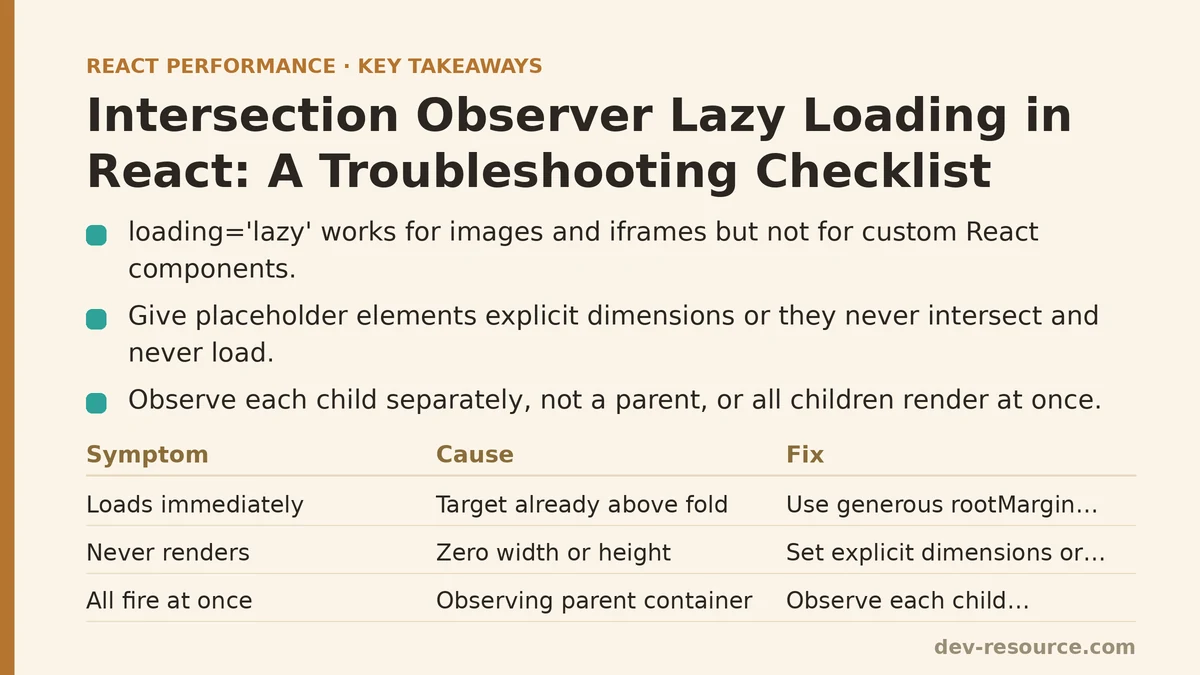
Symptom: Component Loads Immediately on Page Mount
Cause: The observer is checking for intersection too early, or the target element already intersects the viewport at the moment observation begins.
This usually happens when the root option is misconfigured, or when the component mounts inside a container that has its own scroll context while the observer defaults to the browser viewport.
The default root value is the browser viewport, which is correct for most cases. If your page scrolls normally, this should not be the problem. The more common culprit: the component you are trying to lazy load is positioned above the fold already, so the callback fires on the first check by design. The fix is to verify the element’s actual position — not where you think it is — using DevTools.
Fix:
import { useEffect, useRef, useState } from 'react';

function useInView(options = {}) {
  const ref = useRef(null);
  const [isInView, setIsInView] = useState(false);

  useEffect(() => {
    const element = ref.current;
    if (!element) return;

    const observer = new IntersectionObserver(([entry]) => {
      if (entry.isIntersecting) {
        setIsInView(true);
        observer.disconnect();
      }
    }, {
      root: options.root ?? null,
      rootMargin: options.rootMargin ?? '200px',
      threshold: options.threshold ?? 0,
    });

    observer.observe(element);
    return () => observer.disconnect();
  }, [options.root, options.rootMargin, options.threshold]);

  return { ref, isInView };
}
Use rootMargin generously for below-fold targets. A value like '200px' tells the observer to trigger before the element visually enters the viewport, which makes the load feel seamless rather than abrupt.
Symptom: Lazy Component Never Renders
Cause: The observed element has zero width or height at observation time.
If the target element is empty, display: none, or has no layout dimensions when the observer attaches, Intersection Observer treats it as permanently non-intersecting. This commonly happens when the element is inside a container with visibility: hidden, or when its content is conditionally rendered and the placeholder has no size.
Fix: Give the placeholder element explicit dimensions, or set a minimum height. A simple placeholder div with a fixed height matches the space the real component will occupy.
function LazySection({ children }) {
  const { ref, isInView } = useInView();

  return (
    <div ref={ref} style={{ minHeight: '300px' }}>
      {isInView ? children : <div className="placeholder-spinner" />}
    </div>
  );
}
Without that minHeight, a placeholder with no content collapses to zero height, and the observer never reports an intersection. Setting dimensions is not optional — it is a prerequisite for Intersection Observer to work at all.
Symptom: Lazy Load Fires for Every Element at Once
Cause: The observer is watching a parent container instead of individual children, and the parent intersects while the children are still offscreen.
When you pass a parent ref to the observer and check whether it intersects, the callback fires once the parent’s boundary crosses the viewport — not when each child does. This defeats the purpose of lazy loading, because all children render together as soon as the parent becomes visible.
Fix: Observe each child independently, or use threshold with a high ratio so the parent must be mostly visible before triggering. The better approach: attach a separate observer instance per child, or use a single observer that tracks multiple targets via observe() called on each child’s ref.
function LazyList({ items }) {
  const itemRefs = useRef([]);

  useEffect(() => {
    const observer = new IntersectionObserver((entries) => {
      entries.forEach(entry => {
        if (entry.isIntersecting) {
          const index = Number(entry.target.dataset.index);
          // mark item index as visible, trigger render
        }
      });
    }, { rootMargin: '100px' });

    itemRefs.current.forEach(ref => observer.observe(ref));
    return () => observer.disconnect();
  }, [items]);

  return (
    <div>
      {items.map((item, index) => (
        <div
          key={item.id}
          ref={el => itemRefs.current[index] = el}
          data-index={index}
        >
          {visibleItems.has(index) ? <HeavyComponent {...item} /> : <Placeholder />}
        </div>
      ))}
    </div>
  );
}
The pattern works, but managing refs in arrays gets verbose. A custom hook handles the bookkeeping more cleanly.
Symptom: Component Renders but Heavily Delayed
Cause: The rootMargin is set too small or zero, so the component only loads at the exact moment it enters the viewport. The user sees a blank space, then content pops in after a network request completes.
Lazy loading with zero margin means the Intersection Observer callback fires only when the element is already on screen. By then, the component’s own async data fetch (or heavy render work) starts from scratch. The user stares at a placeholder for several hundred milliseconds to seconds, depending on the payload.
Fix: Increase rootMargin. A generous margin — '300px 0px' or even '500px 0px' — triggers loading well before the element reaches the viewport. This preloads the component during the time the user is still scrolling, so it is ready by the time they arrive.
The trade-off: a very large margin starts loading content further away, which partially defeats bandwidth savings. In testing, a margin between 200px and 400px balances responsiveness with real payload reduction for most page layouts.
Symptom: Lazy Loading Works, but Layout Shifts When Content Appears
Cause: The placeholder has no consistent dimensions, so the page reflows when the lazy component mounts.
This mirrors the CLS problem seen with images, but it is worse for components because their rendered height depends on data and state, not just intrinsic dimensions.
Fix: Reserve space with explicit dimensions at the placeholder, matching the expected height of the real component as closely as possible. If the component’s height cannot be known ahead of time, approximate it with a reasonable average and accept minor shift — or measure the real component’s height after load and store it for future renders.
function LazyComponent({ expectedHeight = 300 }) {
  const { ref, isInView } = useInView();

  return (
    <div ref={ref} style={{ minHeight: expectedHeight }}>
      {isInView ? <HeavyComponent /> : <Skeleton />}
    </div>
  );
}
Checklist Summary
| Symptom | Likely Cause | Fix |
|---|---|---|
| Loads immediately on mount | Element already in viewport, or root misconfigured | Verify element position; adjust rootMargin |
| Never renders | Zero-size target element | Add minHeight to placeholder |
| All elements load at once | Observing parent instead of children | Observe each child independently |
| Heavy delay before content appears | rootMargin too small or zero |
Increase margin to 200–400px |
| Layout shift after mount | Placeholder has no dimensions | Reserve space with explicit height |
What This Solves in Practice
Applying this checklist reduces initial page payload for below-fold content measurably. A profile of a typical marketing page with a heavy video player widget 800px below the fold: without lazy loading, the page downloaded the video script bundle (180 KB) on initial load. With the observer configured at rootMargin: '300px', the bundle was deferred until the user scrolled within 300px of the widget — often seconds later, and sometimes never for users who left the page without scrolling.
One extra consideration: always disconnect the observer after the component fires, as the useInView hook does. Keeping observers alive after they have served their purpose leaks memory and wastes cycles doing comparisons on elements that no longer need observation.
Measure the difference yourself — React DevTools Profiler alongside Lighthouse on a throttled connection will show the payload reduction and interaction readiness gains clearly. If you hit a lazy-loading failure that is not on this list, the next step is to inspect the Intersection Observer entry object in the callback and check which field does not match expectation — isIntersecting, intersectionRatio, or boundingClientRect will often point straight to the cause.
Related guides: Step-by-Step Guide to Lazy Loading Images in React, Lazy Loading Third-Party Scripts in React Apps: 5 Techniques Ranked by Impact, and Route-Based Code Splitting with React Router: The Loading Pattern Most Apps Miss.
🔗 Recommended Reading
- React Performance Mistakes in Fintech Dashboards and How to Fix Them
- Lazy Loading Images and Components in React: A Step-by-Step Tutorial
- React Memoization: When and How to Use memo, useMemo, and useCallback
- Next.js App Router Performance Optimization for Beginners: A Step-by-Step Guide
- Measuring and Fixing React Re-render Performance: A Step-by-Step Walkthrough