By the end of this tutorial you will be able to write a render prop component from scratch, identify the specific re-render problems it can introduce, measure those problems with the React DevTools Profiler, and apply targeted fixes instead of rewriting the component. The steps build on each other, so it helps to follow them in order even if you already know the pattern.
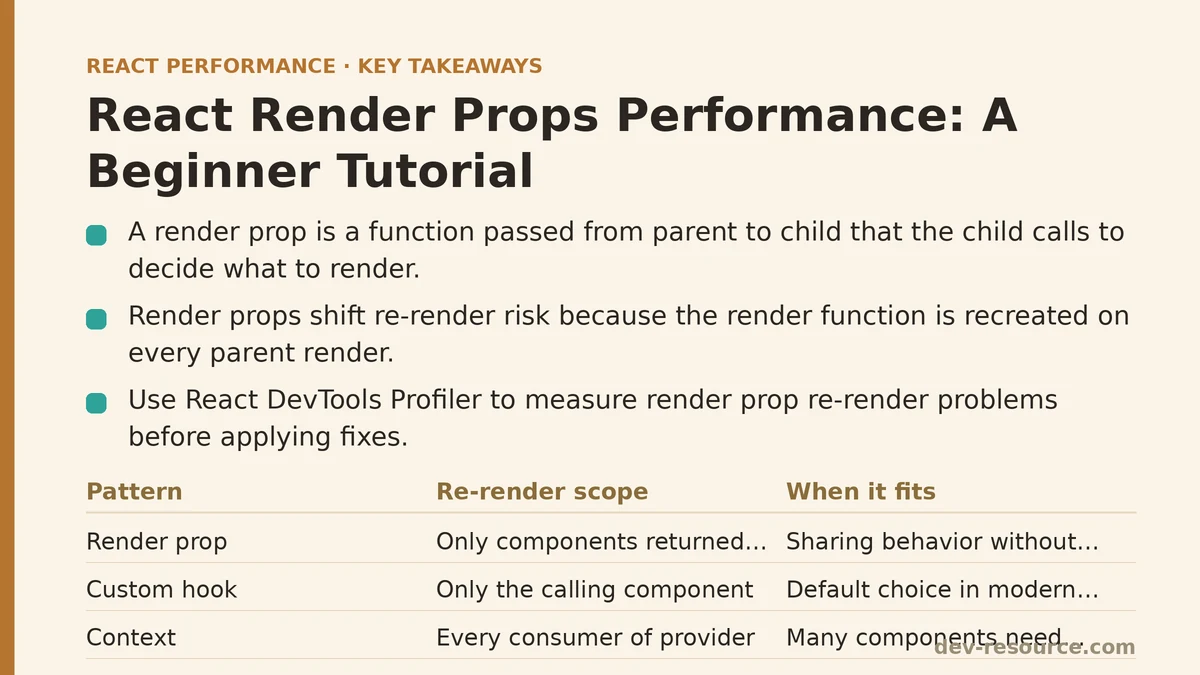
Step 1: Understand What a Render Prop Is Before Optimizing It
A render prop is a function passed from a parent component to a child, where the child calls that function to decide what to render. The child owns the logic and the state; the parent owns the markup. This inversion is the whole point of the pattern.
The simplest version looks like this:
function MouseTracker({ render }) {
  const [position, setPosition] = useState({ x: 0, y: 0 });

  useEffect(() => {
    const handleMove = (event) => {
      setPosition({ x: event.clientX, y: event.clientY });
    };
    window.addEventListener('mousemove', handleMove);
    return () => window.removeEventListener('mousemove', handleMove);
  }, []);

  return render(position);
}

// Usage
<MouseTracker render={({ x, y }) => <p>Cursor at {x}, {y}</p>} />
MouseTracker handles the event listener and the state. The caller decides how to display the position. The prop is named render by convention, though any prop name works — children as a function is the same pattern:
<MouseTracker>
  {({ x, y }) => <p>Cursor at {x}, {y}</p>}
</MouseTracker>
That variant is common enough that many tutorials treat children-as-a-function as a separate pattern. Structurally it is a render prop.
A quick comparison against the alternatives, since choosing the wrong tool is the first performance mistake:
| Pattern | How state is shared | Re-render scope | When it fits |
|---|---|---|---|
| Render prop | Function prop called by the child | Only the components the render function returns | Sharing behavior without sharing markup |
| Higher-order component (HOC) | Wraps the component and injects props | The entire wrapped component | Cross-cutting concerns applied at definition time |
| Custom hook | Returns state and handlers to the caller | Only the component that calls the hook | The default choice in modern React |
| Context | Provider holds value, consumers subscribe | Every consumer of the provider | Many components need the same value |
For new code, a custom hook usually replaces a render prop with less nesting and fewer re-render traps. The rest of this tutorial assumes you either inherited render prop code, or you have a specific reason (such as needing the child to control when the function is called) to keep the pattern.
Step 2: Write a Component That Separates Logic from Markup
Say you have a dashboard that needs to display a list of items fetched from an API, and several callers want different markup for that list. A render prop that owns the fetching keeps each caller from writing its own fetch logic.
function DataLoader({ url, render }) {
  const [state, setState] = useState({ status: 'idle', data: null });

  useEffect(() => {
    let cancelled = false;
    setState({ status: 'loading', data: null });

    fetch(url)
      .then((res) => res.json())
      .then((data) => {
        if (!cancelled) setState({ status: 'success', data });
      })
      .catch(() => {
        if (!cancelled) setState({ status: 'error', data: null });
      });

    return () => {
      cancelled = true;
    };
  }, [url]);

  return render(state);
}
Callers pass a function that receives { status, data } and returns JSX. Two callers can render a table and a compact badge list from the same loader without duplicating any fetch logic. So far, nothing here is slow.
The performance question only becomes interesting once the caller re-renders for its own reasons. That is where the next steps focus.
Step 3: Locate the Extra Re-renders Render Props Introduce
The trap in the pattern is not the child component. It is that a render prop is a new function every time the parent renders. Consider this caller:
function ItemPanel({ items }) {
  const [selected, setSelected] = useState(null);

  return (
    <DataLoader
      url="/api/items"
      render={({ status, data }) => (
        <ul>
          {status === 'success' &&
            data.map((item) => (
              <li
                key={item.id}
                onClick={() => setSelected(item.id)}
                aria-selected={item.id === selected}
              >
                {item.name}
              </li>
            ))}
        </ul>
      )}
    />
  );
}
Every click calls setSelected, which re-renders ItemPanel. Because the render prop is defined inline, it is a fresh function on every render. DataLoader sees a new render prop, re-renders, and calls the function again. The fetch effect does not re-run because url is unchanged, but the whole list is recreated regardless of whether the selection change affects it.
Under normal interaction this is invisible. It becomes a problem in situations like these:
- The parent re-renders often — on scroll, a timer, a WebSocket message, or an animation frame.
- The list is long, and the render function maps over hundreds of rows.
- The child in the render function does meaningful work: charting, syntax highlighting, virtualized rows.
The failure mode is not that render props are slow in some absolute sense. It is that the pattern couples the parent’s render count to the child’s render count through a function identity that changes on every pass. When the parent is cheap and rarely re-renders, that coupling is harmless. When the parent is hot, every change cascades.
Step 4: Measure It With the React DevTools Profiler
Measurement is the step most tutorials skip, and it is the one that tells you whether you have a problem worth solving.
- Install the React Developer Tools browser extension and open the Profiler tab.
- Click the record button, interact with the component, then stop recording.
- Open the Ranked view. It sorts components by how much time they spent rendering.
- Click into
DataLoaderor the caller. The flamegraph view shows which parent triggered each render, and the components panel shows whether props changed and why.
Look for two specific signals:
DataLoaderrenders when neither itsurlnor any state inside it changed. That is the render prop identity change triggering a pass.- The render function’s output re-renders every time the caller’s unrelated state changes. If the caller updates a “selected” flag and the whole tree beneath the render prop re-renders, that is the coupling you are hunting.
The Profiler will also flag when a memoized component re-rendered because a prop reference changed. For render props, that message points squarely at the function identity.
For a production build, the browser Performance panel with a user timing mark around the interaction is a simpler sanity check — the DevTools Profiler is oriented toward development builds and can overstate costs.
Step 5: Stabilize the Render Function With useCallback
The first and often sufficient fix is to give the render function a stable identity. Wrap it in useCallback with the correct dependency array:
function ItemPanel({ items }) {
  const [selected, setSelected] = useState(null);

  const renderList = useCallback(
    ({ status, data }) => (
      <ul>
        {status === 'success' &&
          data.map((item) => (
            <li key={item.id} onClick={() => setSelected(item.id)}>
              {item.name}
            </li>
          ))}
      </ul>
    ),
    []
  );

  return <DataLoader url="/api/items" render={renderList} />;
}
Since renderList now has the same identity across renders, and url is unchanged, DataLoader re-renders only when its own internal state changes — which is exactly when it should.
There is a catch worth naming. The useCallback above has [] as its dependency array, but the function body closes over setSelected. React state setters are stable by reference, so this is safe. If the render function referenced selected, items, or any prop, the dependency array would need to include them, and the identity would change whenever those values changed. That is correct behavior, but it means the optimization is only useful when the render function does not depend on frequently changing values.
A variation that avoids the closure problem entirely is to keep the state and handlers in the child and pass only stable props through the render function. That is often a cleaner refactor than fighting useCallback.
Step 6: Memoize the Work Inside the Render Function
Even with a stable render function, the JSX it produces can be expensive if it derives new arrays, sorts large lists, or computes chart data on every call. The render function runs whenever the render prop component renders, so any computation inside it runs with the same cadence.
useMemo is the tool for this. It memoizes a value, not a function, and it works inside a render function as long as the render function is itself a hook-callable component body — which it is not, if you pass it as a plain function. That constraint means the memoization has to move upstream:
function ItemPanel({ items }) {
  const sorted = useMemo(
    () => [...items].sort((a, b) => a.name.localeCompare(b.name)),
    [items]
  );

  const renderList = useCallback(
    ({ status }) => (
      <ul>
        {status === 'success' &&
          sorted.map((item) => <li key={item.id}>{item.name}</li>)}
      </ul>
    ),
    [sorted]
  );

  return <DataLoader url="/api/items" render={renderList} />;
}
The sort runs only when items changes. The render function re-identifies when sorted changes, which is the same trigger. Both sides stay in sync.
Two things that commonly go wrong at this step:
- Memoizing inside the render prop function itself. A plain function is not a component, so React does not treat hooks called inside it as belonging to a component. If your render function contains a
useMemocall, React will either warn or the hook will attach to the wrong component. - Ignoring referential stability of the inputs.
useMemowith[items]re-runs wheneveritemsis a new array, even if the contents are identical. If the parent recreatesitemson every render, the memo provides no benefit.
Step 7: Extract a Custom Hook to Remove the Pattern Entirely
Once the render function is stable and its inputs are memoized, the render prop is doing very little. For most cases, a custom hook is simpler and has fewer moving parts:
function useData(url) {
  const [state, setState] = useState({ status: 'idle', data: null });

  useEffect(() => {
    let cancelled = false;
    setState({ status: 'loading', data: null });
    fetch(url)
      .then((res) => res.json())
      .then((data) => !cancelled && setState({ status: 'success', data }))
      .catch(() => !cancelled && setState({ status: 'error', data: null }));
    return () => {
      cancelled = true;
    };
  }, [url]);

  return state;
}

function ItemPanel({ items }) {
  const { status, data } = useData('/api/items');
  // ... render directly, no render prop
}
The state and logic live in the hook, the caller owns the JSX, and there is no function identity to stabilize. The re-render scope is the same or narrower, and the component tree is flatter.
Reasons to keep a render prop instead:
- The child needs to control when the function is called — for example, a virtualized list that calls the render function only for visible rows.
- A single component has to render the output in more than one place within its own tree, or pass it through a portal.
- The codebase already uses the pattern widely and a migration is not worth the churn.
For everything else, reach for the hook first.
A Quick Reference: Which Fix to Reach For
| Symptom in the Profiler | Cause | Fix | When not to apply |
|---|---|---|---|
| Render prop component re-renders when only the parent’s unrelated state changed | New render function identity each pass | Wrap the render function in useCallback |
When the function depends on frequently changing values anyway |
| The render function’s output re-renders despite unchanged data | Derived values recomputed inside the render function | Move computation up and wrap in useMemo |
When the computation is trivial |
| Both parent and child re-render together under load | The pattern itself is coupling them | Replace with a custom hook | When the child needs control over invocation timing |
| Memoized components below still re-render | Unstable props passed through the render function | Inspect the flamegraph and stabilize each prop | When re-rendering is required because the data changed |
Verifying the Result
After each change, return to the Profiler and record the same interaction. The comparison to look for is not a specific millisecond number, which varies with hardware and build type. It is whether the components in the ranked list still re-render for the reason you thought they did. If DataLoader no longer appears in the ranked view when you click a row, the useCallback did its job. If it stays, check whether the render function is closing over a value that changes.
Two sanity checks round out the workflow. First, make sure the render function is not receiving new array or object literals from the parent — those break memoization for exactly the same reasons inline props break React.memo. Second, keep an eye on the dependency arrays. Adding an unstable value to a useCallback or useMemo dependency array silently disables the optimization, and nothing warns you.
Render props are not a performance problem by definition. They become one when an unstable function identity inside a frequently re-rendering parent forces work that no one asked for. Stabilize the identity, memoize the derived values, and if neither is enough, extract a hook and drop the pattern. That decision tree covers most render prop code you will encounter in an existing React codebase.
Related guides: Measuring and Fixing React Re-render Performance: A Step-by-Step Walkthrough, Reducing Re-Renders in React With Context Selectors: A Ranked Guide, and Zustand Selector Patterns: The Real Reason Your React Components Are Re-Rendering.
🔗 Recommended Reading
- React Performance Mistakes in Fintech Dashboards and How to Fix Them
- Lazy Loading Images and Components in React: A Step-by-Step Tutorial
- React Memoization: When and How to Use memo, useMemo, and useCallback
- Next.js App Router Performance Optimization for Beginners: A Step-by-Step Guide
- Measuring and Fixing React Re-render Performance: A Step-by-Step Walkthrough