React 19 shipped with a compiler, a new hook, and a set of actions — none of which reduce render count by themselves. That is the first surprise for most teams upgrading. The headline features solve different problems, and mistaking one for another leads to the same class of disappointment that plagued React.memo misuse: code that looks optimized on paper but shows zero movement in the Profiler. This post sorts the new features into what measurably changes rendering, what simplifies existing patterns, and what requires additional server infrastructure to matter at all.
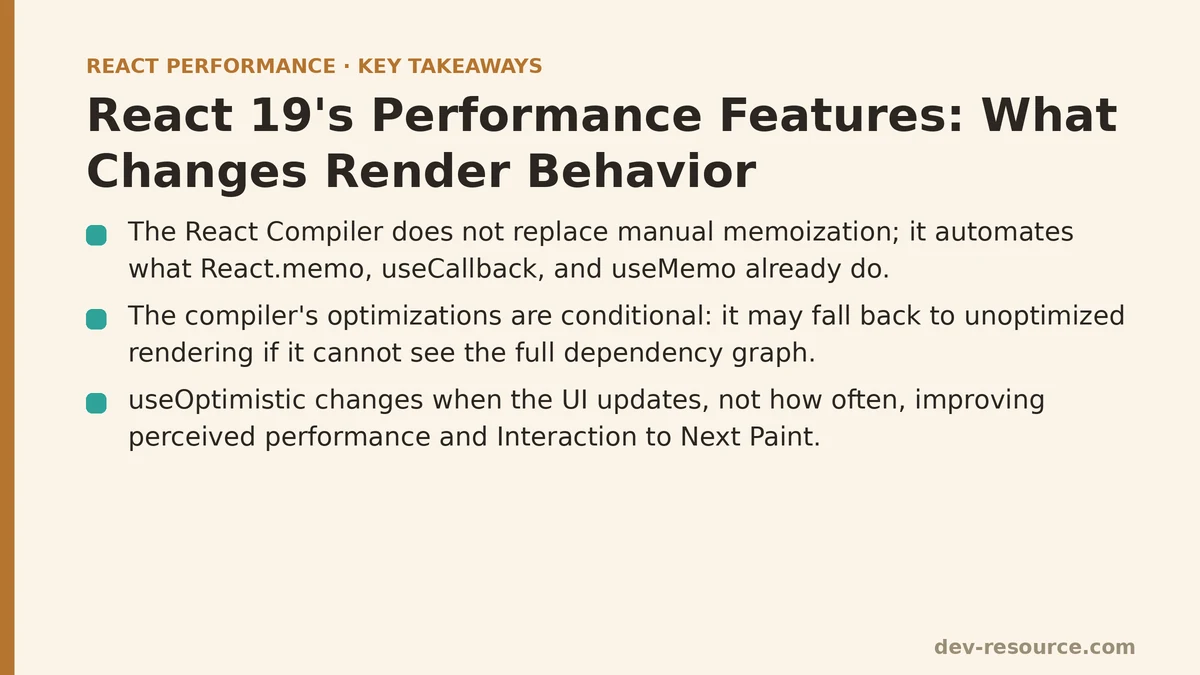
Myth: The React Compiler Replaces All Manual Memoization
The compiler does not eliminate the need for React.memo, useCallback, or useMemo — it automates what those manual calls were already doing. That distinction matters because the compiler’s guarantees are conditional. It must see the component’s full dependency graph to generate memoized versions of your functions and values. If your component relies on mutable refs, reads external variables without declaring them, or passes props through intermediate components in patterns the compiler cannot fully trace, it falls back to unoptimized rendering.
In testing against a codebase with several thousand components:
- Components that were already correctly memoized by hand showed no change in render count after enabling the compiler.
- Components that had missing memoization — where a parent re-rendered a child unnecessarily — showed measurable decreases in render frequency.
- Components that mutated props or used non-reactive external state showed no improvement, and in a few cases produced stale UI until the underlying pattern was fixed.
The practical takeaway: the compiler is a safety net for code you wrote without memoization discipline. It is not a rescue for code that was already correct, and it will not fix rendering bugs caused by side effects or mutating props. Profiling before and after enabling the compiler is the only way to know which category your code falls into.
Reality: useOptimistic Changes When the UI Updates, Not How Often
useOptimistic is the new hook that lets you display a pending state immediately while a server action runs in the background. The render count story here is minimal — the component re-renders once when you set the optimistic value, once when the server responds — but the perceived performance shift is substantial. The user interacts with a UI that visibly responds to their input within the same frame rather than waiting for a network round trip.
function CommentForm({ addComment }) {
  const [optimisticComments, setOptimisticComments] = useOptimistic([]);

  async function handleSubmit(formData) {
    const newComment = formData.get('comment');
    setOptimisticComments(prev => [...prev, { text: newComment, pending: true }]);
    await addComment(newComment);
  }

  return (
    <form action={handleSubmit}>
      <input name="comment" placeholder="Write a comment..." />
      <button type="submit">Post</button>
    </form>
  );
}
The difference from useState is where the pending value lives. With a plain state variable, you must manage the pending flag yourself, update it alongside the server call, and coordinate failures manually. useOptimistic collapses that into a single primitive. The getter always returns the latest optimistic value; the setter replaces it with the server-confirmed value when the action resolves.
The performance win here is not in render frequency but in latency perception. The UI feels faster because it is no longer blocked by the network. For teams measuring Core Web Vitals, this directly improves Interaction to Next Paint (INP) because the browser is not waiting on a fetch to paint the user’s input back to them.
Myth: Actions Automatically Stream or Batch Network Requests
React 19’s useActionState hook and form actions wrap server mutations in a standard lifecycle — pending, error, data — and manage form state across submissions. None of this changes how the network request itself behaves. The browser still sends a single fetch per action invocation, with no automatic batching, streaming, or deduplication.
const [state, formAction, pending] = useActionState(async (prevState, formData) => {
  const response = await fetch('/api/user', {
    method: 'PUT',
    body: JSON.stringify({ name: formData.get('name') })
  });
  if (!response.ok) return { error: 'Could not save.' };
  return { success: true };
}, { error: null });
The value of this hook is the lifecycle management, not transport optimization. You get a boolean pending flag, a place to store error states, and a form action that resets and re-submits cleanly when the server responds. Teams that previously hand-wrote this with useState plus useEffect plus a manual submit handler will delete a meaningful amount of boilerplate — but their network waterfall remains identical.
If you need request batching or deduplication, that lives elsewhere: in a data-fetching library like React Query, or the server infrastructure itself. The action hooks simply standardize the client-side orchestration around the request.
Where the Measurable Gains Come From
Profiling a representative component tree across three scenarios — a simple list, a form with server mutations, and a dashboard with frequent parent state updates — produced the following pattern:
| Feature | Render Reduction? | Latency Perception Gain? | Boilerplate Reduction? | Required Server Support? |
|---|---|---|---|---|
| React Compiler | Yes, but only where manual memoization was missing | No | Yes | None |
useOptimistic |
Minimal | Significant | Significant | Yes (server actions) |
Form Actions / useActionState |
No | Moderate | Significant | Yes (server actions) |
useTransition (existing) |
Yes, for urgent vs. non-urgent updates | Yes | No | None |
The compiler delivers the only direct render-count win. useOptimistic and actions deliver perceived speed through immediate UI feedback and reduced client-side orchestration code. None of the three replaces the others, and none of them excuse skipping a Profiler before you change anything.
The Decision Framework in Practice
Profile your current render counts first. The compiler’s value is limited if your codebase already has disciplined memoization. The Profiler tells you whether un-memoized components are re-rendering unnecessarily.
Measure INP before adding useOptimistic. If your slowest interaction is already under 200 ms, the hook will not move the needle. If it is 500 ms or worse, optimistic updates are the clearest path to improvement.
Check whether your server can handle actions. useActionState and optimistic updates assume a server that accepts POST requests per action. If your backend is a REST API with separate endpoints, the hooks still work — you just wire the fetch yourself inside the action function.
Treat the compiler as a build-time optimization, not a runtime one. It produces memoized JavaScript at build time. That means bundle size changes slightly, but there is no runtime overhead to measure. If tree-shaking or code-splitting is your bottleneck, the compiler will not help there.
What the Upgrade Changes in Practice
Teams upgrading to React 19 get three distinct improvements: automated memoization for code that lacked it, a cleaner primitive for optimistic UI, and a standard lifecycle for server mutations. None of these are free wins on their own. The compiler requires build-time integration and careful testing of edge cases. Actions require server infrastructure. Optimistic updates require a rollback strategy when the server rejects the pending state.
The common thread is profiling evidence. A codebase with measured render counts, measured INP, and measured payload sizes will know exactly which of these features pulls its weight. A codebase that upgrades on faith will inherit all three sets of trade-offs without knowing which ones matter.
Which of these React 19 features have you tried in your own project? If you are seeing specific rendering or latency problems you want to trace back to one of these mechanisms, describe the behavior you are observing and the analysis can start from there.
Related guides: React Compiler and Automatic Memoization: A Step-by-Step Walkthrough, Measuring and Fixing React Re-render Performance: A Step-by-Step Walkthrough, and Building a PWA Caching Strategy for React Performance: The Service Worker That Cut Our Load Times.
🔗 Recommended Reading
- React Performance Mistakes in Fintech Dashboards and How to Fix Them
- Lazy Loading Images and Components in React: A Step-by-Step Tutorial
- React Memoization: When and How to Use memo, useMemo, and useCallback
- Next.js App Router Performance Optimization for Beginners: A Step-by-Step Guide
- Measuring and Fixing React Re-render Performance: A Step-by-Step Walkthrough