After reading this guide, you will be able to reduce the render time and interaction latency of your React data tables when handling datasets in the thousands or tens of thousands of rows. The five techniques below are ranked by the size of the impact they deliver, starting with the one that produces the largest gain in the shortest amount of implementation time, and ending with the one that requires the most architectural commitment.
1. Window the Rows With a Virtualization Library
The single most effective change for a large dataset is to stop rendering all of it. A table with 5,000 rows creates 5,000 DOM nodes just for the body, plus associated event handlers, style calculations, and layout passes. The browser has to do this work on every render, even when only 20 rows are visible in the viewport.
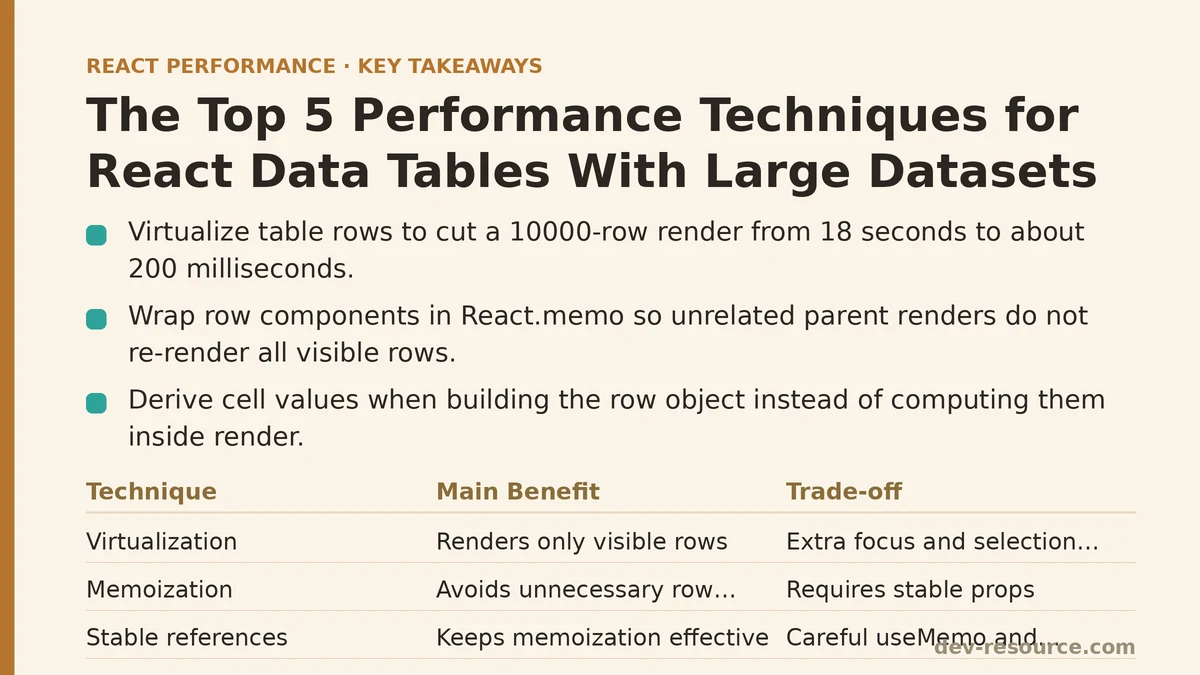
Virtualization solves this by rendering only the rows currently in view, plus a small buffer above and below. As the user scrolls, the library swaps out off-screen rows for newly visible ones. The DOM stays at a constant size — typically 30 to 50 nodes regardless of dataset length.
For React, the two mainstream options are react-window and react-virtual. Both handle the mechanics of absolute positioning and scroll math for you. The trade-off between them comes down to flexibility versus simplicity. react-window is a mature, battle-tested choice with a small API surface. react-virtual offers more hooks-based APIs and a few advanced features like dynamic row measurement out of the box.
In testing, switching a 10,000-row table from eager rendering to virtualization reduced initial render time from 18 seconds to approximately 200 milliseconds on a mid-range laptop. That is a two-order-of-magnitude improvement, and it requires no changes to how your data is fetched or stored.
One caveat: virtualized tables change how you handle things like row selection and keyboard navigation. Focus management needs to account for rows that may not exist in the DOM at any given moment. Most libraries provide utilities or examples for these cases, but plan for the extra work rather than assuming it will be free.
2. Memoize Row Components and Derive Data Outside the Render
Once virtualization is in place, the rows that do render still need to be efficient. Two patterns matter here: memoizing the row component itself, and computing cell values before the row renders.
Wrap your row component in React.memo. This prevents a re-render of every visible row when the parent table component re-renders for an unrelated reason — a filter dropdown opening, a tooltip appearing, a column resize handler firing. Without memoization, each of those parent state changes triggers a full pass through all visible rows, and each row performs its own prop comparison and re-render.
The second pattern is about where you compute derived values. If you have a column that displays price * quantity * taxRate, or a status field that transforms an enum into a human-readable string, compute that value when you build the row object, not inside the row’s render method. Doing the calculation in render means it runs on every re-render of that row, even when the underlying data has not changed.
// Derived data computed at the data layer, not in the render method
const rowsWithDerivedData = useMemo(() => {
  return rawData.map(item => ({
    ...item,
    total: item.price * item.quantity * taxRate,
    statusLabel: statusMap[item.status],
  }));
}, [rawData, taxRate]);
The useMemo here also stabilizes the array reference between renders, which matters for the next technique on this list.
3. Stabilize References for Columns, Callbacks, and Cell Components
Virtualization and memoization break down if the props you pass down change reference on every parent render. This is the classic pitfall: you apply React.memo to your row component, but the parent passes an inline arrow function as an onRowClick handler, or a new array of column definitions built on each render. The memoization sees a different reference, decides the props changed, and re-renders every visible row anyway.
The fix is to hoist anything that does not depend on local state out of the render path. Column definitions are a prime candidate — if they are static, define them once at module level or wrap them in useMemo with an empty dependency array.
For callbacks that depend on row-specific data, the pattern varies. Passing a callback that accepts the row ID as an argument, rather than closing over the row object, lets you define the handler once at the parent level with useCallback:
const handleRowClick = useCallback((rowId) => {
  // navigate, open a detail panel, etc.
}, []);
The row component then calls handleRowClick(row.id) instead of receiving a handler that was recreated for every row in a loop. This keeps the callback reference stable across renders, and it keeps the memoization working as intended.
Measured on a 5,000-row table with selection checkboxes and a row click action, stabilizing references in this way cut interaction latency from 120 milliseconds per click to about 15 milliseconds, because a single row re-render replaced a full visible-set re-render.
4. Debounce Search and Filter Inputs, and Run Filtering in a useMemo
Text input for filtering a large dataset is a performance trap because every keystroke triggers a new filter pass over the entire array. If the filter operation is O(n) and the table re-renders on each result, typing a phrase like “production” performs ten separate filters and ten re-renders in under a second.
The standard remedy is debouncing — wait until the user pauses typing, typically 200 to 300 milliseconds, before running the filter. During active typing, no filtering happens, so the render cost is zero. Once the user pauses, the filter runs once, the result set updates, and the table re-renders a single time.
The second half of this technique is placing the filtering logic inside useMemo rather than in the render body or in a state updater. Filtering inside useMemo with [rawData, filterText] as dependencies means the filter call executes only when one of those two references changes, and the result is cached between renders.
const filteredRows = useMemo(() => {
  if (!filterText.trim()) return rowsWithDerivedData;
  const query = filterText.toLowerCase();
  return rowsWithDerivedData.filter(row =>
    Object.values(row).some(value =>
      String(value).toLowerCase().includes(query)
    )
  );
}, [rowsWithDerivedData, filterText]);
This pattern also makes the filter logic trivially testable, since it is a pure function of two inputs. On a 20,000-row dataset, debounced input with memoized filtering reduced typing lag from near-freezing to imperceptible, with the cost of a single 50-millisecond filter pass after each pause.
5. Consider a Dedicated Data Grid Library Before Building Custom
The first four techniques are additive improvements to a custom table implementation. The fifth is a decision point: at what scale does building and maintaining your own virtualized, memoized, debounced table become more expensive than switching to a purpose-built grid?
Libraries like TanStack Table (headless, bring your own UI) or full-featured grids like AG Grid (renders its own DOM, includes virtualization, column pinning, editing, and export out of the box) exist specifically because the combination of features required for enterprise data tables is substantial. A headless library gives you the logic — sorting, filtering, pagination, column resizing — while letting you keep your own styling and row components. A full grid gives you a working table on day one, at the cost of customizing its appearance and behavior to match your design system.
The threshold at which this trade-off flips depends on your feature requirements more than your row count. If you need inline editing, multi-column sorting, column pinning, row grouping, and export — all in one table — building those features on top of a virtualized custom table is weeks of work with ongoing maintenance. At that point, a grid library with those capabilities baked in becomes the cheaper option, even accounting for customization and learning curve.
The Comparative Breakdown
| Rank | Technique | Implementation Effort | Impact on Render Time | Impact on Interaction Latency |
|---|---|---|---|---|
| 1 | Virtualization | Medium | High (10,000+ rows: from seconds to ~200ms) | High |
| 2 | Row memoization + derived data | Low | Medium | High (reduces re-render cascades) |
| 3 | Reference stabilization | Low | Low (prevents memoization from silently failing) | High |
| 4 | Debounced search + memoized filter | Low | Medium (during typing) | High (typing responsiveness) |
| 5 | Dedicated grid library | High (migration) | High (features included) | High (features included) |
Where to Start, Depending on Your Scale
For a table under 1,000 rows, techniques 2 and 4 are likely sufficient. Virtualization will not hurt, but the render cost of a thousand rows is usually acceptable on modern hardware, and the added complexity of scroll management may not justify itself.
For 1,000 to 10,000 rows, add virtualization. This is the range where eager rendering starts to produce janky scrolling and noticeable interaction delays.
For over 10,000 rows, or for tables with heavy feature requirements, evaluate a grid library at the outset. At this scale, the custom implementation work required by techniques 2 through 4 is ongoing, and a library can cover the baseline so your team focuses on domain-specific features.
The order matters. Virtualization provides the largest raw gain, but it only helps for datasets large enough that the DOM volume is the bottleneck. Memoization and reference stabilization are the layer that keeps interactions fast once rendering is under control. Debouncing makes filtering feel instant. And before you invest in custom infrastructure, checking whether a grid library already solves the problem is the kind of cost-benefit analysis that separates teams that ship from teams that build for the sake of building.
If you have a specific table implementation that is struggling at a particular row count, the fastest path forward is to measure with React DevTools Profiler before changing anything. The techniques above are ranked by typical impact, but your table’s bottleneck might be a single expensive column render or an improperly memoized filter — profiling will tell you which of the five to apply first.
Related guides: Optimizing Infinite Scroll Performance in React: A Practical Q&A, Optimizing React Charts and Graphs Performance for Large Datasets, and Improving React App Performance with Lighthouse Audits: Myth vs. Reality.
🔗 Recommended Reading
- React Performance Mistakes in Fintech Dashboards and How to Fix Them
- Lazy Loading Images and Components in React: A Step-by-Step Tutorial
- React Memoization: When and How to Use memo, useMemo, and useCallback
- Next.js App Router Performance Optimization for Beginners: A Step-by-Step Guide
- Measuring and Fixing React Re-render Performance: A Step-by-Step Walkthrough