By the end of this guide you will be able to scaffold a React component library that ships only the code a consumer imports, keeps side effects out of its public surface, and gives downstream bundlers everything they need to drop unused components without any manual configuration. The focus is not on how to style buttons — it is on the structural decisions that determine whether a library stays fast as it grows, or quietly turns into a 200 KB dependency that gets pulled into every page.
The steps below follow the order they matter in: get the build right first, because no amount of component-level optimization compensates for a bundler that refuses to tree-shake.
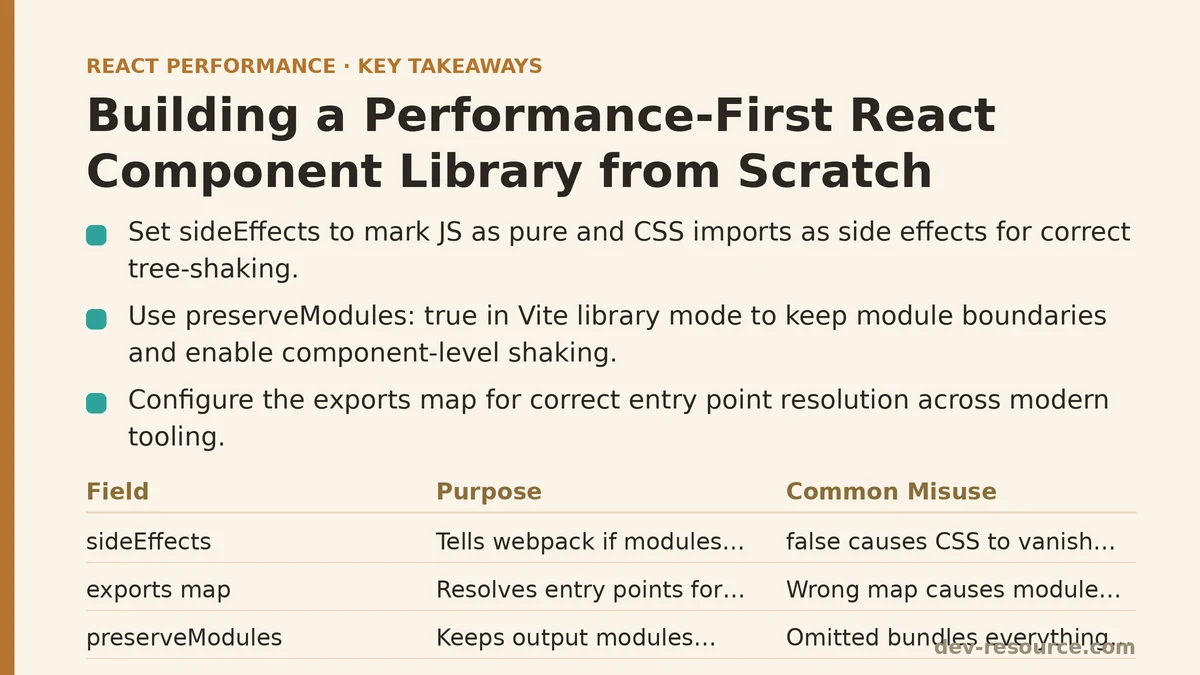
Step 1: Decide What Ships, and in What Format
A React component library generally needs three things on disk: modern ES modules (so bundlers can statically analyze and shake unused exports), a CommonJS build (for tooling that still expects it), and type declarations if the library is written in TypeScript. The package.json is where you tell the ecosystem which is which.
{
  "name": "@your-org/ui",
  "version": "0.1.0",
  "type": "module",
  "main": "./dist/index.cjs",
  "module": "./dist/index.js",
  "types": "./dist/index.d.ts",
  "exports": {
    ".": {
      "types": "./dist/index.d.ts",
      "import": "./dist/index.js",
      "require": "./dist/index.cjs"
    },
    "./styles.css": "./dist/styles.css"
  },
  "sideEffects": ["**/*.css"],
  "peerDependencies": {
    "react": ">=18",
    "react-dom": ">=18"
  },
  "files": ["dist"]
}
Two fields deserve attention. The exports map is now the authoritative entry point resolution mechanism for modern tooling, and getting it wrong is a common source of “Cannot find module” errors during development but not production. The sideEffects field is the one that decides whether tree-shaking works at all in webpack, and its value is subtle.
Step 2: Get sideEffects Right — This Is the Whole Ballgame
Webpack uses the sideEffects flag to decide whether it is safe to delete an unused module. If a module might do something when imported — register a global, patch a prototype, inject a <style> tag — webpack keeps it even if nothing from it is referenced.
Setting "sideEffects": false tells the bundler “every module here is pure, delete whatever is unused.” That is correct for a library with no global side effects, but it becomes a lie the moment your library imports a CSS file, because that import is a side effect you want preserved. The precise, honest value is almost always:
"sideEffects": ["**/*.css"]
This says: JavaScript modules are pure and safe to drop; CSS imports are not. Blanket false is a frequent cause of styles vanishing in production builds while working fine locally. Blanket omission of the field entirely causes webpack to conservatively assume everything has side effects, which defeats tree-shaking and silently bloats consumer bundles.
Note that sideEffects is a webpack-specific field. Rollup and esbuild rely on static analysis of the module graph instead, which means the discipline of keeping modules pure matters regardless of which bundler consumes the library.
Step 3: Configure a Build That Preserves Module Boundaries
The most consequential build decision is whether output is bundled into a single file or emitted as many files mirroring the source tree. For a component library, preserving the module structure is nearly always correct, because it is what lets a consumer’s bundler shake at the component level rather than the package level.
Using Vite’s library mode as the example (Rollup under the hood):
// vite.config.js
import { defineConfig } from 'vite';
import react from '@vitejs/plugin-react';
import dts from 'vite-plugin-dts';

export default defineConfig({
  plugins: [react(), dts({ rollupTypes: false })],
  build: {
    lib: {
      entry: 'src/index.ts',
      formats: ['es', 'cjs'],
      fileName: (format) => `index.${format === 'es' ? 'js' : 'cjs'}`
    },
    rollupOptions: {
      // Never bundle React — the consumer provides it.
      external: ['react', 'react-dom', 'react/jsx-runtime'],
      output: {
        // Emit one file per source module instead of a single chunk.
        preserveModules: true,
        preserveModulesRoot: 'src'
      }
    }
  }
});
preserveModules: true is the setting that does the heavy lifting. Without it, Rollup concatenates everything into one index.js, and while exports are still individually referenced, a single file gives the consumer’s bundler far less to work with when deciding what to discard. With it, the output mirrors src/, and importing Button pulls in only Button’s transitive dependencies.
The external array is equally important. A component library must never bundle its own copy of React. If it does, consumers can end up with two React instances on the page — the classic “Invalid hook call” error — plus a duplicated ~130 KB framework payload.
Step 4: Keep the Public Entry Point a Pure Re-Export Surface
src/index.ts should contain nothing but re-exports. No logic, no initialization, no top-level function calls. Anything that runs at import time is a side effect and undermines the guarantees from Step 2.
// src/index.ts — re-exports only, no executable code
export { Button } from './Button/Button';
export { Input } from './Input/Input';
export { Modal } from './Modal/Modal';
export type { ButtonProps } from './Button/Button';
export type { ModalProps } from './Modal/Modal';
A tempting pattern to avoid: a barrel file that imports everything to build a registry object, or an entry point that calls registerIcons() at module scope. Both force the consumer’s bundler to retain the entire library the moment any single export is used.
If your build emits types, export type lines are erased at compile time and add nothing to the runtime bundle — but they must not be mixed with value exports in a way that breaks isolatedModules. Keeping type and value exports on separate lines is the safest habit.
Step 5: Verify Tree-Shaking Works
It is not enough to configure the build; the result must be checked. The verification path is short and can be run on a throwaway consumer project.
# 1. Build and pack the library
npm run build
npm pack

# 2. In a scratch Vite app that consumes it
npm install ../your-org-ui-0.1.0.tgz

# 3. In that app's entry, import exactly one component
#    import { Button } from '@your-org/ui';

# 4. Build the app and inspect the output
npm run build
npx vite-bundle-visualizer
Then read the bundle report. If the app’s bundle contains code from Modal, Input, or any component you did not import, tree-shaking is failing somewhere along the chain. The usual suspects, in rough order of likelihood:
"sideEffects"is missing or set tofalsewhile the library imports CSS.preserveModulesis off, collapsing everything into one file.- The consumer’s build has
optimization.usedExportsdisabled or is running in development mode, where tree-shaking is largely skipped. - A top-level statement in
index.tsexecutes something at import time.
A useful sanity check alongside the visualizer is npm ls react in the consumer app. If two React versions appear, the external configuration from Step 3 is incomplete.
Step 6: Treat Render Cost as Part of the API
Bundle size and render cost are separate problems, and a library can win on the first while losing on the second. Components that re-render on every parent pass, that inline new object or function props on every render, or that spread unknown props straight through to DOM nodes all push cost onto consumers who cannot easily see it.
Two habits keep this contained. First, keep components that accept function props referentially stable by not recreating handlers internally on each render. Second, be deliberate about memoization rather than wrapping everything in React.memo — a cheap component whose props are stable by construction does not benefit, and the shallow comparison carries its own cost.
The trade-off worth naming explicitly: adding React.memo to a foundational component like Button or Icon can be correct, but it only pays off if consumers pass stable props. If the library’s own examples teach consumers to pass inline arrow functions, the memoization is defeated and the comparison overhead is pure loss. This is why documentation examples matter as much as the implementation.
When Not to Build Your Own Library
The performance-first approach above is worth the effort under specific conditions: the library is consumed by multiple applications, the team controls both the library and its consumers, and there is a reason to avoid an off-the-shelf design system. Building in-house for a single app, or without the bandwidth to maintain the build configuration and verify tree-shaking on each release, tends to produce a library that is slower and harder to maintain than a well-chosen existing one.
If a third-party library already covers the components you need, the same verification steps from Step 5 apply to it. Run the bundle visualizer against that dependency before adopting it — the tree-shaking failures described here are common in the wild, and you will want to know about them before they land in production.
Quick Reference: The Decisions That Matter Most
| Decision | Correct Setting | Consequence of Getting It Wrong |
|---|---|---|
package.json sideEffects |
["**/*.css"] |
Blanket false drops styles; omitted field bloats bundles |
| Build output structure | preserveModules: true |
Single bundled file defeats component-level shaking |
external in bundler config |
React, ReactDOM, jsx-runtime | Duplicate React instances, doubled framework payload |
Entry point (index.ts) |
Re-exports only | Top-level code forces the whole library to be retained |
| Verification method | Bundle visualizer + npm ls react |
Configuration errors ship unnoticed until production |
The through-line across all six steps is that a component library’s performance is decided at build and packaging time far more than inside any individual component. Get the module boundaries, the sideEffects flag, and the external dependencies right, and consumers inherit a library that scales down cleanly as they import less of it.
Related guides: Are Your React Dependencies Secretly Slowing You Down?, Building a PWA Caching Strategy for React Performance: The Service Worker That Cut Our Load Times, and Caching Strategies for Improving React App Performance: Myth vs Reality.
🔗 Recommended Reading
- React Performance Mistakes in Fintech Dashboards and How to Fix Them
- Lazy Loading Images and Components in React: A Step-by-Step Tutorial
- React Memoization: When and How to Use memo, useMemo, and useCallback
- Next.js App Router Performance Optimization for Beginners: A Step-by-Step Guide
- Measuring and Fixing React Re-render Performance: A Step-by-Step Walkthrough