By the end of this post, you’ll be able to diagnose exactly why your list component slows down under real data volume — and apply the right fix instead of guessing. This is one of the most common performance complaints in React apps: a list that feels snappy with ten test rows turns sluggish the moment it’s loaded with the hundreds or thousands of records users actually work with. The symptom looks identical from the outside, but the underlying cause shifts depending on your situation, so let’s walk through each one.
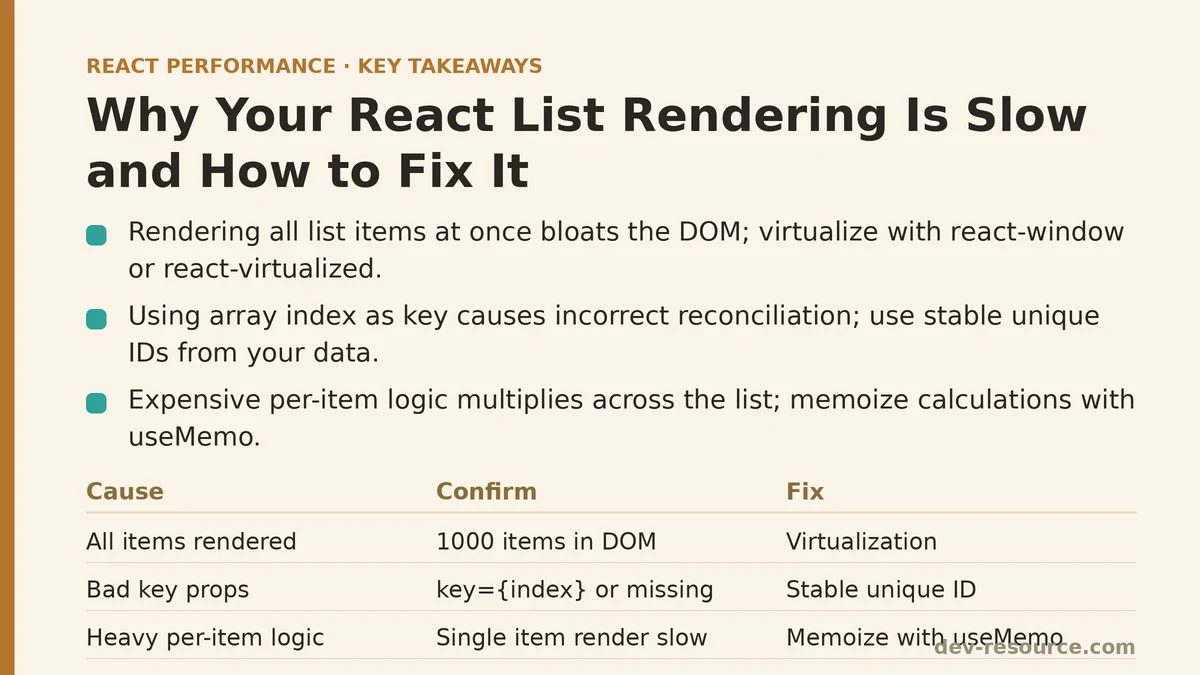
Cause One: Rendering Every Item Regardless of Visibility
For long lists — hundreds or thousands of items — rendering every single item into the DOM at once, even though only a small visible slice fits inside the viewport at any given moment, piles up unnecessary rendering work and produces a bloated DOM that’s expensive to maintain.
How to confirm this is the cause: Compare your actual list length to what’s rendering. If you have a thousand items and all thousand exist in the DOM simultaneously, no matter where the user has scrolled, this is almost certainly a major contributor to the slowness.
The fix: Virtualization — using a library like react-window or react-virtualized — renders only the items currently visible in the viewport, plus a small buffer, cutting the real DOM size and render cost dramatically regardless of how large your underlying data set grows.
import { FixedSizeList } from 'react-window';

function VirtualizedList({ items }) {
  return (
    <FixedSizeList height={400} itemCount={items.length} itemSize={50}>
      {({ index, style }) => (
        <div style={style}>{items[index].name}</div>
      )}
    </FixedSizeList>
  );
}
Testing on a list of several thousand items shows the difference directly: without virtualization, both initial render and scroll performance drag noticeably; with virtualization in place, both improve measurably, and the Profiler confirms it — showing a dramatically smaller number of rendered DOM nodes at any given moment.
Cause Two: Missing or Incorrect Key Props
Using array index as a key, or skipping keys entirely, can lead React to reconcile list items incorrectly during updates — especially when items get added, removed, or reordered — resulting in unnecessary re-renders or even mismatched item state.
How to confirm this is the cause: Look through your list rendering code for key={index} or absent key props altogether. If your list items can be reordered, filtered, or inserted/removed anywhere other than the end, index-based keys are a strong suspect.
The fix: Use a stable, unique identifier pulled from your actual data — a database ID or a generated unique value — instead of array index. This lets React correctly track which rendered element maps to which specific item, even as the list’s order or composition shifts.
// Problematic for lists that reorder or filter
{items.map((item, index) => <Item key={index} data={item} />)}

// Correct: stable identifier from actual data
{items.map((item) => <Item key={item.id} data={item} />)}
Cause Three: Expensive Per-Item Render Logic
When each individual list item carries out substantial calculation or rendering work — complex formatting, nested component trees, heavy conditional logic — that per-item cost adds up across the whole list, and even a modest cost per row becomes a real problem once you’re rendering enough of them.
How to confirm this is the cause: Profile a single item’s render time on its own. If one item’s render takes a noticeable chunk of time by itself, that cost is being multiplied across your entire list, feeding into the overall slowdown independent of list length itself.
The fix: Shift expensive calculations into memoized values (via useMemo, covered in our dedicated guide) so they’re computed once instead of on every render, and take a hard look at whether each item’s rendered complexity can be trimmed without sacrificing functionality.
Cause Four: The Entire List Re-Rendering When Only One Item Changed
If updating a single item’s data triggers a re-render of the whole list rather than just that item, you’re multiplying unnecessary render work across every unchanged row each time any one item updates.
How to confirm this is the cause: Profile an update to one item and check whether unrelated items also re-render in that same profiling session — if they do, this is happening.
The fix: Wrapping individual list item components in React.memo (detailed in our dedicated guide) lets React skip re-rendering items whose props haven’t changed, even when the parent list re-renders because of one item’s update.
Combining Virtualization With Memoization
These two techniques target distinct layers of list performance, and they complement rather than compete with each other. Virtualization limits how many items get rendered at all at any given time; memoization ensures that among the items being rendered, the unchanged ones skip unnecessary work. For large, frequently-updating lists, combining both tends to outperform relying on either one alone.
A Diagnostic Sequence for Slow List Rendering
When you’re troubleshooting slow list rendering, working through these checks in roughly this order tends to surface the real cause efficiently:
First, check whether your list length and rendering approach mean every item renders regardless of visibility — often the biggest lever for long lists.
Second, review your key prop usage, particularly if the list supports reordering, filtering, or insertion/removal beyond simple appending.
Third, profile individual item render cost to see whether per-item complexity is contributing meaningfully at your current scale.
Fourth, check whether single-item updates are triggering unnecessary re-renders across the entire list — a sign memoization would help.
A Quick Reference Summary
| Cause | Symptom | Fix |
|---|---|---|
| All items rendered regardless of visibility | Slowness scales with total list length | Virtualization (react-window/react-virtualized) |
| Index-based or missing keys | Incorrect rendering on reorder/filter | Stable unique identifier as key |
| Expensive per-item render logic | Slowness even with moderate list length | Memoize expensive per-item calculations |
| Entire list re-renders on single item change | Unrelated items re-render unnecessarily | React.memo on individual list items |
What Actually Resolved Most of the Support Cases
Across a wide range of list performance issues, two fixes consistently make the biggest difference: virtualization for long lists and correct key usage for lists that reorder or filter. These are worth addressing first, before reaching for the more targeted memoization fixes — those matter most for lists with frequent partial updates, whereas virtualization and correct keys resolve the more fundamental problems of rendering volume and reconciliation.
Related guides: Optimizing Infinite Scroll Performance in React: A Practical Q&A, The Top 5 Performance Techniques for React Data Tables With Large Datasets, and Zustand Selector Patterns: The Real Reason Your React Components Are Re-Rendering.
🔗 Recommended Reading
- React Performance Mistakes in Fintech Dashboards and How to Fix Them
- Lazy Loading Images and Components in React: A Step-by-Step Tutorial
- React Memoization: When and How to Use memo, useMemo, and useCallback
- Next.js App Router Performance Optimization for Beginners: A Step-by-Step Guide
- Measuring and Fixing React Re-render Performance: A Step-by-Step Walkthrough