useState and useReducer are not a performance decision. They’re a state-shape decision that occasionally gets performance consequences attached to it by accident. Both trigger the same reconciliation process, both live on the same fiber, and neither one is inherently faster at causing a component to re-render. The differences that do exist are subtle, mostly about how state updates get batched and structured, and they show up as specific symptoms rather than a blanket “one is slow.”
This post is organized as a troubleshooting guide: a symptom you might be seeing, the likely cause behind it, and the fix — specific to whichever hook is involved.
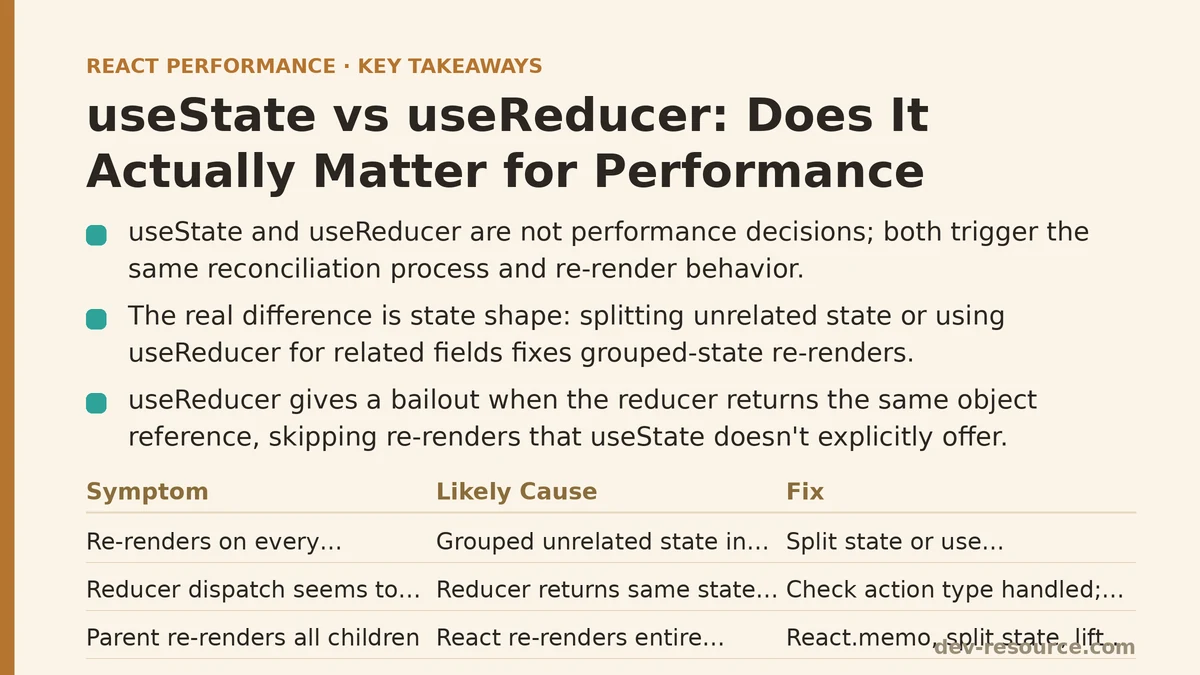
Symptom: A Component Re-Renders on Every Keystroke, Even for Unrelated Fields
Cause
This is almost always a useState problem caused by grouping unrelated fields into a single state object and updating that object piecemeal.
function Form() {
  const [state, setState] = useState({ name: "", email: "", bio: "" });

  return (
    <input
      value={state.name}
      onChange={(e) => setState({ ...state, name: e.target.value })}
    />
  );
}
Every keystroke in the name field spreads the entire object and creates a brand-new reference for email and bio too, even though their values didn’t change. Any child component reading those fields as props re-renders regardless of whether it needed to.
Fix
Split unrelated pieces of state into separate useState calls, or move to useReducer if the fields are logically related and update together often enough that a single action-based update makes sense.
function Form() {
  const [name, setName] = useState("");
  const [email, setEmail] = useState("");
  const [bio, setBio] = useState("");
  // ...
}
Neither hook fixes this automatically. The fix is state shape, not hook choice.
Symptom: A Reducer Dispatch Seems to “Do Nothing” Visually, Even Though the Action Fired
Cause
This usually isn’t a performance bug at all — it’s a bailout. React compares the value returned from a reducer against the previous state, and if a reducer returns the exact same object reference (common when a switch statement has a fallthrough case or an unhandled action type returns state unchanged), React skips the re-render entirely.
function reducer(state, action) {
  switch (action.type) {
    case "increment":
      return { ...state, count: state.count + 1 };
    default:
      return state; // same reference back out — no render
  }
}
Fix
This is usually the correct behavior, not a bug — but it’s worth knowing it exists, because it means useReducer gives you a free bailout mechanism that useState doesn’t offer in the same explicit way. If you’re debugging a “nothing happened” issue, check whether the dispatched action type actually matches a handled case before assuming something is broken upstream.
Symptom: A Parent Re-Renders Every Child on Any State Change, Regardless of Hook Choice
Cause
Neither useState nor useReducer scopes re-renders to “only the parts of the tree that care.” Both cause the component holding the state to re-render, and by default, React re-renders that component’s entire subtree unless something interrupts it. This is a React reconciliation behavior, not a hook-specific one — switching from useState to useReducer in this situation changes nothing measurable.
Fix
The tools here are the same regardless of which hook manages the state: wrap expensive children in React.memo, split state into smaller components closer to where it’s used, or lift state down rather than up when a subtree doesn’t need to know about a change happening elsewhere. Profiling with React DevTools Profiler before reaching for either hook is the more useful diagnostic step — if the profiler shows unnecessary renders across the whole tree, the fix is component structure, not state management API.
Symptom: A Reducer with Many Actions Feels Slower Than Several Small useState Calls
Cause
This is rarely a measurable slowdown and more often a perception issue tied to code complexity. A single reducer function handling a dozen action types executes a switch statement on every dispatch — a cost so small (a handful of comparisons on a plain object) that it doesn’t register on any standard profiling tool. What actually slows things down in these cases, when it happens, is usually expensive work happening inside the reducer itself: deep cloning large arrays, recalculating derived values on every action, or sorting data that didn’t need to be touched.
// The switch statement is cheap. This line is not.
case "addItem":
  return { ...state, items: [...state.items].sort(expensiveCompareFn) };
Fix
Audit what’s inside the reducer body, not the reducer’s existence. Move expensive derived calculations out of the reducer and into useMemo at the component level where they can be recalculated only when their specific dependencies change, rather than on every dispatch regardless of which action fired.
Symptom: Rapid-Fire State Updates (Drag, Scroll, Resize) Feel Janky
Cause
Both hooks batch updates within the same event handler in modern React, so this typically isn’t a batching difference between them. The more common cause is calling setState (or dispatch) on every single event firing — a mousemove handler firing dozens of times per second, each one triggering a full render cycle.
Fix
Throttle or debounce the update frequency at the event-handling layer, independent of which state hook receives the result. If the state itself is complex — multiple related values changing together during a drag operation — useReducer can make the update logic easier to reason about (one dispatch, one clearly defined transition) even though it won’t reduce the render count on its own. That’s a code-clarity win, not a performance one.
Symptom: Deciding Between the Two Feels Harder Than It Should for a Given Component
Cause
This isn’t a performance symptom — it’s a signal that the actual decision criteria (state shape and update complexity) are getting confused with performance criteria that don’t apply here.
Fix
Use this as a rough guide instead:
| Situation | Better Fit |
|---|---|
| A few independent primitive values (strings, booleans, numbers) | useState, one call per value |
| Several values that change together as one logical unit | useReducer |
| Next state depends on a complex combination of the previous state and the action | useReducer |
| Update logic needs to be tested independently of any component | useReducer (a plain function is easy to unit test) |
| Simple toggle, input value, or counter | useState |
None of these rows are about render speed. All of them are about which shape keeps the update logic easiest to read, test, and extend six months from now.
The Actual Takeaway
If a profiler shows a specific component re-rendering too often or too expensively, the fix is almost never “swap useState for useReducer” or the reverse. It’s one of: stabilize prop references, memoize expensive children, move costly calculations out of the render path, or restructure state so unrelated values stop traveling together. Both hooks sit on the identical rendering pipeline underneath — pick based on how naturally the update logic reads, and let the profiler settle any question about speed.
What does your current state logic look like — a handful of scattered useState calls, or a single reducer trying to do too much? That’s usually a faster way to spot the real issue than benchmarking the hooks against each other.
Related guides: Performance Patterns for Real-Time Trading Dashboards in React, React Context Performance Problems and How to Fix Them, and Reducing Prop Drilling Performance Impact in React.
🔗 Recommended Reading
- React Performance Mistakes in Fintech Dashboards and How to Fix Them
- Lazy Loading Images and Components in React: A Step-by-Step Tutorial
- React Memoization: When and How to Use memo, useMemo, and useCallback
- Next.js App Router Performance Optimization for Beginners: A Step-by-Step Guide
- Measuring and Fixing React Re-render Performance: A Step-by-Step Walkthrough