React’s Strict Mode runs your render functions and effect setup/cleanup twice on purpose — and no, that’s not a bug in your code or in React itself. It’s one of the more counterintuitive design decisions in the library, and it trips up plenty of developers who assume double execution in development means something is broken.
What Strict Mode Actually Does
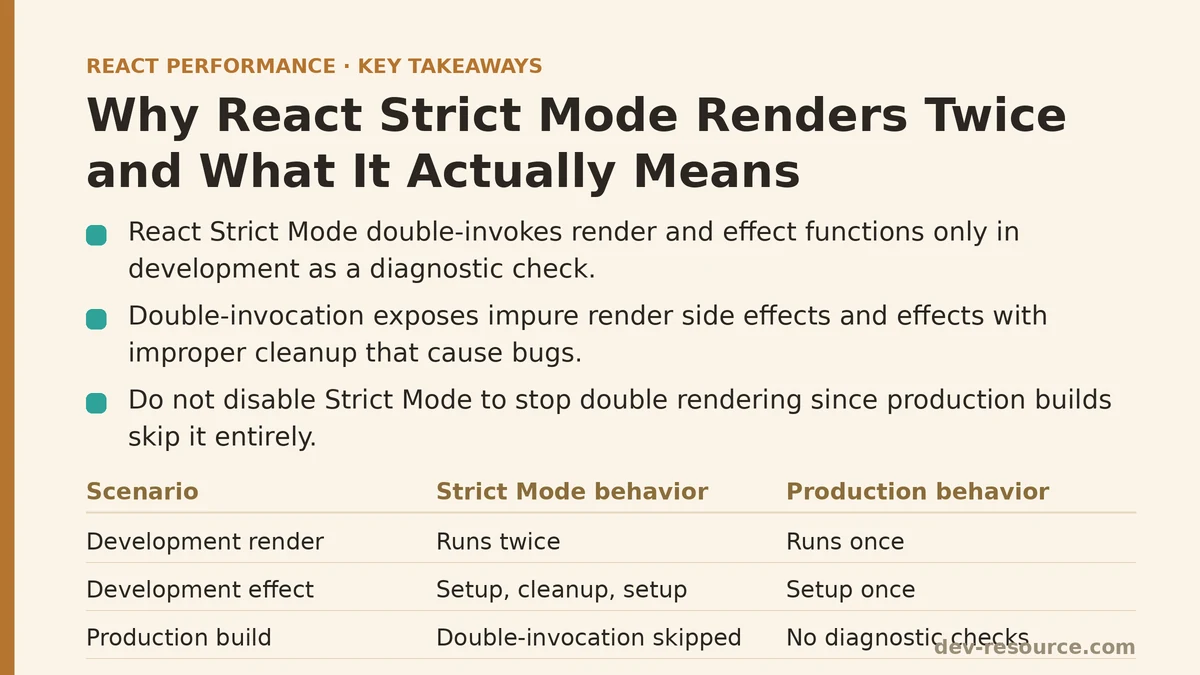
Strict Mode is a development-only diagnostic tool. It intentionally double-invokes certain functions — component render functions and some effect functions — as a way to surface side effects that aren’t cleaned up properly or that wrongly assume they’ll fire only once. Production builds skip this double-invocation entirely, so this is purely a development-time check, not something that shows up as a performance cost in your shipped app.
<React.StrictMode>
  <App />
</React.StrictMode>
Why Double-Invoking Renders Helps Catch Bugs
Suppose your component’s render logic contains side effects that shouldn’t happen during rendering at all — mutating variables outside the component, firing effects directly in the render body instead of inside useEffect. Running that render function twice in development makes those impurities much harder to miss; you’ll often see visibly duplicated or incorrect behavior that a single invocation would let slide by unnoticed.
This ties back to a core React principle: render functions are supposed to be pure, returning the same output for the same input without touching anything outside themselves. Doubling the render call is Strict Mode’s way of pressure-testing that assumption against your real component code, catching violations early rather than letting them surface later as harder-to-diagnose production issues.
Why Effects Also Double-Invoke
Strict Mode extends the same logic to effects, running setup and cleanup functions twice to confirm that cleanup fully undoes whatever setup did. This matters for a specific class of bugs: effects that fail to clean up correctly when a component unmounts and later remounts, which happens for reasons well beyond a simple removal from the page.
useEffect(() => {
  const subscription = subscribeToSomething();
  return () => subscription.unsubscribe();
}, []);
When cleanup doesn’t fully reverse setup, the sequence Strict Mode runs in development — setup, cleanup, setup again — tends to expose the resulting problems (duplicate subscriptions, for instance, since the second setup fires before the first setup’s effects have been fully undone) right away, rather than leaving them to show up unpredictably in production under conditions your test coverage might not catch.
Confirming This Is Strict Mode and Not a Real Performance Problem
Seeing double execution and not sure whether it’s Strict Mode or an actual bug? Check two things: is your app wrapped in <React.StrictMode>, and does the doubled behavior go away in a production build, where this double-invocation simply doesn’t happen. Verifying both directly beats guessing at the cause.
Why You Should Not Disable Strict Mode Just to Stop the Double Rendering
Since none of this touches your production behavior or performance, turning off Strict Mode purely to quiet the development-time double rendering trades away a legitimate diagnostic tool for zero real benefit — your production build was never affected by the double-invocation to begin with.
If your effect or render logic behaves badly under Strict Mode’s double-invocation, that’s a sign of an underlying issue — improper cleanup, impure render side effects — that exists in your code independent of whether Strict Mode happens to expose it. The right move is fixing that root issue, not muting the tool that flagged it.
An Example of a Bug Strict Mode Helped Surface
A common pitfall is an effect that sets up an interval timer without clearing it in cleanup. Under a single invocation, this might have gone unnoticed for a while in casual testing. But Strict Mode’s double-invocation in development spun up two intervals running at once, producing a visibly doubled update frequency that made the missing cleanup obvious almost immediately — which led straight to identifying and fixing the actual gap in the logic.
// Buggy: missing cleanup means Strict Mode reveals duplicate intervals
useEffect(() => {
  const interval = setInterval(() => updateSomething(), 1000);
  // Missing: return () => clearInterval(interval);
}, []);
Distinguishing Strict Mode Behavior From Real Re-Render Performance Issues
This distinction matters for reading your development environment correctly. The render-count and performance guidance elsewhere on this site is about genuine re-render patterns — the kind that persist into production and that tools like React DevTools Profiler are built to measure. Strict Mode’s development-only double-invocation is a separate mechanism entirely, aimed at bug detection, not a performance signal the Profiler cares about or something you need to optimize away.
A Quick Reference Summary
| Observation | Explanation |
|---|---|
| Double render/effect execution in development only | Strict Mode’s intentional diagnostic behavior |
| Visible duplicate side effects (subscriptions, intervals) under this double-invocation | Likely reveals a real cleanup or purity bug worth fixing |
| Same double execution appearing in production build | Not Strict Mode — investigate as a separate issue |
| Disabling Strict Mode to stop development double-rendering | Removes a useful diagnostic without any production benefit |
What This Understanding Changed
Once it’s clear that Strict Mode’s double-invocation is intentional and confined to development, the conversation about “fixing” it shifts to a more useful question: does this double-invocation point to an actual bug worth addressing? That’s precisely the job this tool is designed to do — the double-invocation itself was never the problem.
Seeing unexpected double execution in your own app? Describe what you’re observing and I can help you work through whether it’s Strict Mode doing its job or something else entirely.
Related guides: Common Mistakes That Sabotage React Profiler Results, How to Use React DevTools Profiler to Find Real Bottlenecks, and React Memory Leaks: Common Causes and Fixes.
🔗 Recommended Reading
- React Performance Mistakes in Fintech Dashboards and How to Fix Them
- Lazy Loading Images and Components in React: A Step-by-Step Tutorial
- React Memoization: When and How to Use memo, useMemo, and useCallback
- Next.js App Router Performance Optimization for Beginners: A Step-by-Step Guide
- Measuring and Fixing React Re-render Performance: A Step-by-Step Walkthrough