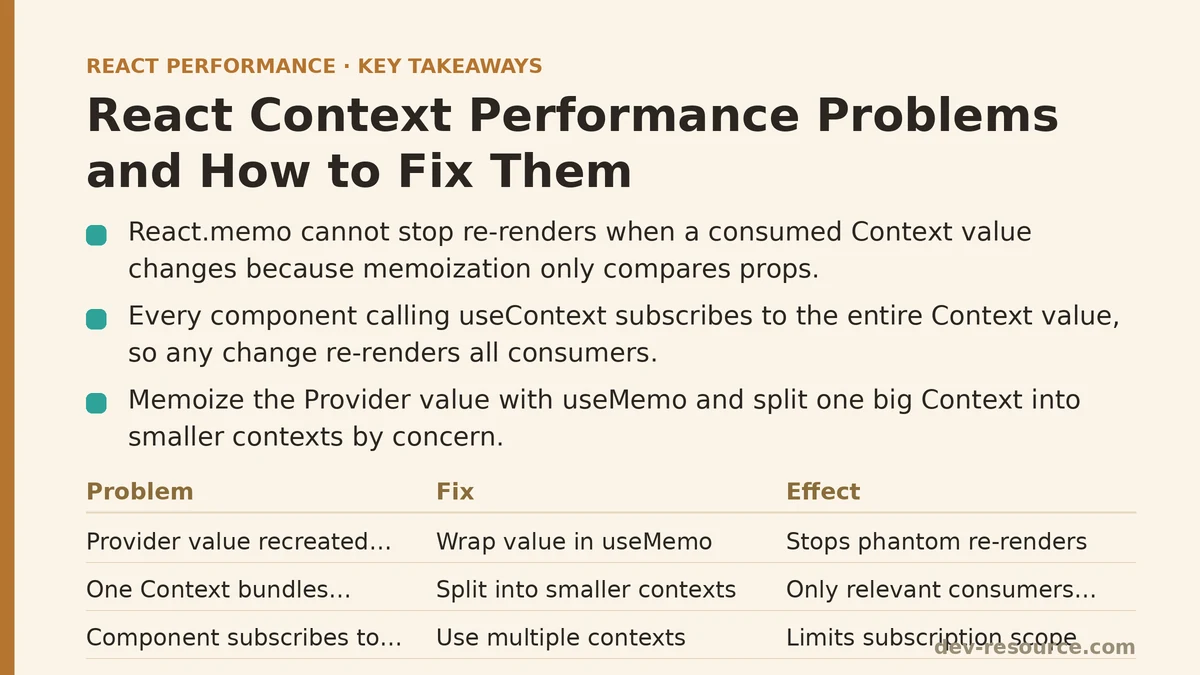
React.memo does nothing to stop a component from re-rendering when the Context it consumes changes — none of it. The memoization comparison only looks at props. Context values bypass that check entirely, which means a component can be perfectly memoized and still re-render on every keystroke typed into an unrelated input field three levels up the tree. This is one of the most common performance traps in React applications that lean on Context for shared state, and it’s rarely obvious until a profiler is pointed directly at it.
This post walks through a repeatable process for diagnosing that problem and fixing it, step by step, starting from confirming Context is actually the cause and ending with a decision about whether Context should be handling that state at all.
Step 1: Confirm Context Is the Bottleneck Before Changing Anything
Before restructuring any code, open React DevTools Profiler and record an interaction that feels sluggish. Look at the flame graph for components that render on every commit despite having stable, unrelated props. If a dozen components light up on a single state update and most of them don’t visually reflect that update, Context is a strong suspect.
A quick sanity check inside a suspect component confirms it directly:
function ExpensiveListItem({ id }) {
  console.log('ExpensiveListItem render', id);
  const { theme } = useContext(AppContext);
  return <li className={theme}>{id}</li>;
}
If that log fires every time an unrelated field in AppContext changes — a logged-in user’s name, a notification count, a loading flag — the component is subscribed to more than it needs. That’s the pattern worth fixing, and it’s worth confirming with the log or the Profiler rather than assuming it based on code review alone. Reference stability issues can hide in places that look correct at a glance.
Step 2: Understand Why the Re-renders Happen in the First Place
Every component that calls useContext(SomeContext) subscribes to the entire value passed to that Context’s Provider. There’s no partial subscription built into the base API — no way to say “only notify me when theme changes, not user.” When the Provider re-renders with a new value object, React re-renders every consumer, full stop, regardless of which specific field that consumer reads.
This becomes worse when the value passed to the Provider is recreated on every render of the parent:
function App() {
  const [user, setUser] = useState(null);
  const [theme, setTheme] = useState('light');

  // New object every render — every consumer re-renders every time
  return (
    <AppContext.Provider value={{ user, setUser, theme, setTheme }}>
      <Dashboard />
    </AppContext.Provider>
  );
}
That object literal is a fresh reference on every render of App, which means every consumer downstream treats the value as “changed” even when neither user nor theme actually did. This single pattern accounts for a large share of the Context performance complaints that show up during profiling sessions.
Step 3: Memoize the Provider Value
The first fix, and often the cheapest one, is wrapping the value object in useMemo so it only changes reference when its contents change:
function App() {
  const [user, setUser] = useState(null);
  const [theme, setTheme] = useState('light');

  const value = useMemo(
    () => ({ user, setUser, theme, setTheme }),
    [user, theme]
  );

  return (
    <AppContext.Provider value={value}>
      <Dashboard />
    </AppContext.Provider>
  );
}
This doesn’t stop consumers from re-rendering when the value legitimately changes, but it stops the phantom re-renders that happen purely because App rendered for some other reason — a route change, a sibling state update, anything upstream. It’s a small change with an outsized effect on codebases where the Provider sits high in the tree and re-renders often.
Step 4: Split One Big Context Into Several Smaller Ones
Memoizing the value helps, but it doesn’t solve the deeper structural issue: unrelated pieces of state are still bundled into a single Context, so a change to any one of them still notifies every consumer of the whole object. Splitting the Context by concern fixes that at the source.
const UserContext = createContext(null);
const ThemeContext = createContext(null);

function App() {
  const [user, setUser] = useState(null);
  const [theme, setTheme] = useState('light');

  const userValue = useMemo(() => ({ user, setUser }), [user]);
  const themeValue = useMemo(() => ({ theme, setTheme }), [theme]);

  return (
    <UserContext.Provider value={userValue}>
      <ThemeContext.Provider value={themeValue}>
        <Dashboard />
      </ThemeContext.Provider>
    </UserContext.Provider>
  );
}
Now a component reading only ThemeContext never re-renders when user changes, and vice versa. The tradeoff is more boilerplate — more Providers, more imports — but for applications where different pieces of shared state update at very different frequencies (a theme toggle versus a live notification count, say), the separation pays for itself quickly.
Step 5: Separate State From Actions Within a Context
A subtler version of the same problem shows up when a Context bundles state together with the setter functions used to update it. Even though setter functions from useState are stable across renders, bundling them into the same object as frequently-changing state means components that only need the setter still re-render whenever the state changes.
const ThemeStateContext = createContext(null);
const ThemeDispatchContext = createContext(null);

function ThemeProvider({ children }) {
  const [theme, setTheme] = useState('light');

  return (
    <ThemeStateContext.Provider value={theme}>
      <ThemeDispatchContext.Provider value={setTheme}>
        {children}
      </ThemeDispatchContext.Provider>
    </ThemeStateContext.Provider>
  );
}
A button that only calls setTheme on click, and never reads theme for rendering, can subscribe to ThemeDispatchContext alone and never re-render when the theme value itself changes. This pattern — splitting state from dispatch — is exactly what useReducer combined with two Contexts gives you for free, and it scales well as more actions get added.
Step 6: Push Frequently-Changing Local State Out of Context Entirely
Some state doesn’t belong in Context at all, no matter how carefully it’s split or memoized. A common example is form input state or a search query that updates on every keystroke — if that value lives in a shared Context, every component consuming that Context re-renders on every character typed, regardless of how the Provider value is structured.
// Instead of storing searchQuery in a shared Context...
function SearchBox() {
  const [query, setQuery] = useState('');
  // Local state stays local, doesn't force a tree-wide re-render
  return <input value={query} onChange={e => setQuery(e.target.value)} />;
}
If other components need the final query value — after a debounce, on submit, or via a callback — pass it explicitly rather than routing every intermediate keystroke through a Context all of them subscribe to. Context is well suited to state that changes occasionally and is read broadly. It’s a poor fit for state that changes rapidly and is read narrowly.
Step 7: Reach for a Selector-Based Library When Splitting Isn’t Enough
For larger applications where dozens of components read from a handful of large, interrelated Contexts, manual splitting eventually hits diminishing returns — there’s only so many Providers a team wants to nest before the tree becomes hard to read. At that point, a library like use-context-selector, Zustand, or Jotai offers a more surgical subscription model: components subscribe to a specific slice of state and re-render only when that slice changes, regardless of how the rest of the store is shaped.
import { createContext, useContextSelector } from 'use-context-selector';

const StoreContext = createContext(null);

function UserName() {
  // Only re-renders when user.name changes, not on every store update
  const name = useContextSelector(StoreContext, state => state.user.name);
  return <span>{name}</span>;
}
This isn’t a step every project needs. For small to medium applications, splitting Contexts and memoizing values from Steps 3 through 5 usually closes the gap. Reach for selector-based tooling once the number of Contexts and consumers has grown large enough that manual splitting stops being maintainable.
Step 8: Re-verify With the Profiler
After applying any of the fixes above, go back to React DevTools Profiler and re-run the same interaction recorded in Step 1. Confirm the specific components that were re-rendering unnecessarily have dropped out of the flame graph for that commit. Skipping this step and trusting that the pattern “looks right” is how stale dependency arrays and half-finished Context splits slip through unnoticed.
A Checklist for Deciding What To Do Next
- If a component re-renders on an unrelated Context field changing, memoize the Provider value first — it’s the cheapest fix and often solves most of the problem.
- If unrelated pieces of state are bundled together, split the Context by concern rather than adding more memoization around a single large object.
- If a component only dispatches updates and never reads the current value, separate state from dispatch into two Contexts.
- If the state changes on every keystroke or every frame, keep it local and pass it down explicitly instead of routing it through Context.
- If the app has outgrown manual splitting, evaluate a selector-based store before adding yet another nested Provider.
Work through that list in order rather than jumping straight to a library. Most Context performance problems trace back to one of the first three items, and fixing those tends to remove the need for anything more elaborate. Related guides: Reducing Prop Drilling Performance Impact in React, Performance Patterns for Real-Time Trading Dashboards in React, and Reducing Re-Renders in React With Context Selectors: A Ranked Guide.
🔗 Recommended Reading
- React Performance Mistakes in Fintech Dashboards and How to Fix Them
- Lazy Loading Images and Components in React: A Step-by-Step Tutorial
- React Memoization: When and How to Use memo, useMemo, and useCallback
- Next.js App Router Performance Optimization for Beginners: A Step-by-Step Guide
- Measuring and Fixing React Re-render Performance: A Step-by-Step Walkthrough