Typing a single character into one form field can trigger re-render work in every other field on the page — including ones you never touched. That’s the mechanism behind a performance complaint that shows up constantly in complex business applications: a form with dozens of fields feels sluggish to type into, and the lag gets worse the more fields and validation rules you pile on.
The Common Root Cause: Re-Rendering the Entire Form on Every Keystroke
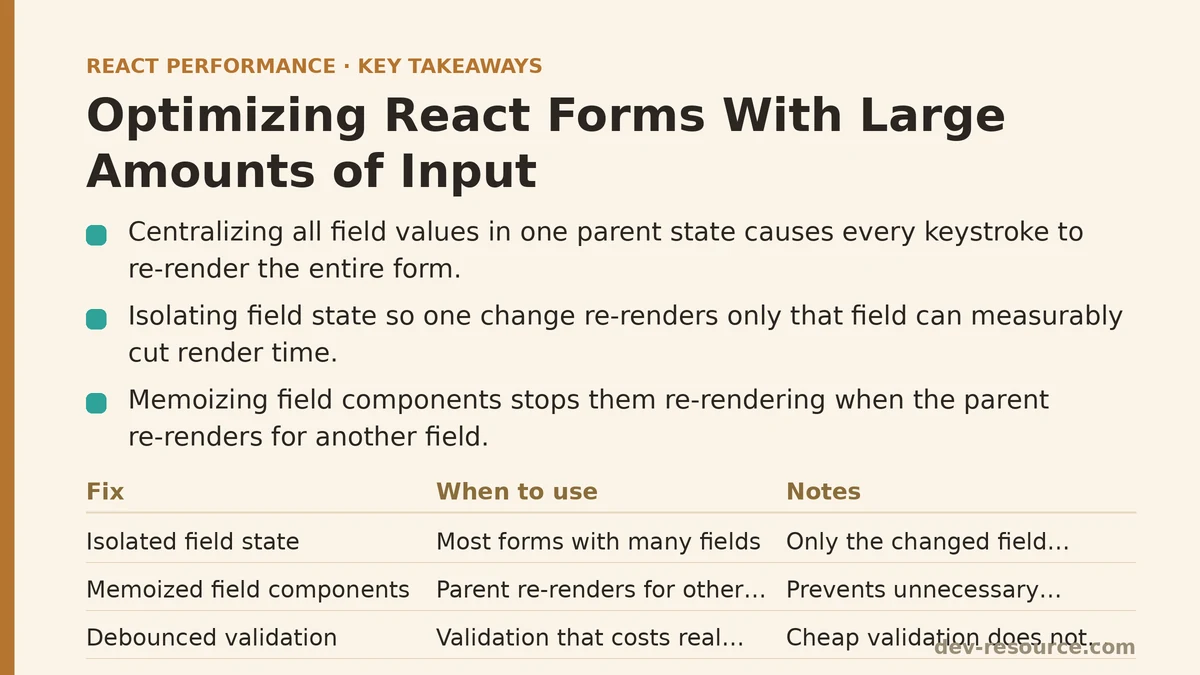
Most form implementations store every field’s value in one parent component’s state. That design choice has a consequence: changing any single field triggers a re-render of the parent, and that re-render cascades down to every field component in the form — not just the one you’re typing into.
Multiply that by a form with many fields, each carrying its own rendering cost (a label, an input, a validation message, some styling logic), and a single keystroke ends up doing work across the whole form instead of just the field it belongs to. That cumulative cost, repeated on every keystroke, is exactly what produces the lag people notice in larger forms.
Fix One: Isolating Field State to Prevent Whole-Form Re-Renders
Instead of centralizing every field’s value in one parent state object, let each field manage its own local state — or use a form library built around isolating field-level updates. Either approach means a change in one field only re-renders that field, not the whole form.
// Centralized state causes whole-form re-render on any field change
function Form() {
  const [values, setValues] = useState({ name: '', email: '', /* ...many more */ });
  // Every keystroke in any field re-renders the entire Form component
}

// Isolated field state limits re-render scope
function TextField({ name, onChange }) {
  const [value, setValue] = useState('');
  const handleChange = (e) => {
    setValue(e.target.value);
    onChange(name, e.target.value);
  };
  return <input value={value} onChange={handleChange} />;
}
This can be tested on a form with several dozen fields. With centralized state, typing into any single field lit up render time across a large number of sibling components in the Profiler — clear evidence the whole form was re-rendering on every keystroke. After moving to isolated field-level state, the Profiler showed only the field that actually changed, with sibling fields absent entirely from that render’s flame graph.
Fix Two: Memoizing Field Components
Isolated state alone isn’t the whole fix. If field components aren’t memoized and the parent form re-renders for some other reason — say, a different field’s validation state changing — those unmemoized fields will still re-render even though their own props stayed identical. This follows the same memoization logic covered in our React.memo guide, just applied to the form context specifically.
const TextField = React.memo(function TextField({ name, value, onChange }) {
  return <input value={value} onChange={(e) => onChange(name, e.target.value)} />;
});
Fix Three: Debouncing Expensive Validation
Some forms run validation that costs real computation — checking against a large existing dataset, or running cross-field rules. Firing that logic on every keystroke can become its own performance drain, separate from anything related to rendering. Debouncing (we cover it in depth in our dedicated guide) lets that expensive validation run only after the user pauses typing, rather than on every character.
const debouncedValue = useDebouncedValue(fieldValue, 300);

useEffect(() => {
  if (debouncedValue) {
    runExpensiveValidation(debouncedValue);
  }
}, [debouncedValue]);
Cheap validation — checking for an empty field, a simple regex format check — is a different story. Its cost is negligible no matter how often it runs, so debouncing it buys you nothing.
Fix Four: Virtualizing Genuinely Long Forms
Some forms are simply large enough that even with isolated, memoized fields, the total DOM footprint stays heavy. In those cases, applying virtualization principles — the same ones covered in our list rendering guide — to render only the visible portion of a long, scrollable form can help, much like virtualization helps with long lists. This fix is far less commonly needed than isolation or memoization, though; save it for forms that are unusually long, not as a default response to sluggish typing.
Considering Form Libraries Designed Around This Performance Pattern
A number of established form libraries build field isolation into their core architecture, handling the isolation and memoization work described above internally so you don’t have to hand-roll it for every form. If your application has many forms, or a handful of particularly complex ones, it’s worth checking whether an existing library’s approach to this pattern already covers your needs — it can save considerably more effort than implementing isolation from scratch across every form.
A Diagnostic Approach for Slow Forms
Profile typing in one specific field using React DevTools Profiler. If sibling fields also show up as re-rendering in that same session, that’s your signal for the whole-form re-render problem described above.
Check your validation logic’s real computational cost on its own terms, separate from rendering, to see whether expensive validation is contributing to the slowdown.
Apply the matching fix — field isolation and memoization for rendering issues, debouncing for expensive validation, virtualization reserved for unusually long forms.
A Quick Reference Summary
| Cause | Fix |
|---|---|
| Entire form re-renders on any field change | Isolate field state, avoid single centralized state object |
| Field components re-render despite unchanged props | Memoize field components with React.memo |
| Expensive validation runs on every keystroke | Debounce the expensive validation specifically |
| Unusually large number of total fields | Consider virtualizing the form’s rendering |
What the Field Isolation Fix Achieved
Going back to that several-dozen-field form after applying isolation and memoization, the per-keystroke lag that started the whole investigation was simply gone — confirmed both by typing into it directly and by the Profiler, which now showed render scope limited to the one field that changed instead of spreading across the entire form.
Are you experiencing sluggishness in a specific form? Describe its size and complexity and I can help you think through which of these fixes is most likely to address your particular situation.
Related guides: Common Mistakes When Optimizing React Forms for Performance, Optimizing React Charts and Graphs Performance for Large Datasets, and The Top 5 Performance Techniques for React Data Tables With Large Datasets.
🔗 Recommended Reading
- React Performance Mistakes in Fintech Dashboards and How to Fix Them
- Lazy Loading Images and Components in React: A Step-by-Step Tutorial
- React Memoization: When and How to Use memo, useMemo, and useCallback
- Next.js App Router Performance Optimization for Beginners: A Step-by-Step Guide
- Measuring and Fixing React Re-render Performance: A Step-by-Step Walkthrough