By the end of this guide, you’ll be able to split a React bundle at both the route and component level, wrap lazy-loaded components correctly so they don’t crash the app on a slow connection, and recognize the handful of misconceptions about React.lazy and Suspense that lead teams to either avoid code splitting entirely or apply it in ways that don’t help. Most of what trips people up isn’t the API itself — it’s a set of assumptions about what the API covers that turn out to be wrong once you check the documentation or watch the Network tab.
Code splitting means breaking a single, monolithic JavaScript bundle into smaller pieces that load on demand rather than all at once. The browser fetches only what the current view needs, deferring everything else until it’s requested. React’s built-in tools for this — React.lazy and Suspense — are small in surface area, which is exactly why the myths around them spread so easily. A two-function API looks simple enough that people fill in the gaps with guesses instead of checking behavior directly.
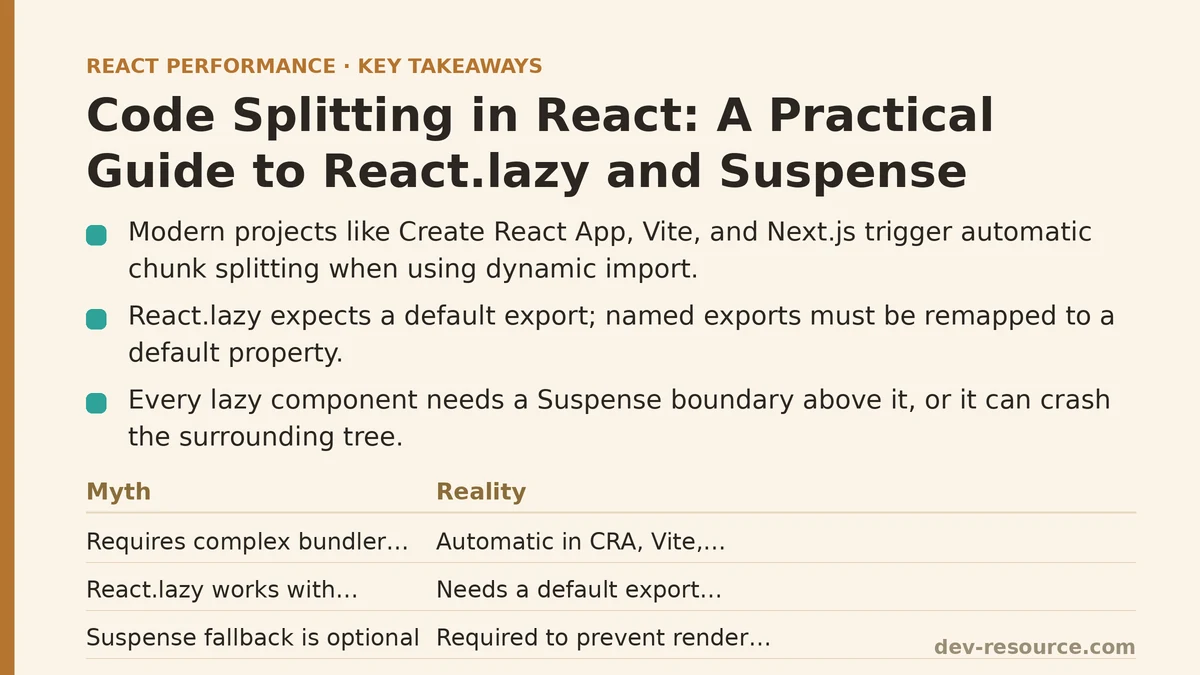
Myth: You Need a Complex Bundler Configuration to Split Code
There’s a persistent belief that code splitting requires hand-written webpack chunk configuration, magic comments scattered through the codebase, or a build engineer dedicated to bundle analysis. That belief keeps otherwise reasonable teams from adopting a technique that, in most modern setups, works out of the box.
The reality: if your project was created with Create React App, Vite, or Next.js, dynamic import() — the mechanism React.lazy relies on — already triggers automatic chunk splitting. No extra configuration is required for the basic case.
import React, { Suspense } from 'react';

const Settings = React.lazy(() => import('./Settings'));

function App() {
  return (
    <Suspense fallback={<div>Loading...</div>}>
      <Settings />
    </Suspense>
  );
}
That’s the entire setup. The bundler sees the import() call, generates a separate chunk for Settings, and the browser fetches it only when this component renders. There’s no webpack config file to touch for this to work.
Myth: React.lazy Works With Any Kind of Export
A common early mistake is assuming React.lazy can wrap a named export the same way it wraps a default one. It can’t, at least not directly, and the failure mode isn’t always an obvious error message — sometimes it’s a silent undefined where a component should be.
// This does not work as expected
export const Settings = () => <div>Settings</div>;

// React.lazy expects a module with a default export
const Settings = React.lazy(() => import('./Settings'));
The reality: React.lazy expects the promise returned by the dynamic import to resolve to an object with a default property. If your component is a named export, you need to remap it:
const Settings = React.lazy(() =>
  import('./Settings').then(module => ({ default: module.Settings }))
);
It’s a small adjustment, but skipping it is one of the more frequent sources of confusion when a team first introduces lazy loading into a codebase that leans heavily on named exports.
Myth: The Suspense Fallback Is Just a Nice-to-Have
Some developers treat the fallback prop as optional polish — something to add later once the loading experience needs to look better. Skip it, the assumption goes, and the lazy component will just render a little late.
The reality: without a Suspense boundary somewhere above it in the tree, a lazy component throws during render while its chunk is still loading, and that throw will crash the surrounding component tree if nothing catches it. Suspense isn’t cosmetic here; it’s the mechanism that intercepts the in-flight state and prevents the crash.
// Missing Suspense — this will throw an unhandled error
function App() {
  const Settings = React.lazy(() => import('./Settings'));
  return <Settings />;
}
At minimum, one Suspense boundary needs to sit somewhere above every lazy component. It doesn’t need to wrap each one individually — a single boundary near the top of a route can cover several lazy children — but it has to exist.
Myth: Code Splitting Only Makes Sense at the Route Level
Route-based splitting gets most of the attention in tutorials, and it’s a reasonable default: each page of an app becomes its own chunk, loaded when the user navigates there. But treating route boundaries as the only valid place to split code leaves a lot of savings on the table.
The reality: any component that’s expensive to load and not needed immediately is a candidate — a modal, a rich text editor, a charting library, a settings panel tucked behind a tab the user might never click. Component-level splitting inside a single route can shrink the initial bundle just as meaningfully as splitting between routes.
const ChartLibraryModal = React.lazy(() => import('./ChartLibraryModal'));

function Dashboard() {
  const [showChart, setShowChart] = useState(false);

  return (
    <div>
      <button onClick={() => setShowChart(true)}>View Chart</button>
      {showChart && (
        <Suspense fallback={<div>Loading chart...</div>}>
          <ChartLibraryModal />
        </Suspense>
      )}
    </div>
  );
}
If a charting library adds 200 KB to a bundle and only 15% of visitors ever open the chart, shipping that weight to every visitor on page load is hard to justify once the alternative is this straightforward.
Myth: Failed Chunk Loads Are Handled Automatically
Chunk requests fail — a spotty connection, a deployed update that invalidated an old chunk hash, a CDN hiccup. The assumption that Suspense handles this the way it handles loading states is a costly one, because it doesn’t.
The reality: Suspense manages the pending state of a lazy import; it has no built-in handling for a rejected promise. A failed chunk load needs an Error Boundary around the Suspense boundary, or the failure surfaces as an unhandled error in the console with nothing shown to the user.
class ChunkErrorBoundary extends React.Component {
  state = { hasError: false };

  static getDerivedStateFromError() {
    return { hasError: true };
  }

  render() {
    if (this.state.hasError) {
      return <div>Something failed to load. Please refresh.</div>;
    }
    return this.props.children;
  }
}

function App() {
  return (
    <ChunkErrorBoundary>
      <Suspense fallback={<div>Loading...</div>}>
        <Settings />
      </Suspense>
    </ChunkErrorBoundary>
  );
}
This pairing — Error Boundary on the outside, Suspense on the inside — is worth treating as a standard unit rather than adding piecemeal after a production incident makes the gap obvious.
Myth: Suspense Is a General-Purpose Data-Loading Solution
Once teams see Suspense catch a pending component import, it’s a short jump to assuming it can catch a pending fetch call the same way, with a loading spinner appearing automatically while data comes back from an API.
The reality: Suspense for data fetching is a distinct capability from Suspense for code splitting, and it requires a data-fetching layer built to integrate with it — React Query, Relay, or a framework’s own data layer, depending on setup. Wrapping a plain useEffect-based fetch in Suspense does nothing on its own; there’s no contract between a raw promise sitting in component state and the mechanism Suspense uses to detect a pending render.
// Suspense does not do anything useful here without a compatible data layer
function Profile() {
  const [data, setData] = useState(null);
  useEffect(() => {
    fetch('/api/profile').then(res => res.json()).then(setData);
  }, []);
  return data ? <div>{data.name}</div> : null;
}
Code splitting and data fetching both use the word “Suspense,” and both involve a loading state, but conflating them leads to debugging a data-loading bug in the wrong layer of the app entirely.
Myth: More Splitting Always Means Better Performance
Once the initial gains from splitting a large bundle become visible, it’s tempting to keep going — split every component, no matter how small, on the theory that smaller chunks are strictly better.
The reality: each chunk is a separate network request, and requests carry overhead — connection setup, HTTP headers, round-trip latency — that doesn’t shrink just because the payload does. Splitting a 3 KB component into its own chunk can add more request overhead than it saves in transferred bytes, especially over HTTP/1.1 connections where request parallelism is limited. Reserve splitting for chunks large enough, or deferred enough, that the tradeoff clearly favors the extra request.
Where the Myths and Reality Line Up
| Common Assumption | What’s True in Practice |
|---|---|
| Requires custom webpack config | Modern bundlers split automatically on dynamic import() |
| Works with named exports directly | Needs a .then() remap to a default key |
| Suspense fallback is optional polish | Required — its absence causes an unhandled throw |
| Only useful at the route level | Also valuable for modals, editors, and other heavy components |
| Failed loads are handled automatically | Needs an Error Boundary paired with Suspense |
| Suspense handles any async loading state | Data fetching needs a Suspense-compatible data layer |
| Splitting more is always better | Overhead per request can outweigh the savings on small chunks |
Which of these assumptions matched what your own codebase is currently doing? If it’s more than one or two, that’s usually a sign the initial code-splitting setup was copied from a tutorial without a second pass to check what actually shipped to production. Related guides: Dynamic Imports in Next.js: A Field Guide to Cutting Your Initial Bundle Significantly, Code Splitting in the Next.js App Router: A Practical Walkthrough, and Route-Based Code Splitting with React Router: The Loading Pattern Most Apps Miss.
🔗 Recommended Reading
- React Performance Mistakes in Fintech Dashboards and How to Fix Them
- Lazy Loading Images and Components in React: A Step-by-Step Tutorial
- React Memoization: When and How to Use memo, useMemo, and useCallback
- Next.js App Router Performance Optimization for Beginners: A Step-by-Step Guide
- Measuring and Fixing React Re-render Performance: A Step-by-Step Walkthrough