📖 5 min read
In the world of modern web development, React has emerged as a dominant force for building dynamic and interactive user interfaces. However, as applications grow in complexity, maintaining optimal performance becomes a critical challenge. One of the most effective strategies for tackling performance bottlenecks in React is memoization. This technique involves caching the results of expensive function calls and returning the cached result when the same inputs occur again, effectively preventing unnecessary re-renders and improving application responsiveness. By strategically implementing memoization, developers can significantly enhance the user experience and ensure smooth, efficient performance, even with complex components and data structures. This article delves into the nuances of memoization in React, exploring its core principles, practical implementation techniques, and advanced optimization strategies.
1. Understanding the Basics of Memoization in React
Memoization, at its core, is an optimization technique used to speed up computer programs by storing the results of expensive function calls and returning the cached result when the same inputs occur again. In the context of React, this primarily translates to preventing components from re-rendering when their props haven't changed. React provides several built-in tools to achieve memoization, each with its own strengths and use cases.
The most common techniques for memoizing React components are `React.memo`, `useMemo`, and `useCallback`. `React.memo` is a higher-order component that memoizes a functional component. By default, it shallowly compares the props of the component. `useMemo` is a hook that memoizes the result of a computation. It only recomputes the value when one of its dependencies has changed. `useCallback` is similar to `useMemo`, but it memoizes a function itself, ensuring that the function instance remains the same across renders unless its dependencies change.
Consider a scenario where you have a complex component that takes a large array as a prop. Without memoization, this component might re-render every time its parent component re-renders, even if the array itself hasn't changed. This can lead to significant performance issues, especially if the component performs expensive calculations or renders a large number of elements. By using `React.memo`, you can prevent this unnecessary re-rendering, ensuring that the component only updates when the array actually changes, leading to noticeable performance improvements.
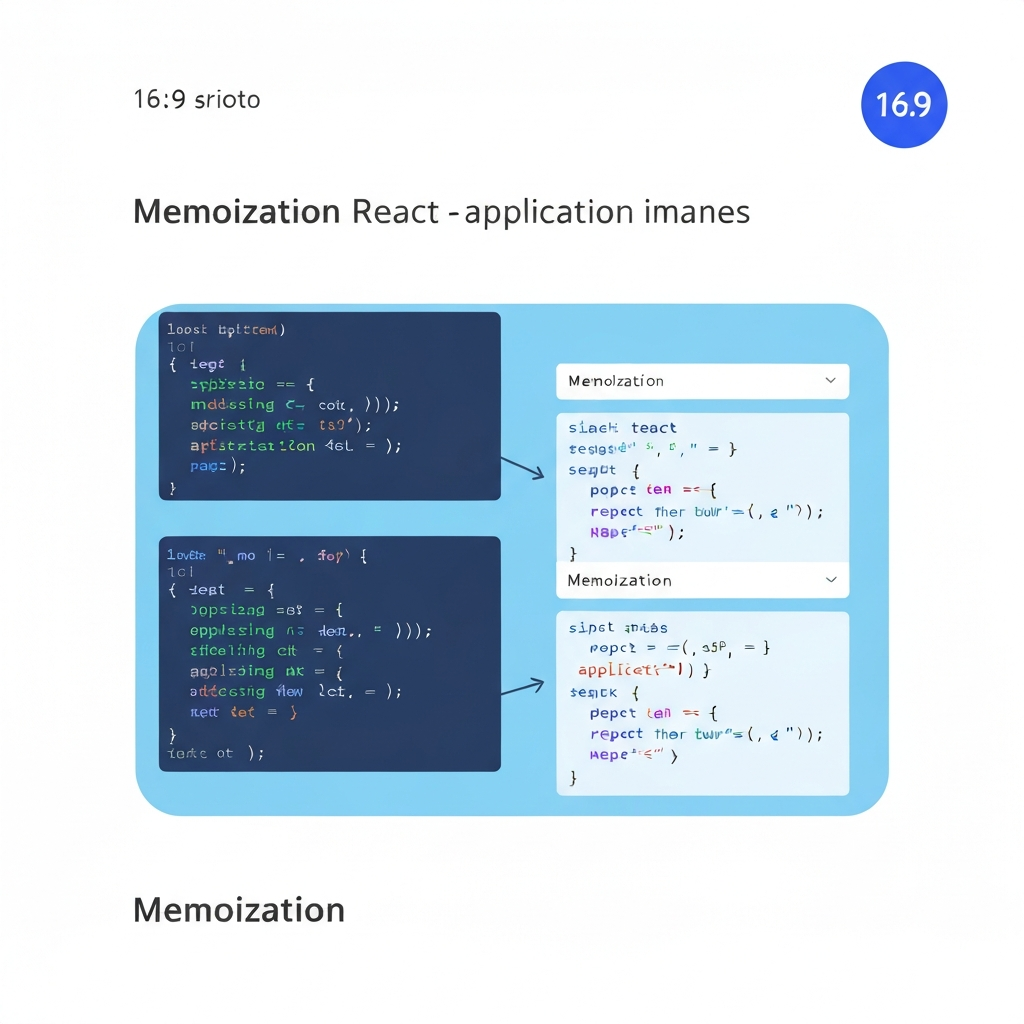
2. Implementing Memoization Techniques
Now let's explore the practical implementation of `React.memo`, `useMemo`, and `useCallback` with concrete examples.
- React.memo: This higher-order component is the simplest way to memoize a functional component. It prevents re-renders when the props haven't changed. For example:
By default, `React.memo` performs a shallow comparison of the props. You can also provide a custom comparison function as the second argument for more complex scenarios.const MyComponent = React.memo(function MyComponent(props) { // Render logic here return <div>{props.data}</div>; }); - useMemo: This hook memoizes the result of a computation. It's particularly useful for expensive calculations or derived data that you don't want to recompute on every render. For example:
The `useMemo` hook takes a function and an array of dependencies. The function is only re-executed when one of the dependencies changes. The result of the function is then cached and returned.const memoizedValue = useMemo(() => { // Expensive calculation here return computeExpensiveValue(a, b); }, [a, b]); - useCallback: This hook memoizes a function itself. It's crucial for passing functions as props to memoized components, as it prevents the creation of new function instances on every render, which would bypass the memoization. For example:
The `useCallback` hook also takes a function and an array of dependencies. The function is only recreated when one of the dependencies changes. The memoized function instance can then be safely passed as a prop to a memoized component.const memoizedCallback = useCallback( () => { doSomething(a, b); }, [a, b], );
3. Advanced Memoization Strategies and Considerations
Overusing memoization can sometimes be counterproductive. The comparison process itself has a cost. Only memoize components that are known to be performance bottlenecks.
While memoization can significantly improve React application performance, it's important to use it judiciously. Applying memoization to every component indiscriminately can actually decrease performance due to the overhead of the comparison process. It's crucial to identify components that are genuinely causing performance bottlenecks before applying memoization techniques. Profiling your application with tools like the React Profiler can help you pinpoint these problematic components.
Another important consideration is the immutability of props. Memoization relies on comparing props to determine whether a component needs to re-render. If props are mutated directly instead of being replaced with new immutable objects, the comparison will always return true, effectively negating the benefits of memoization. Ensure that you're using immutable data structures and techniques to prevent unintended mutations.
Furthermore, consider using a custom comparison function with `React.memo` when dealing with complex data structures or objects. The default shallow comparison only checks if the object references are the same, not if the object contents are the same. A custom comparison function allows you to perform a deep comparison of the object contents, ensuring that the component only re-renders when the data actually changes. This is particularly important when dealing with nested objects or arrays.
Conclusion
Memoization is a powerful technique for optimizing React component rendering and boosting application performance. By strategically applying `React.memo`, `useMemo`, and `useCallback`, developers can prevent unnecessary re-renders, reduce computational overhead, and enhance the overall user experience. However, it's crucial to use memoization judiciously, focusing on components that are known to be performance bottlenecks and ensuring that props are immutable.
As React continues to evolve, new optimization techniques and tools are constantly emerging. Staying abreast of these developments and continuously profiling and optimizing your React applications will be essential for maintaining peak performance and delivering exceptional user experiences. Embracing memoization as a core optimization strategy will undoubtedly be a valuable asset in your React development toolkit.
❓ Frequently Asked Questions (FAQ)
When should I use React.memo?
`React.memo` is most effective for functional components that re-render frequently with the same props. Consider using it when a component receives complex or large props, or when it's part of a deeply nested component tree. Before applying `React.memo`, profile your application to identify components that are causing performance bottlenecks. Avoid using it indiscriminately, as the prop comparison itself has a cost.
What's the difference between useMemo and useCallback?
`useMemo` memoizes the result of a computation, while `useCallback` memoizes a function itself. Use `useMemo` when you have an expensive calculation that you want to avoid recomputing on every render. Use `useCallback` when you need to pass a function as a prop to a memoized component, ensuring that the function instance remains the same across renders unless its dependencies change. This is crucial for preventing unnecessary re-renders of the child component.
How do I handle object props with React.memo?
When dealing with object props in `React.memo`, the default shallow comparison might not be sufficient, as it only compares object references. To perform a deep comparison of object contents, provide a custom comparison function as the second argument to `React.memo`. This function should compare the relevant properties of the objects and return true if they are equal. Alternatively, ensure your objects are immutable and that you create new object instances when changes occur so that the shallow comparison will work correctly.
Tags: #ReactJS #Memoization #Optimization #JavaScript #WebPerformance #Frontend #ReactHooks
🔗 Recommended Reading
- Building Resilient Event Driven Backend Systems Architecting for Scalability and High Availability
- Optimizing React Renders with Memoization Hooks A Deep Dive for Senior Frontend Developers
- Multi Tenant Database Design for Scalable Applications A Deep Dive into Python Django FastAPI Node.js Backends
- Managing Database Concurrency for Scalable Backends A Deep Dive into Python, Node.js, and RESTful APIs
- Achieving Smooth React UI with Advanced Hooks A Deep Dive into Optimization